11
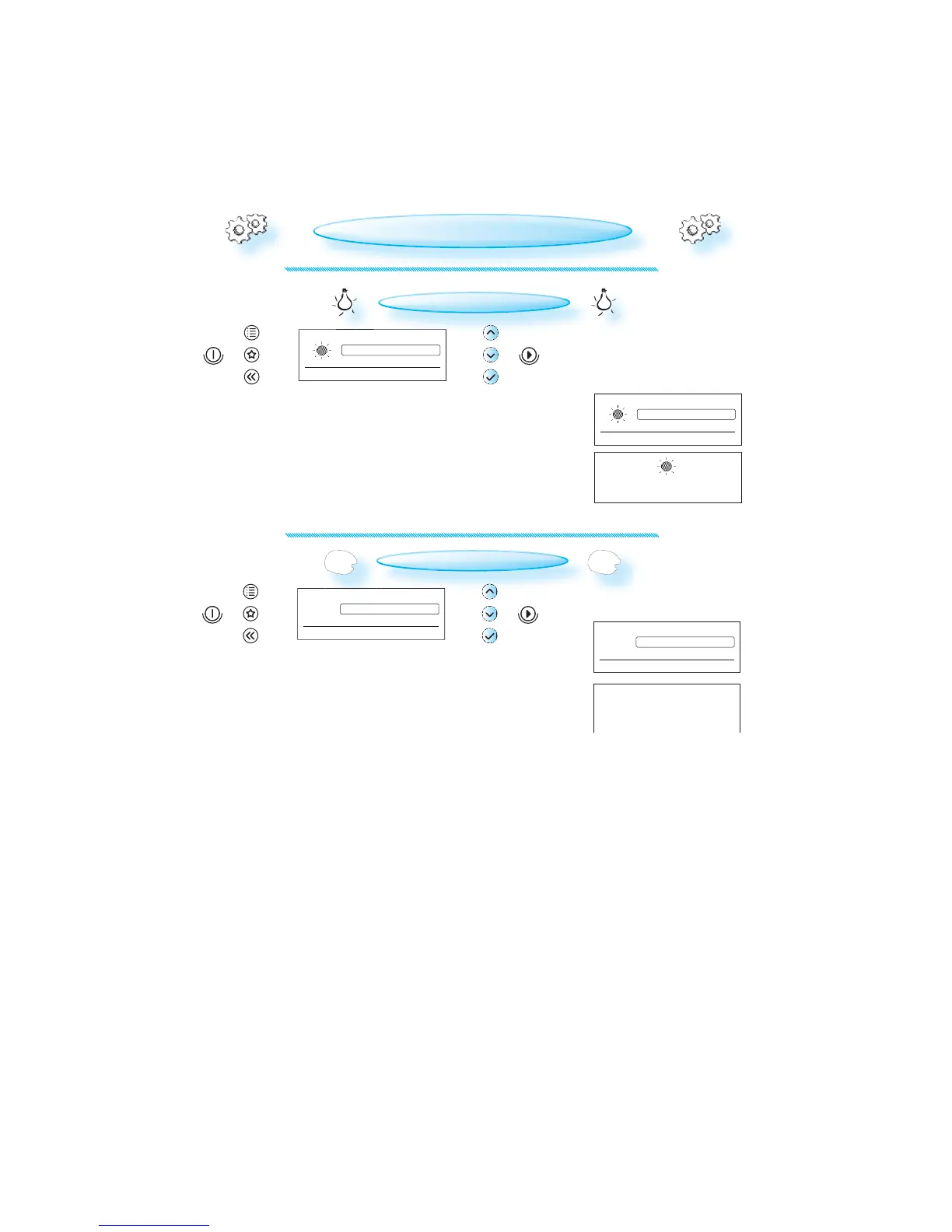
Brightness
Contrast
Volume
Appliance and display settings
Medium
Low
High
For normal living conditions
Brightness
has been set
Eco Mode
Guides
Contrast
Appliance and display settings
e
On
Off
Minimal power consumption
e
Eco Mode
has been set
e
e e
BRIGHTNESS
PRESS THE OK BUTTON .
USE THE UP / DOWN BUTTONS to set the level of brightness suitable to
your preference.
PRESS THE OK BUTTON again to confirm your selection.
CHANGING SETTINGS
ECO
PRESS THE OK BUTTON .
USE THE UP / DOWN BUTTONS to turn the ECO setting ON or OFF.
PRESS THE OK BUTTON again to confirm the change.
W
HEN ECO IS ON, the display will automatically turn off after a while
to save energy. It will automatically light up again when a button is
pressed or the door is opened.
WHEN OFF IS SET, the display will not turn off and the 24 h clock will
always be visible.



 To Next Page