4-3
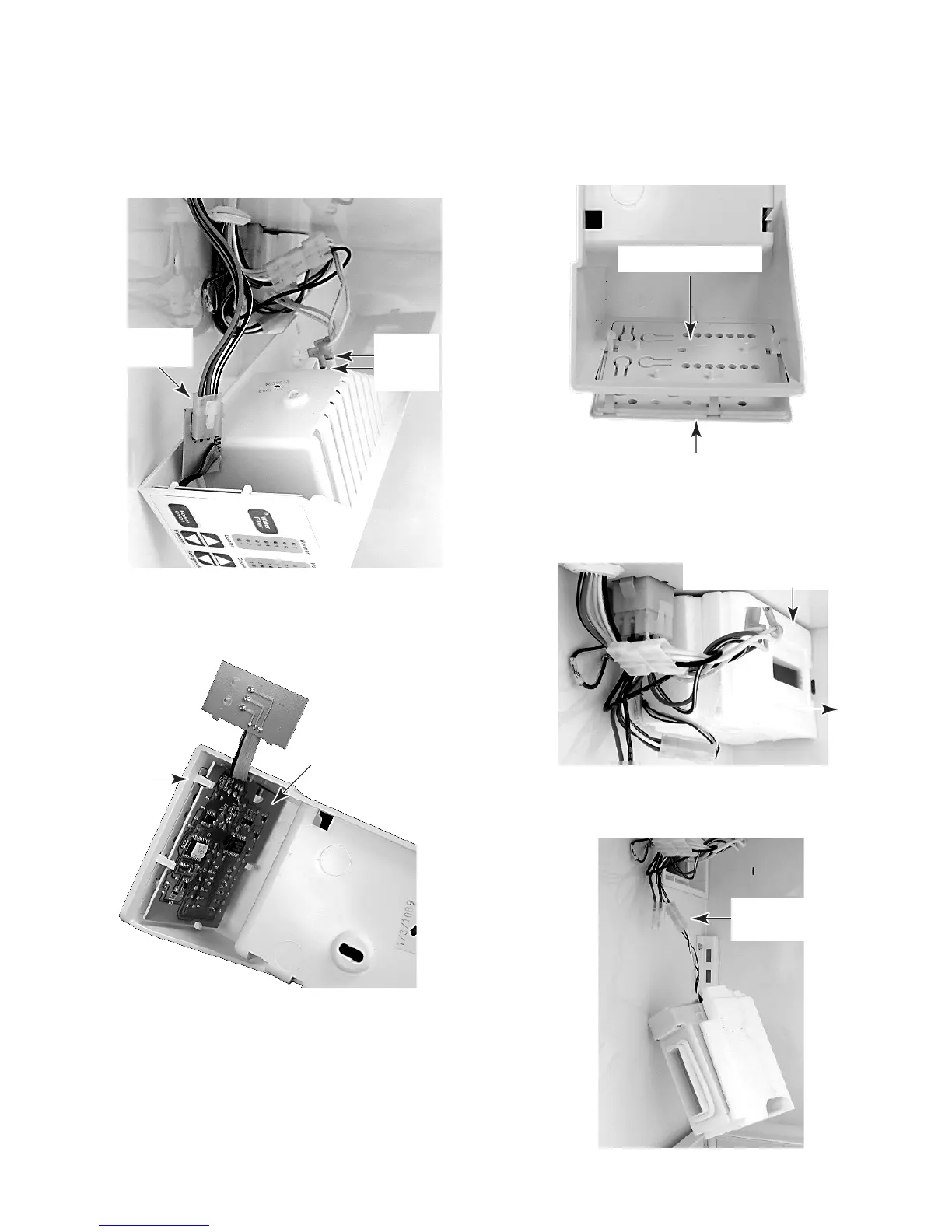
6. Disconnect the two wires from the light
socket and the 3-wire connector from the
touch/display board, and remove the touch
control assembly.
3-Wire
Connector
7. To remove the touch/display board,
unclip it from the touch control housing
and remove the board.
8. To remove the insert and overlay, press
the locking clips, and push the insert and
overlay out of the touch control housing
opening.
Touch/Display Board
Touch Control
Housing
Clip
(1 of 5)
Light
Socket
Wires
Insert & Overlay
Unclip & Push Out
9. To remove the motorized air door:
a) Pull the cover and motorized air door
away from the refrigerator liner.
b) Disconnect the wire connector from the
motorized air door.
Motorized Air Door Cover
Motorized Air Door
Wire Connector



 To Next Page