6-1
DIAGNOSTICS & TROUBLESHOOTING
DIAGNOSTICS
THE ERROR CODE DISPLAY MODE
To enter the error code display mode:
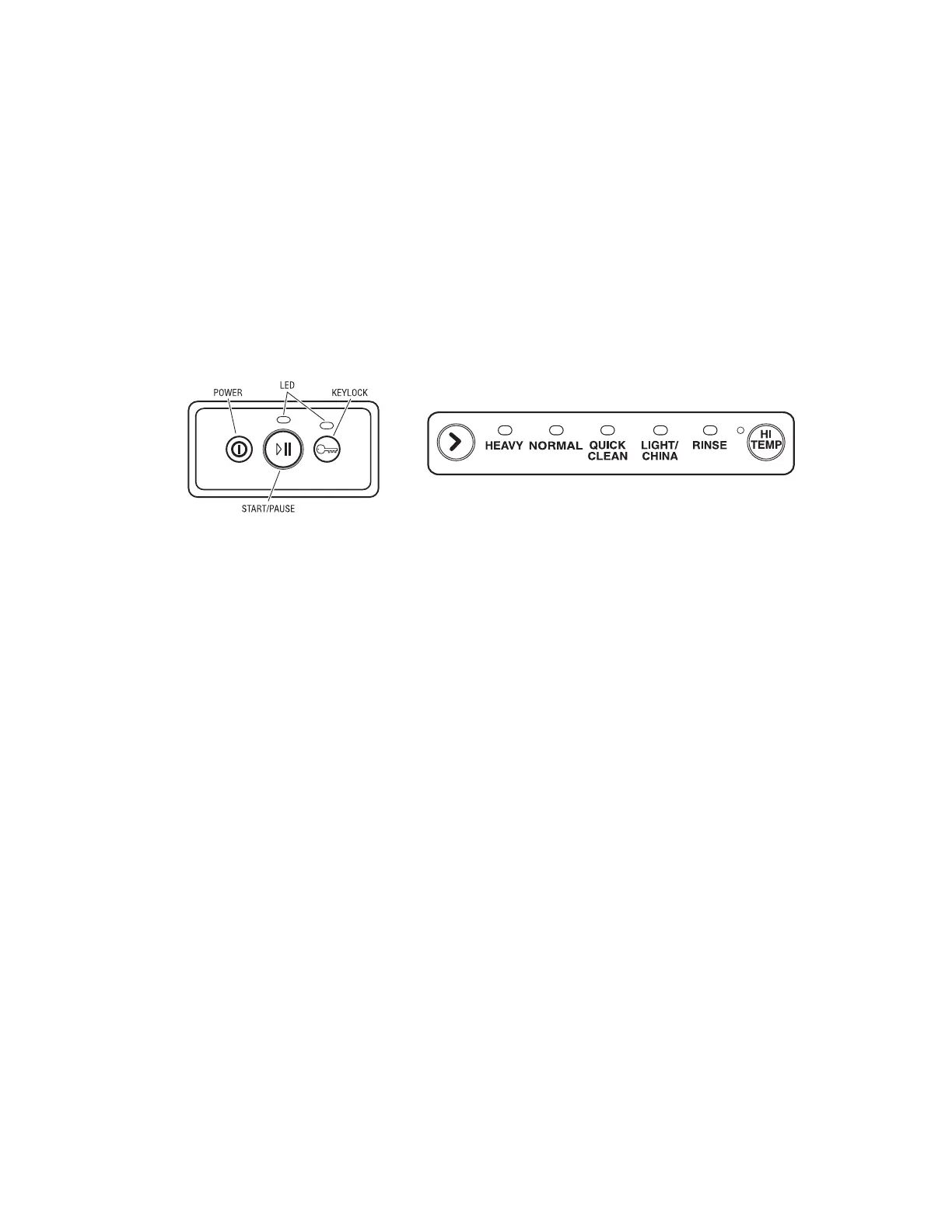
1. Press the Power button for the Power On
mode.
2. Press the Keylock button, and then the
Start/Pause button. Hold both buttons for 5
seconds. The Start/Pause LED is on.
3. Press Start/Pause. The current error code
is displayed on the drawer control panel
LEDs, followed by the previous error code.
4. Press the Keylock button to clear the cur-
rent error code. Press Keylock again to
clear the previous error code.
5. Press the Power button to exit the Error
Code Display mode.



 To Next Page