26
DRAW A SHAPE USING JAVASCRIPT
9
A square has four equal sides, and four 90 degree corners.
Instead of writing the same code four times for both the sides
and the corners, we can save some time by writing control
functions! This means we can write the code once, and then
tell the program to refer back to it as many times as we want.
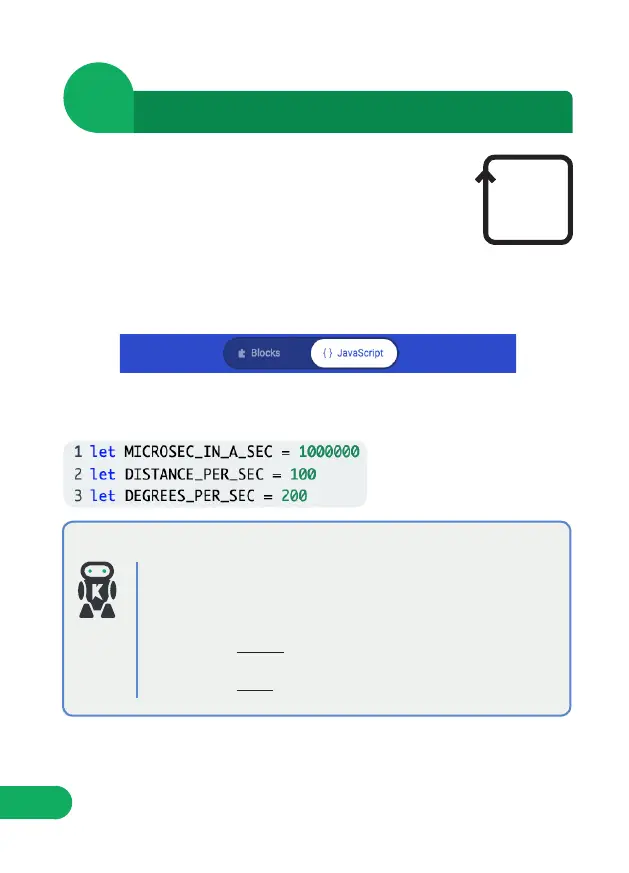
STEP 1: Click on the ‘JavaScript’ button towards the top of your browser.
This will activate the JavaScript programming environment, and allow us to
write some code.
MICROSEC_IN_A_SEC - The micro:bit’s processor counts
time in ‘micro seconds’. We want to be counting in ‘seconds’
so we will need to convert this. 1sec = 1million microsecs.
DISTANCE_PER_SEC - We will use this to calibrate how far
:MOVE mini travels in one second.
DEGREES_PER_SEC - We will use this to calibrate how far
:MOVE mini turns in one second.
VARIABLES EXPLAINED
STEP 2: Create the following constants. We will use these to store some
information about :MOVE mini.
These will allow us to tune the code to our individual :MOVE mini. For
example, if :MOVE mini turns past 90° when we code ‘turn right’, we can
adjust these values to correct it easily.


 To Next Page