6
‘download’ . This is where the program is converted into a format that the BBC
drive to transfer the code into your micro:bit.’ The message ‘Do you want to open or
save microbit-script.hex from microbit.org?’ will appear. Select ‘Save As’ from the
Next plug a BBC micro:bit into the computer via the
USB Cable. The BBC micro:bit will appear as a removable
drive on the computer something like this.
the folder where it was saved and ‘Drop’ it onto the MICROBIT removable
drive. A message will appear saying ‘Copying 1 item.....to MICROBIT’. At the
After a few seconds the download will complete and the BBC
micro:bit should now be running the program.
If it doesn’t you may need to press the reset button, which is next to the status LED.
GETTING A PROGRAM ON
TO THE BBC MICRO:BIT
It is very easy to transfer a finished program to the BBC micro:bit.
First of all select ‘download’ . This is where the program
is converted into a program the micro:bit can understand. This
is known as a ‘.hex’ file. If it has compiled successfully, it will
return the message ‘Download completed... Move the .hex file to
the MICROBIT drive to transfer the code to your micro:bit.’ The
message ‘Do you want to open or save microbit-script.hex from
microbit.org’ will appear. Select ‘Save As’ from the ‘Save’ drop
down menu and save the hex file to a folder for BBC micro:bit .hex
files.
Next plug a BBC micro:bit into the computer via USB. The BBC
micro:bit will appear as a removable drive on the computer called
‘MICROBIT’.
To download the .hex file to the BBC micro:bit ‘Drag’ the .hex file
from the folder where it was saved and ‘Drop’ it onto the MICROBIT
removable drive. A message will appear saying ‘ Copying 1 item......
to MICROBIT’. At the same time, the yellow LED on the back of the
BBC micro:bit will flash.
After a few seconds, the download will complete and the BBC
micro:bit should now be running the program.
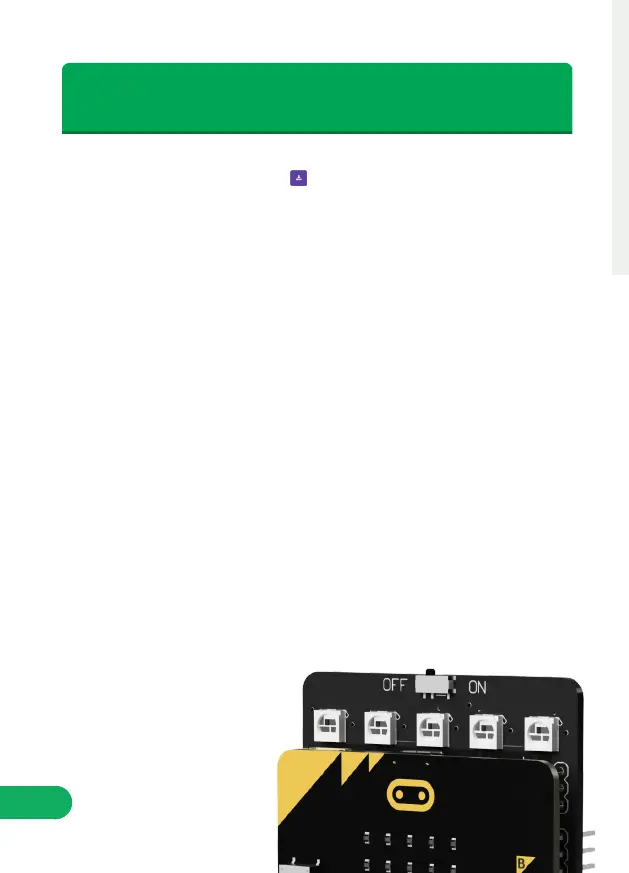
If it doesn’t you may need to reset the micro:bit, which can be done
by using the switch at the top of the Servo:Lite board to turn it off
and back on again.
‘download’ . This is where the program is converted into a format that the BBC
drive to transfer the code into your micro:bit.’ The message ‘Do you want to open or
save microbit-script.hex from microbit.org?’ will appear. Select ‘Save As’ from the
Next plug a BBC micro:bit into the computer via the
USB Cable. The BBC micro:bit will appear as a removable
drive on the computer something like this.
the folder where it was saved and ‘Drop’ it onto the MICROBIT removable
drive. A message will appear saying ‘Copying 1 item.....to MICROBIT’. At the
After a few seconds the download will complete and the BBC
micro:bit should now be running the program.
If it doesn’t you may need to press the reset button, which is next to the status LED.
GETTING A PROGRAM ON
TO THE BBC MICRO:BIT
Status LED.
Reset button.


 To Next Page
 Loading...