37
ۣૐ ۞ইૐҴૐ ೠҴসӏѺ ಿ҃మ
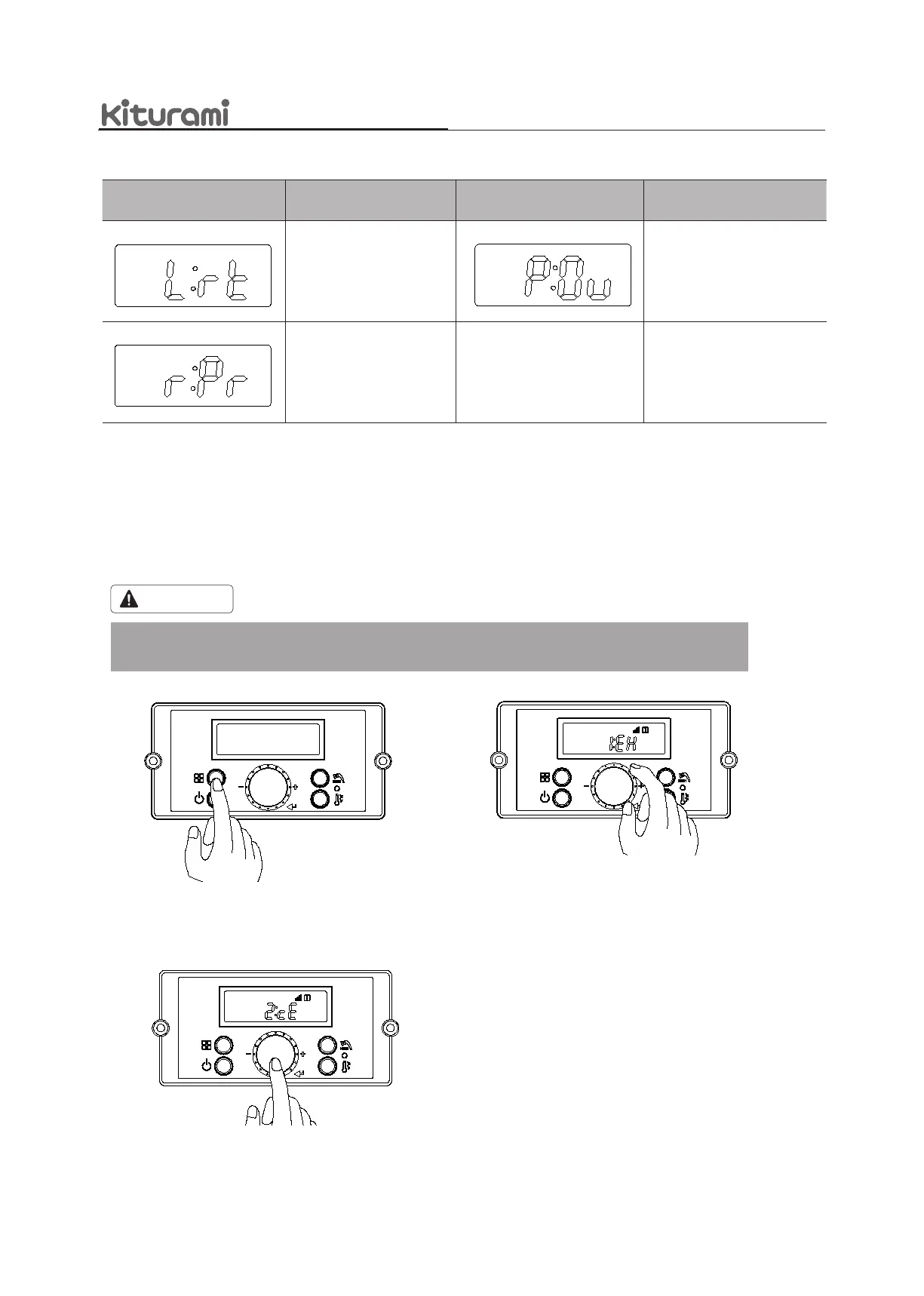
d-1. Press the ‘Function Button’ to return to
normal mode.
Display Screen Description Display Screen Description
Display outdoor
temperature
Display ow rate value
(Li: L/m, GA: GPM)
Display cold water
temperature
Display fan RPM value
Locked mode ON/OFF
Display central heating water
temperature
Display hot water
temperature
Display exhaust gas
temperature
DisplayScreen Description DisplayScreen Description
Operationtimedisplay
mode
Displaypumpoperation
status
(CP1,CP2,3way)
Displaycurrentpressure
8.4.1Settingtheinstallermode
Usercanmodifyinstallermodesettingsforboileroperations,suchasthespaceheatingandDHWtemperatureranges,
indifferentoperatingconditions.
Followtheinstructionsbelowtoenterthe‘InstallerMode’andchangeparametersettings.
CAUTION
Allparametersmustbesetbyaqualiedprofessionalwithanextensiveunderstandingoftheboilersystem.
Settingparametersimproperlymayleadtopropertydamageorinjury.
a. Pressandholdthe‘FunctionButton’for
5secondstoenterthe‘InstallerMode’.
b. Turnthe‘DialButton’tomovetoa
‘InstallerModeMenu’.
8.4 Installer Mode
c. Afteradjustingdesiredinstallermodemenu,
if‘DialButton’ispressed,thecurrent
menu settingwillbestored.



 To Next Page