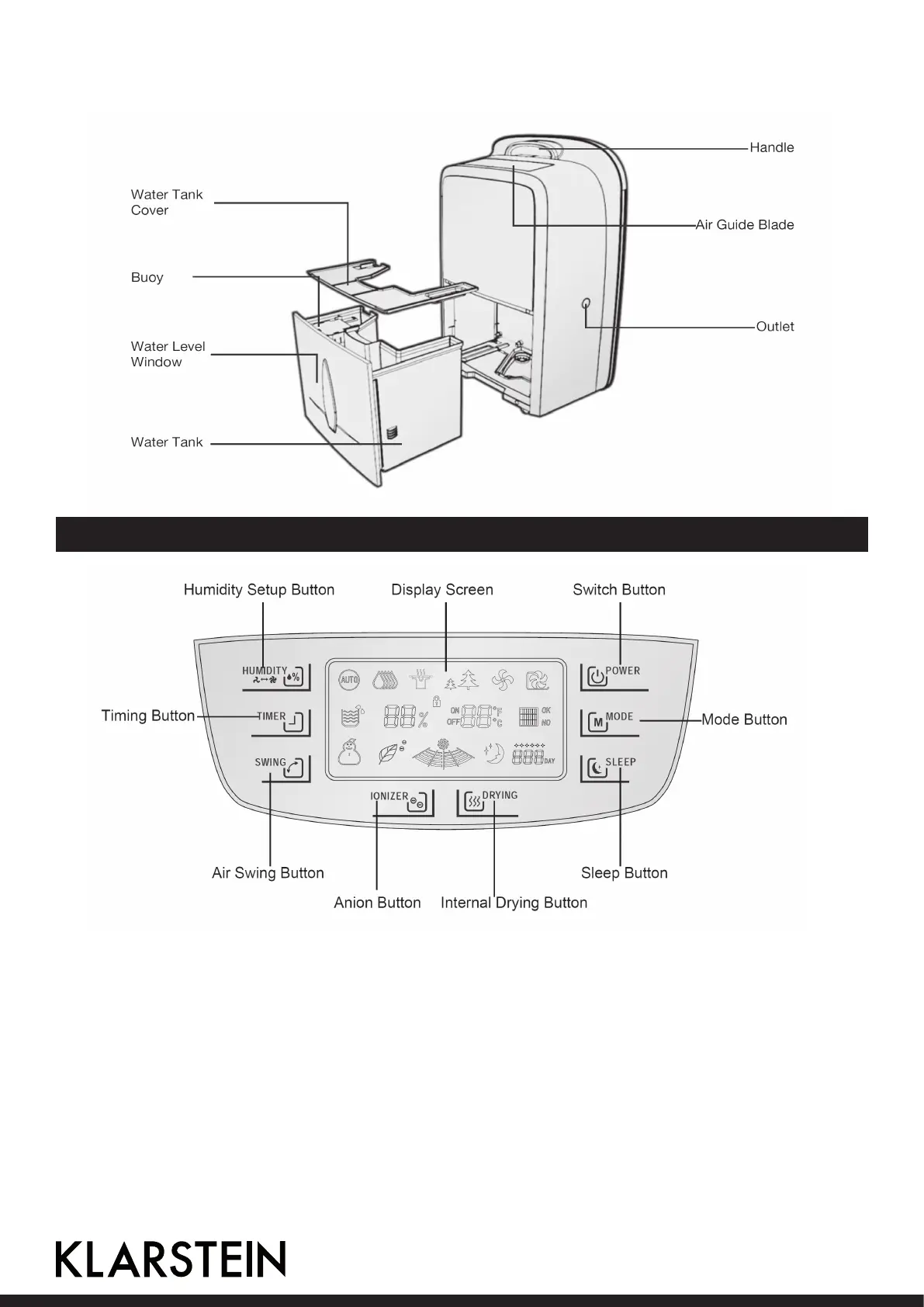
Back side
Control Panel and Buttons
POWER Start or shut down the dehumidier.
MODE Select auto, powerful or mild dehumidication, air purication and ventilation, etc.
Pressing this button for more than 2s can enable child lock.
SLEEP Start ultra silent air speed.
DRYING Press it for more than 2s to start internal drying function.
IONIZER Start anion function.
SWING Start air swing function to realize wide-angle air sweeping.
TIMER Realize start/shutdown of the dehumidier at xed time.
HUMIDITY Set up humidity in automatic dehumidication mode, and regulate air speed in
air humidication mode.
14



 To Next Page