Water Tank and Continuous Drainage
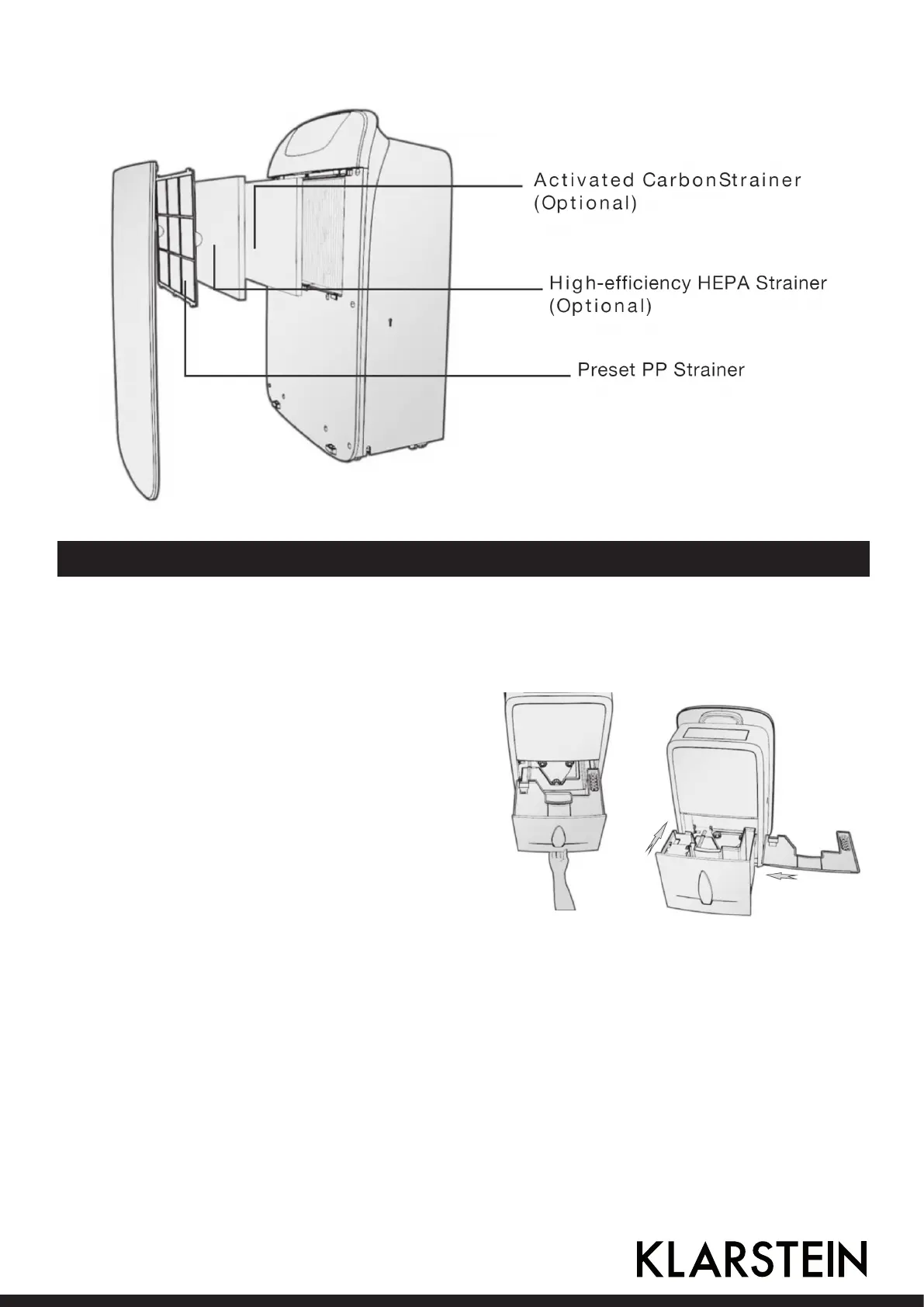
Use of water tank
When water tank is full of water, the icon for full water on LCD ickers, and BUZZE sounds for 10
times to remind the user till water is poured o.
1. Put hand at depressed place on the bottom
of water tank and take it out slightly, remove
water tank cover and pour o water in tank.
2. Put the cover on water tank, and then reco-
ver water tank at correct position slightly and
start the dehumidier again.
NOTE:when water tank is full of water, please evacuate water. Before putting water tank into dehumi-
dier body please conrm whether water tank and its cover are closely installed, oating ball rotates
exibly or not, and then push water tank in position with both hands.
18 19





 To Next Page