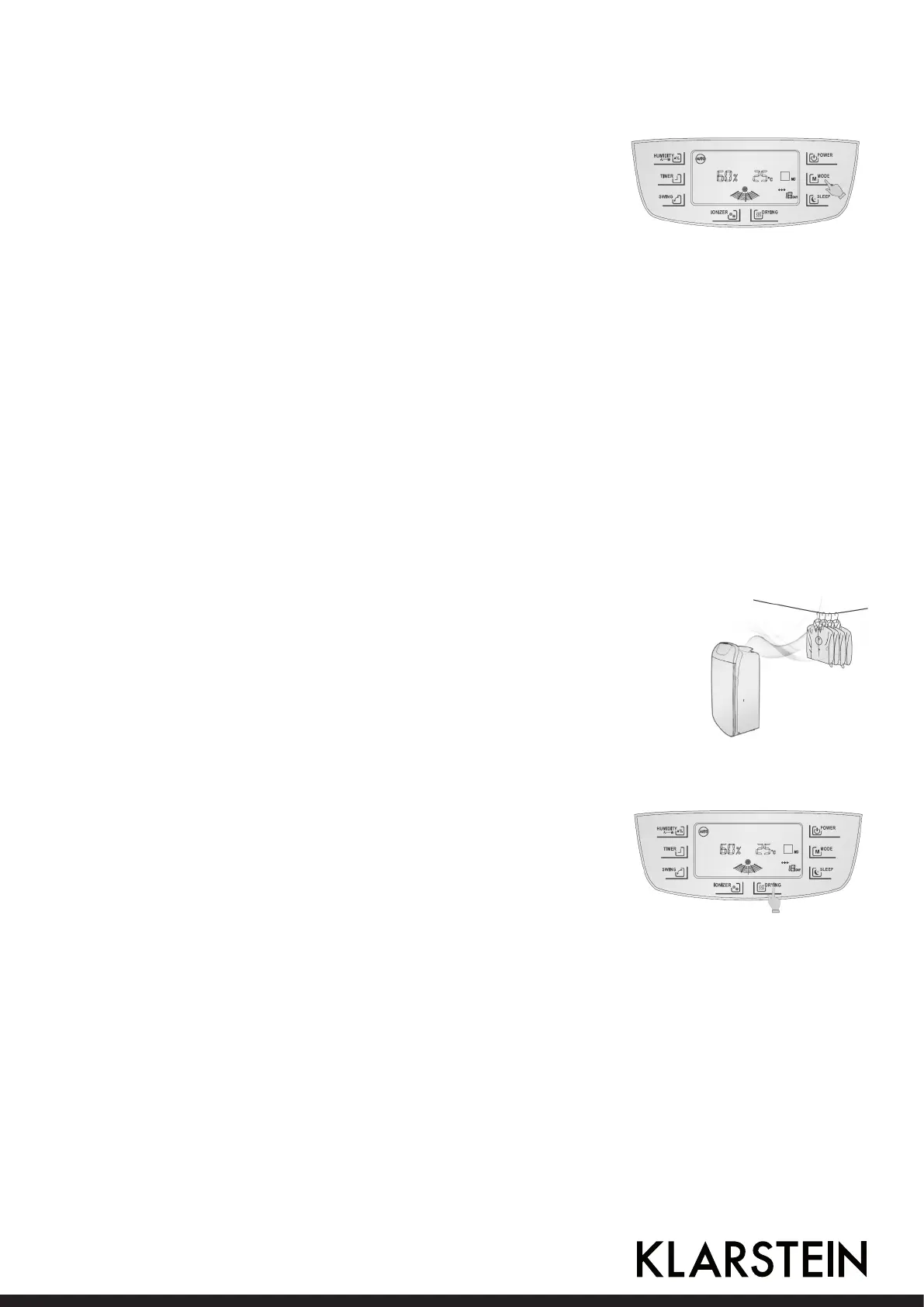
Auto Dehumidication
Initial startup of the dehumidier defaults auto dehumidication
mode or select this mode via MODE. This mode can judge ope-
rating states in accordance with relative humidity in the room. In
addition the humidity can also be set up for dehumidication with
the setup range: 4 0 %-4 5 %-5 0 %-5 5 %-6 0 %-6 5 %-7 0 %,
which can be circularly selected. When the setup humidity is lower
than ambient humidity, the compressor starts for dehumidication.
Powerful dehumidication
Select this item, the compressor starts regardless of relative humidity indoor, and the fan forces to
operate by high-speed air for dehumidication.
Mild dehumidication
Select this item, the compressor starts regardless of relative humidity indoor, and the fan forces to
operate by low-speed air for dehumidication.
NOTE: In the above three dehumidication modes, if the air purication pattern (two small trees)
ickers, it is not fault, but the strainer (HEPA or activated carbon) is not removed, and air purifying
function is performed with dehumidication. If the HEPA or activated carbon strainer is removed, the
strainer pattern displays no strainer.
Ventilation function
To operate this mode, rst remove the HEPA or activated carbon strainer, if
not, the strainer pattern ickers to remind the user of removing the HEPA or
activated carbon strainer. In order to guarantee service life of the HEPA strai-
ner or activated carbon strainer, removal is recommended. When it is humid
and clothes are not easy to dry, operate in powerful dehumidication mode
and press SWING, enabling auto swing of air swing blades to enlarge air
supply range and eectively feed dry air to each corner for faster and more
eective drying of clothes.
Internal drying mode
Touch DRYING for over 2s to start internal drying process, which
requires approximate one hour: Supply air (high-speed) operati-
on lasts about 30min; the dehumidier continues high-speed air
operation and air guide blades sweep air at wide angle for about
10min; and then the dehumidier continues high-speed air ope-
ration and air guide blades return to xed position and continue
operation for approximate 15min.
To stop the drying mode press DRYING again for over 2s to cancel internal drying function and re-
turn to running status before startup of drying; press POWER to stop internal drying and recover
standby.
Note: To switch the display of the temperature units (Celsius and Fahrenheit) press the humidity
button & timer button together.
16 17



 To Next Page