9
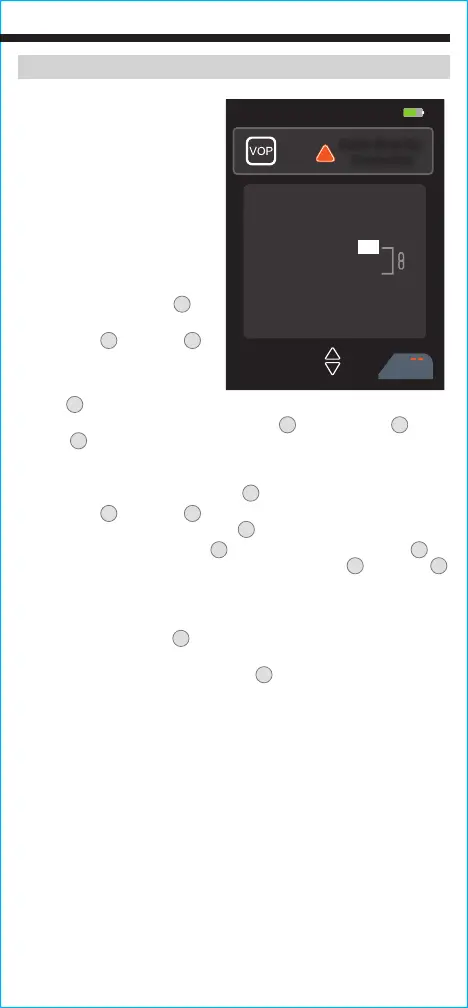
Changing VoP Value /
Adding New Cable Information
Always verify that the VoP of
the cable you are measuring is
stored in the Cable Length Meter.
If it is not, check the cable box
for the information or check the
manufacturer’s website. If the VoP
can not be located, a value can be
found using a known length of the
cable in question (see Obtaining
VoP Values section).
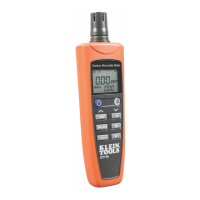
1. Press the Power button
5
to
power-ON the meter.
2. Use the Up
11
and Down
12
Arrow buttons to highlight the
cable type to be measured and
press the "Select" button (three
dots)
8
.
3. Press the the "Library" button (three dots)
8
and use the Up
11
and
Down
12
Arrow buttons to highlight the row to be corrected. At the
end of the list, “Add New” allows you to add a new cable without
changing any of the existing default known cable values.
4. Press the "Edit" button (two dots)
7
.
5. Use the Up
11
and Down
12
Arrow buttons to highlight the VoP and
press the
"Edit" button (two dots)
7
.
6. Use the "Left Arrow" (one dot)
6
and "Right Arrow" (three dots)
8
to
highlight the numbers to be changed, and use the Up
11
and Down
12
Arrow buttons to increase or decrease the numbers until they display
the value you have obtained.
7. Enter/edit the Name, Manufacturer, and Impedance values as needed.
8. Press the Save button
10
to save changes.
“Save successful” will
display on the screen.
9. Press the "Return" button (three dots)
8
to return to testing.
Obtaining VoP Values
There are three ways to obtain VoP values for a cable:
1. VoP values for the most common cable types are included in the Cable
Length Meter. They can be estimated based on these values or using
the chart on page 11.
2. The VoP can usually be obtained by checking the cable specifications
or contacting the manufacturer.
3. The VoP can be found using a known length of the cable that will
be used during testing (see Determining an Unknown VoP Value
section).
07:30 55%
05/29/2020
Cancel
!
Cable Must Be
Connected
Type:
Pair:
VOP:
Length:
Name:
Manufacturer:
70%
5
Coax
1
_______
_______
OPERATING INSTRUCTIONS



 To Next Page