8
ENGLISH
OPERATING INSTRUCTIONS
CHARGING:
1. Connect supplied charging cable’s
11
USB-C connection to the
USB-C port
9
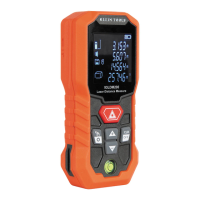
of the 93LDM200.
2. Connect the charging cable’s USB-A port to a charging source
(5V DC, Min 1.5A, not included).
3. The Battery Level Indicator
L
will indicate charging status.
POWER ON UNIT AND LASER:
Press the Laser / Power-ON Button
1
.
POWER OFF LASER:
Press the
Clear / Power-OFF Button
5
.
POWER OFF UNIT AND LASER:
Press and hold the
Clear / Power-OFF
Button
5
for 3 seconds.
AUTO-POWER OFF:
The laser will automatically turn off after
30seconds of inactivity. The unit will automatically power off after
3minutes of inactivity.
TAKING MEASUREMENTS:
Press the Laser / Power-ON Button
1
once to capture a measurement. The laser will turn off. Press the
Laser / Power-ON Button
1
again to take another measurement.
SINGLE / CONTINUOUS MEASUREMENTS:
To swap between Single
Measurement Mode and Continuous-Measurement Mode, press and
hold the Laser / Power-ON Button
1
. In Continuous-Measurement
Mode, the unit will display the minimum, maximum, and current
readings, and the laser will blink while on. Press the
Laser / Power-ON Button
1
to hold the current measurement on
screen. The laser will turn off. Press the Laser / Power-ON Button
1
again to take another measurement.






 To Next Page