EVOLUTION Instruction Manual
Version: C (Manual 0901170) 17 2024-1218
0901170 REV.B
Page 17
Operating Evolution
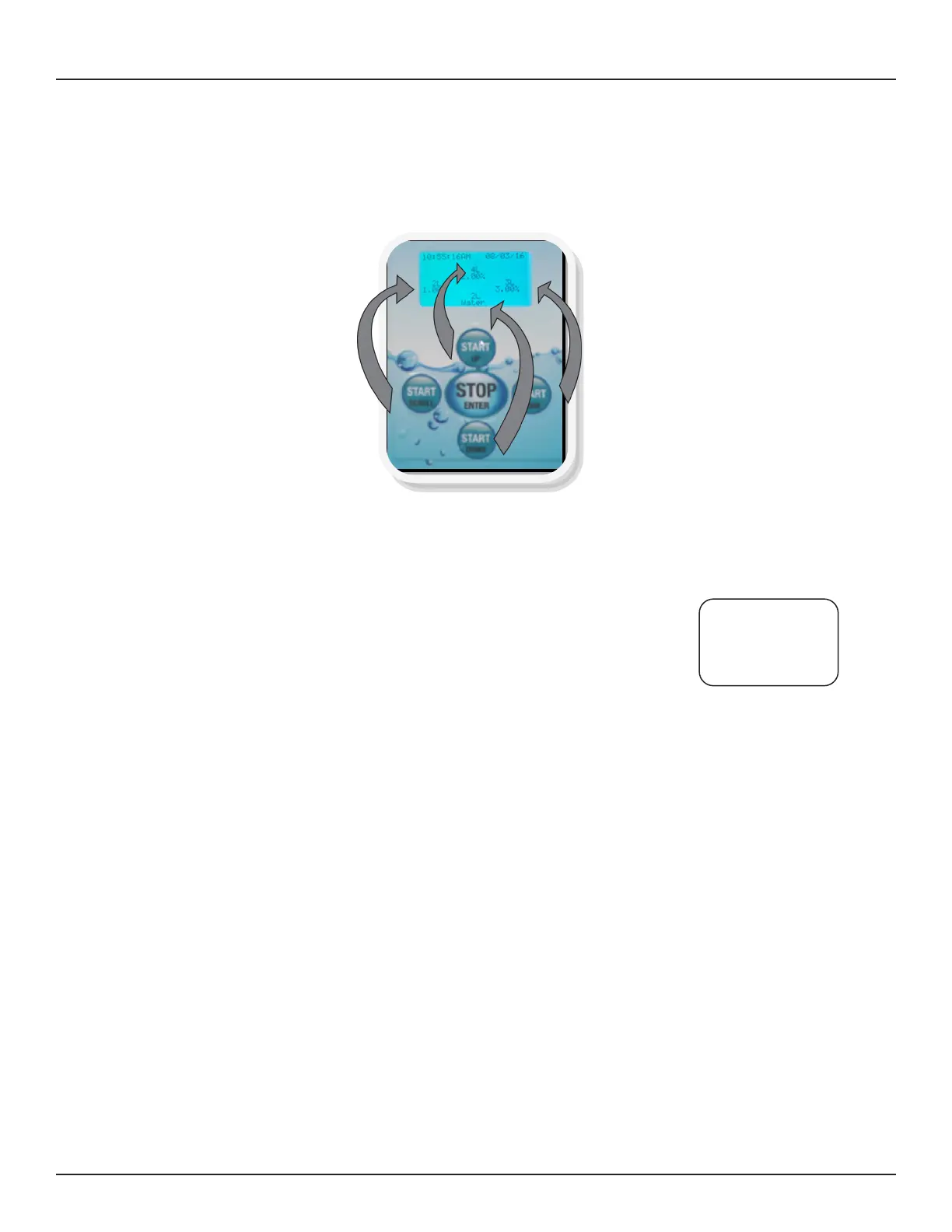
User Interface Operator Key Function – formulas are arranged at the 9, 12, 3 and 6 o’clock positions
just like the start buttons. Select the start button that coincides with the formula to be dispensed and
press the button. Unless temperature monitoring function is turned on the unit will start to dispense the
cleaning solution.
1. Place the solution hose (or faucet) in/over the sink/tub to be filled. Be sure the hose is placed at
the bottom to avoid excess aeration of the cleaning solution which can cause excessive foam.
2. Temp Monitoring Mode On
If the temperature sensor reads below the minimum temperature setting the
display will show the message to run water.
The system will turn on the water valve and begin measuring the incoming
water temperature. Once the minimum temperature is reached the system will
beep three times indicating its time to close the drain. Press the appropriate
Start button to fill at the correct temperature.
3. Temp Monitoring Mode Off
Close the sink drain and press the appropriate formula start button for the volume and concentration
desired. Go about some other task while Evolution completes delivery of the formula volume.
Note: If for any reason you need to interrupt a dispensed volume press the Stop button. All chemical
volumes are recorded anytime you hear the audible “beep” that occurs at the end of a completed
delivery or on an interrupted dispense after pressing Stop.
4. Soak Timer
Press the soak key to start a soak time countdown. At the end of the soak you will hear three beeps
5. Replacing the Cleaning Solution Supply
When the low detergent alarm sounds, remove the low level sensor from the cleaning solution
container and replace with a fresh container. Once you drop the sensor into the container the alarm
message will reset to the run screen. Drain the contents of any incomplete formula volume and start
over to assure the proper concentration and volume is used.
PRESS START TO
RUN WATER UNTIL
TEMP IS IN RANGE
TEMP (F) 071


 To Next Page