OpEraTiON
7 Status: 04.11.21
8P
6P
97 51 10
KNIPEX
6P
5.
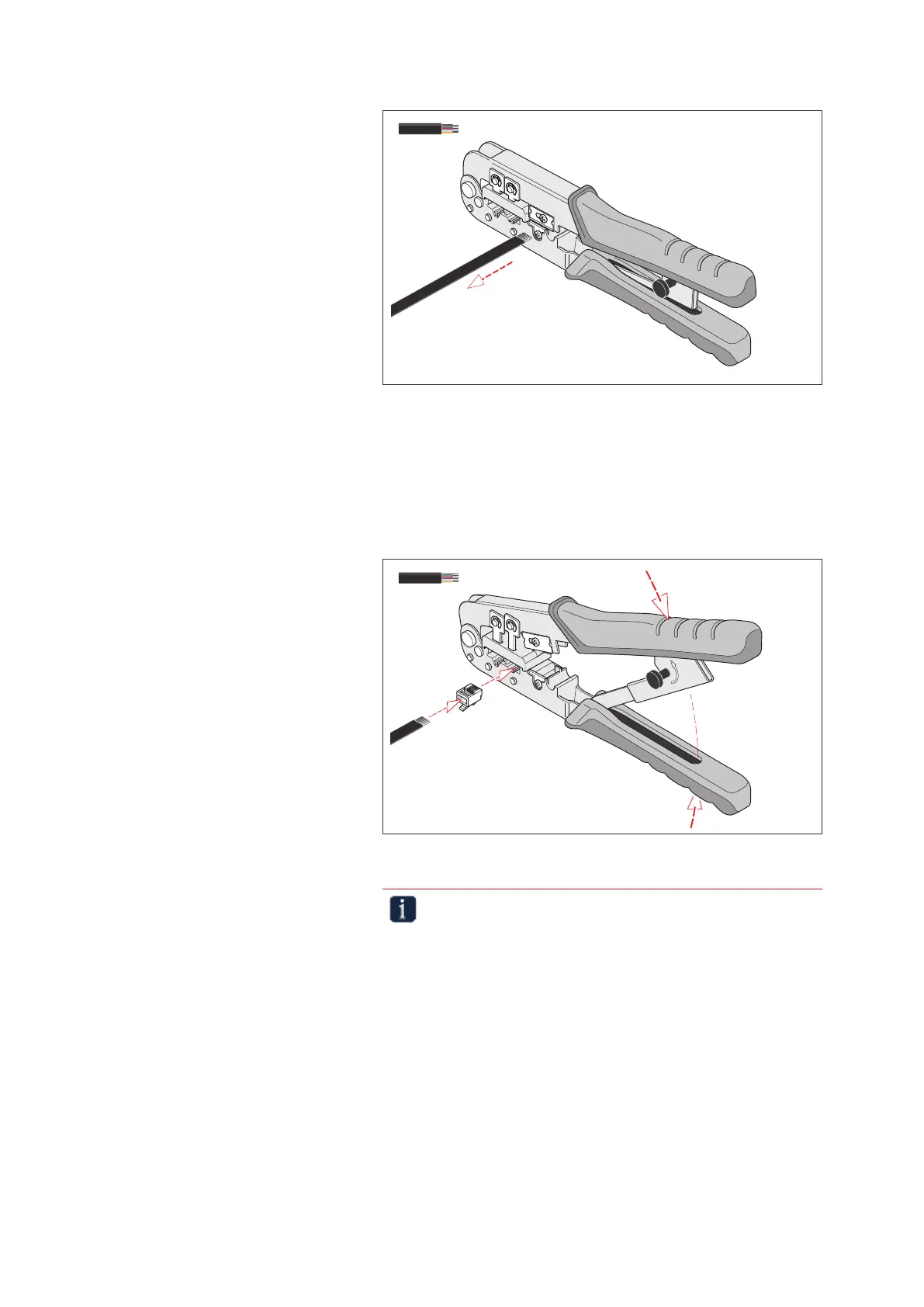
Withdrawing the ribbon cable to strip the insulation
» Pull the cable out of the tool to strip the insulation.
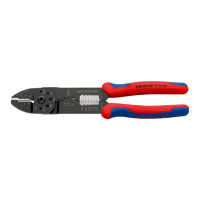
4.1.2 Pressing 6-pin at cables into Western plug type RJ 11/12
» Insert a 6-pin Western plug into the crimping point.
» Insert the cable into the connector as far as it will go.
» Press the tool together completely.
R
e
l
e
a
s
e
8P
6P
97 51 10
KNIPEX
6P
1.
2.
3.
Pressing Western plugs
Important note!
The pliers have a forced locking mechanism to ensure the
quality of the crimp. If necessary, the lock can be released by
twisting the release button.


 To Next Page