OpEraTiON
9 Status: 04.11.21
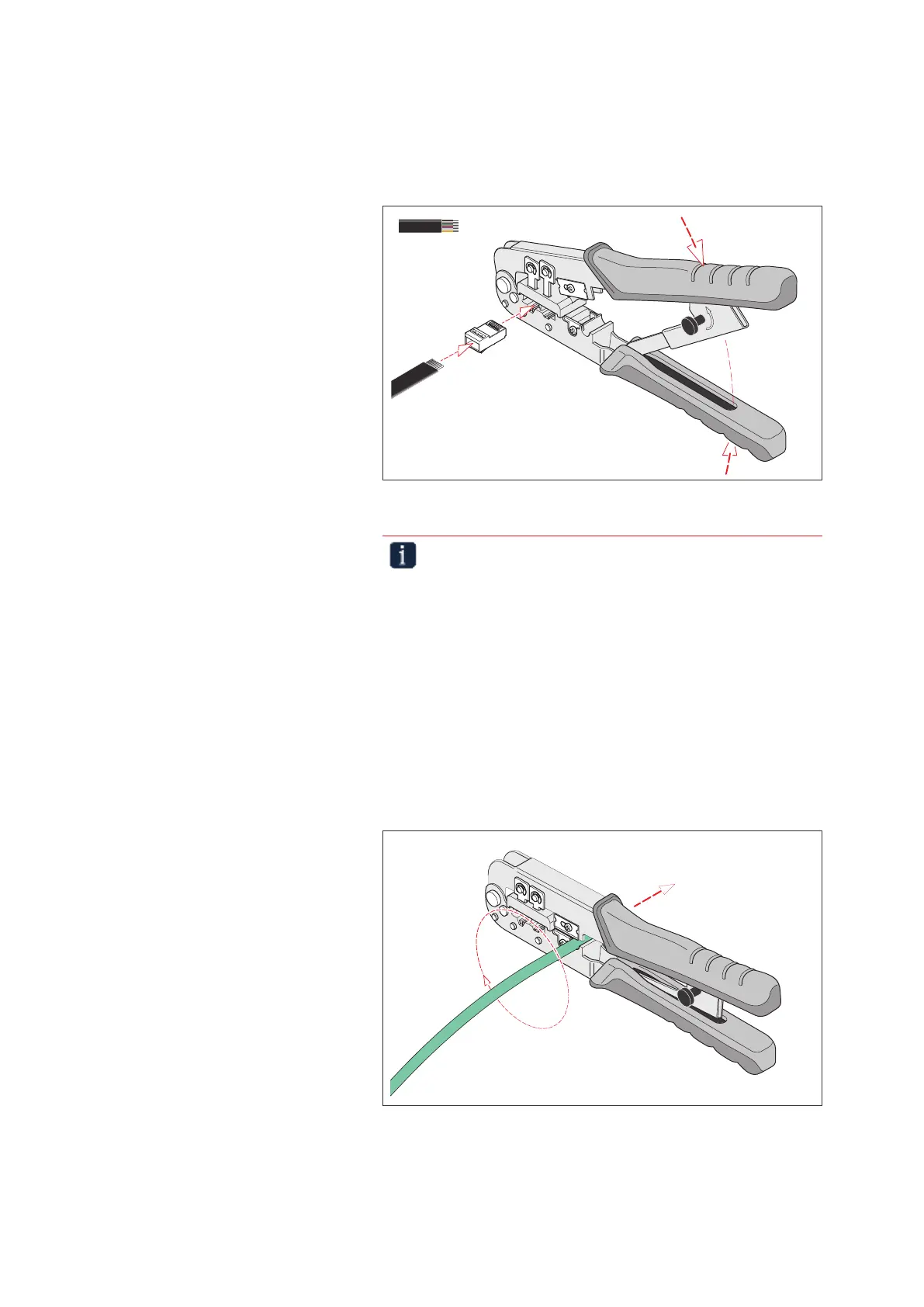
4.2.2 Pressing 8-pin at cables into Western plug type RJ 45
» Insert a 8-pin Western plug into the crimping point.
» Insert the cable into the connector as far as it will go.
» Press the tool together completely.
R
e
l
e
a
s
e
8P
6P
97 51 10
KNIPEX
1.
2.
3.
8P
Pressing Western plugs
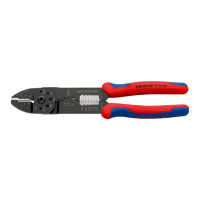
Important note!
The pliers have a forced locking mechanism to ensure the
quality of the crimp. If necessary, the lock can be released by
twisting the release button.
4.3 Stripping and pressing CAT cables into Western plug type
RJ 45
Only use open plugs without strain relief for this tool. “Pass through” plugs
and closed plugs cannot be crimped with this tool.
4.3.1 Stripping CAT cables
» Place the end of the cable in the CAT cable holder.
8P
6P
97 51 10
KNIPEX
Stripping the data cable


 To Next Page