7 FPGA project using Quartus-II (Pluto/-II/-3)
Pluto, Pluto-II and Pluto-3 are configured from SOF or RBF files generated by Altera’s Quartus-II software.
7.1 Create a new project
1. Run Quartus-II, and click on menu → File → New Project
Wizard.
2. Select the project location, choose a project name, and click
Next.
3. Choose files to add to the project. Just click next if you don't
have files to add now.
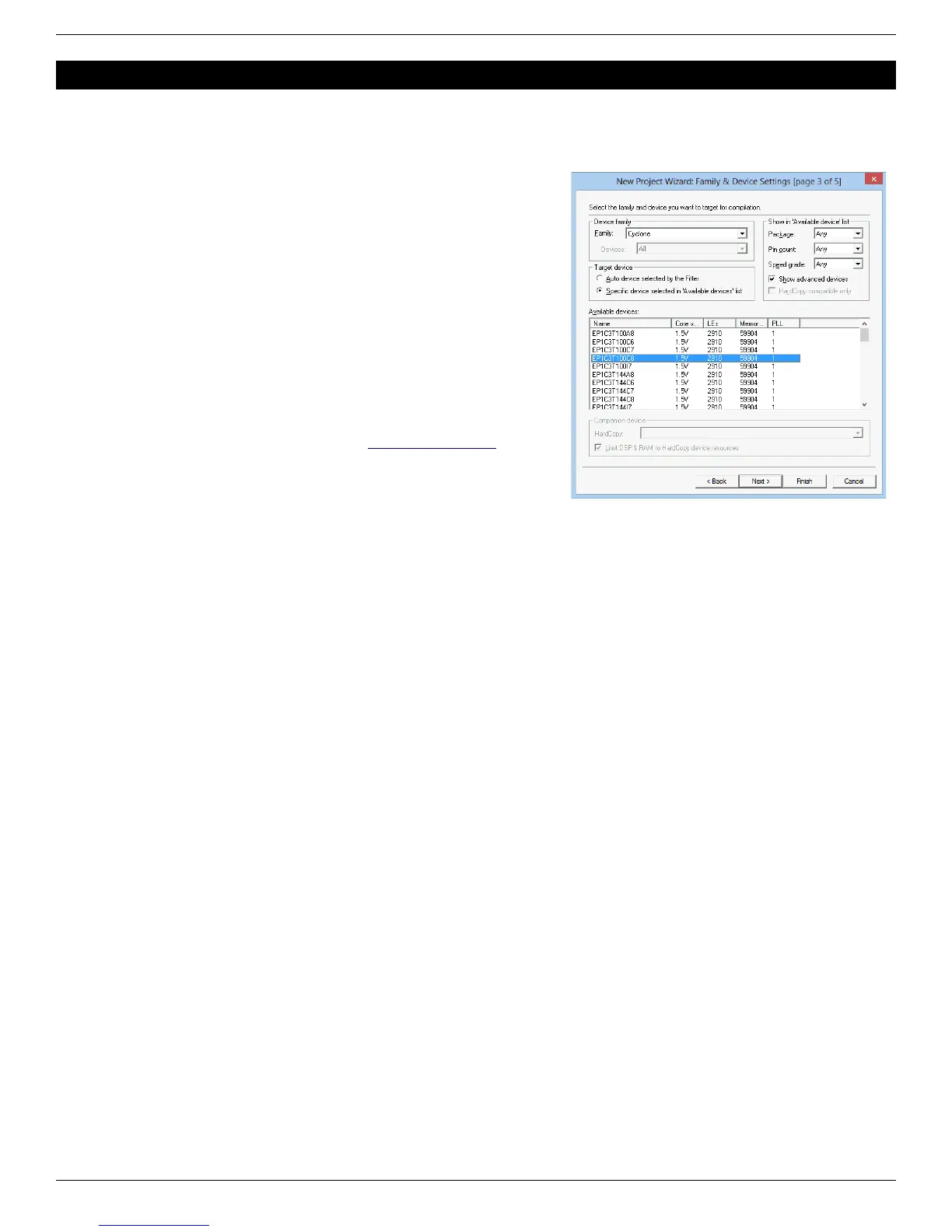
4. Now is time to choose the device (you can also do that later
using menu → Assignments → Device)
a. For Pluto, choose family “APEX1K” and device
“EP1K10TC100-3”.
b. For Pluto-II, choose family “Cyclone” and device
“EP1C3T100C8”.
c. For Pluto-3, choose family “Cyclone-II” and device
“EP2C5T144C8”.
5. Click Finish.
A graphical work-through is also available on this fpga4fun page.
7.2 A simple start
Here’s a simple Verilog file:
module LEDblink(input clk, output LED);
// 32 bits counter
reg [31:0] cnt;
always @(posedge clk) cnt <= cnt + 1;
assign LED = cnt[23];
endmodule
Add it to the project and select it as the top-level design. Next make the correct pin assignments in Quartus-II menu →
Assignments/Pins or “Pin planner” (using the info from paragraph 9.1). This project uses only 2 pins, so it should be fast.
You also want to specify the outputs and what happens to unused pins.
1. Select menu → Assignments → Device
2. Click on “Device & Pin Options…”
a. Go to the “Programming Files” tab, select “Raw Binary File (.rbf)”.
b. Go to Unused Pins”, select “As inputs, tri-stated” or “As inputs with weak pull-up”.
c. Click “OK”.
3. Click “OK”.
Option 2.a makes sure RBF files are generated (used for RS-232 FPGA configuration). Otherwise only SOF files are
generated (used for JTAG).
Option 2.b is optional but highly recommended. It prevents the FPGA from driving pins that are not used in your project.
Otherwise, Quartus-II drives all the unused pins to ground, which often ends-up creating IO contentions.
FPGA RS-232 development boards Page 11


 To Next Page