13 Quartus-II JTAG indirect mode (Pluto-II/-3)
13.1 What is it?
The JTAG indirect mode allows programming the FPGA boot-PROM through JTAG.
It is a two steps process: first a .jic (“JTAG indirect configuration”) file is created, and then the .jic file is used to program
the boot-PROM
13.2 Create a “JTAG indirect configuration” file
1. In Quartus-II, go to File → Convert programming file
2. In the “Output programming file” panel, select “JTAG Indirect Configuration File”, EPCS1 for Pluto-II or EPCS4
for Pluto-3, and a filename for a “.jic” file.
3. In “Input file to convert”, select the Cyclone EP1C3 for Pluto-II or EP2C5 for Pluto-3 as “Flash loader”, and the
SOF file that you want to use for the boot-PROM as “SOF Data”.
4. Click “OK”. This creates the “.jic” file.
The boot-PROM can now be programmed.
13.3 Program the boot-PROM
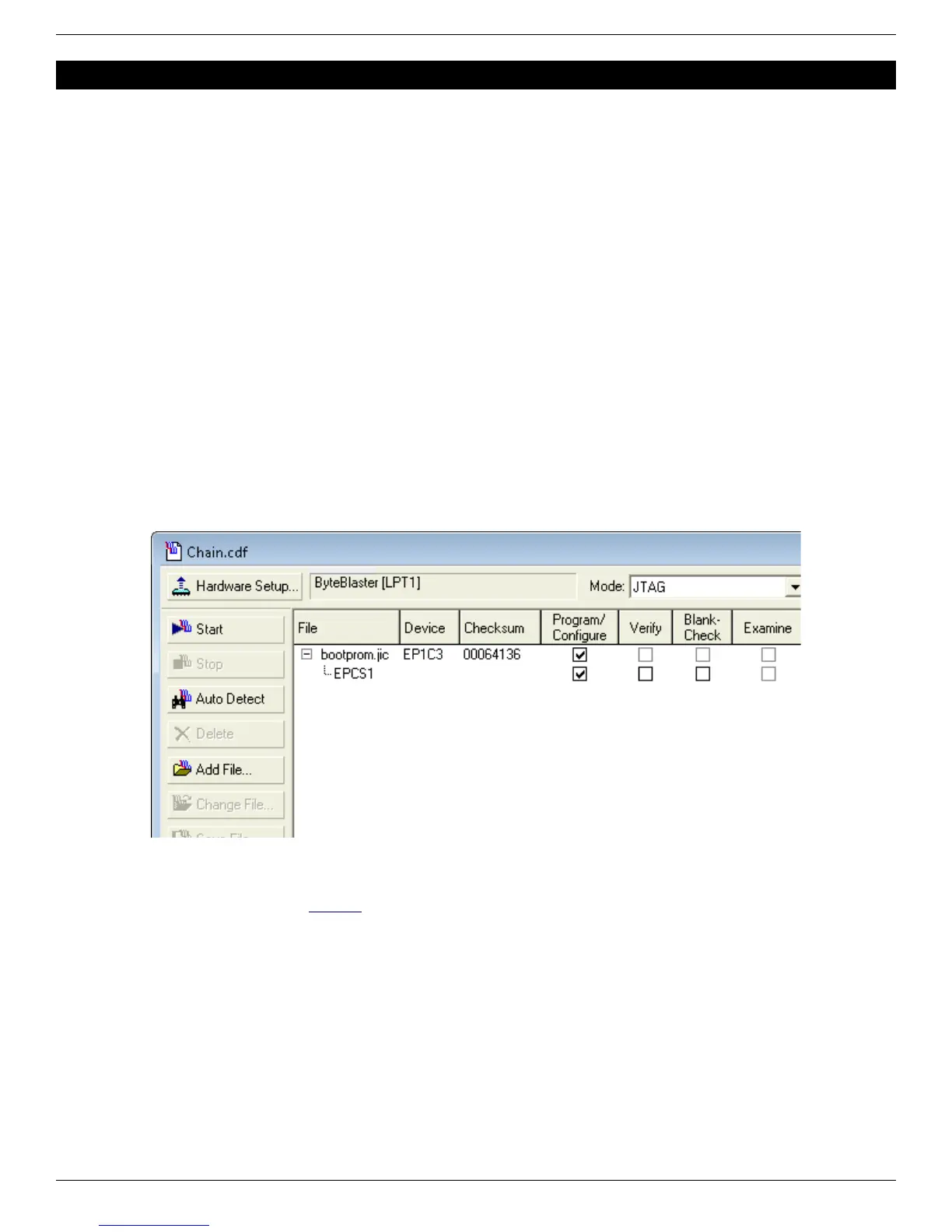
1. Open the “Programmer” window (in Tools → Programmer)
2. Select the JTAG cable you are using (“Hardware Setup” button)
3. Select JTAG as “Mode”
4. Load the “.jic” file
5. Select configure for both the FPGA (EP1C3/EP2C5) and the boot-PROM (EPCS1/EPCS4)
6. Click the “Start” button.
7. You can also verify and erase the boot-PROM if you want (note: the FPGA doesn’t need to be re-configured if
it is already configured from the jic).
For more information, check Altera's AN-370.
FPGA RS-232 development boards Page 18


 To Next Page