KDC270/280
Quick Guide
See Reference Manual for more detailed information
Visit store.koamtac.com to purchase additional products and accessories.
QG_KDC270_KDC280_20201014 p13
How to Use Tizen WebApp Demo Application (Only for KDC280)
KDC280C-BLE has BLE (Bluetooth® Low Energy) V4.1 instead of Bluetooth V2.1 and supports below three
profiles:
SPP – It is a Koamtac specific customized profile which provides bi-directional communication in the
paired mode.
HID – It is a Bluetooth Low Energy standard profile which support Human Interface Device as like a
keyboard or a mouse. It is required to be paired first.
To connect with Gear S3, you can use SPP profile from KDC, but to run the current demo application from
KOAMTAC, you should use SPP profile to connect with Gear S3:
5.1 Connect the phone to Gear S3 and Install the demo application
Download Galaxy Wearable (Samsung Gear) application from Play Store. (Please make sure your phone
supports Galaxy Gear S3.)
Connect the Samsung Gear to your smartphone. (You can refer to the link to learn how to connect:
http://www.samsung.com/ca/support/skp/faq/1119975
)
On the Gear press the home button and scroll to settings. Scroll down and select Connect to a New
Phone. On the phone, open the Samsung Gear application and search for nearby Gear devices. Select
your Gear from the list and confirm the passcode on both devices.
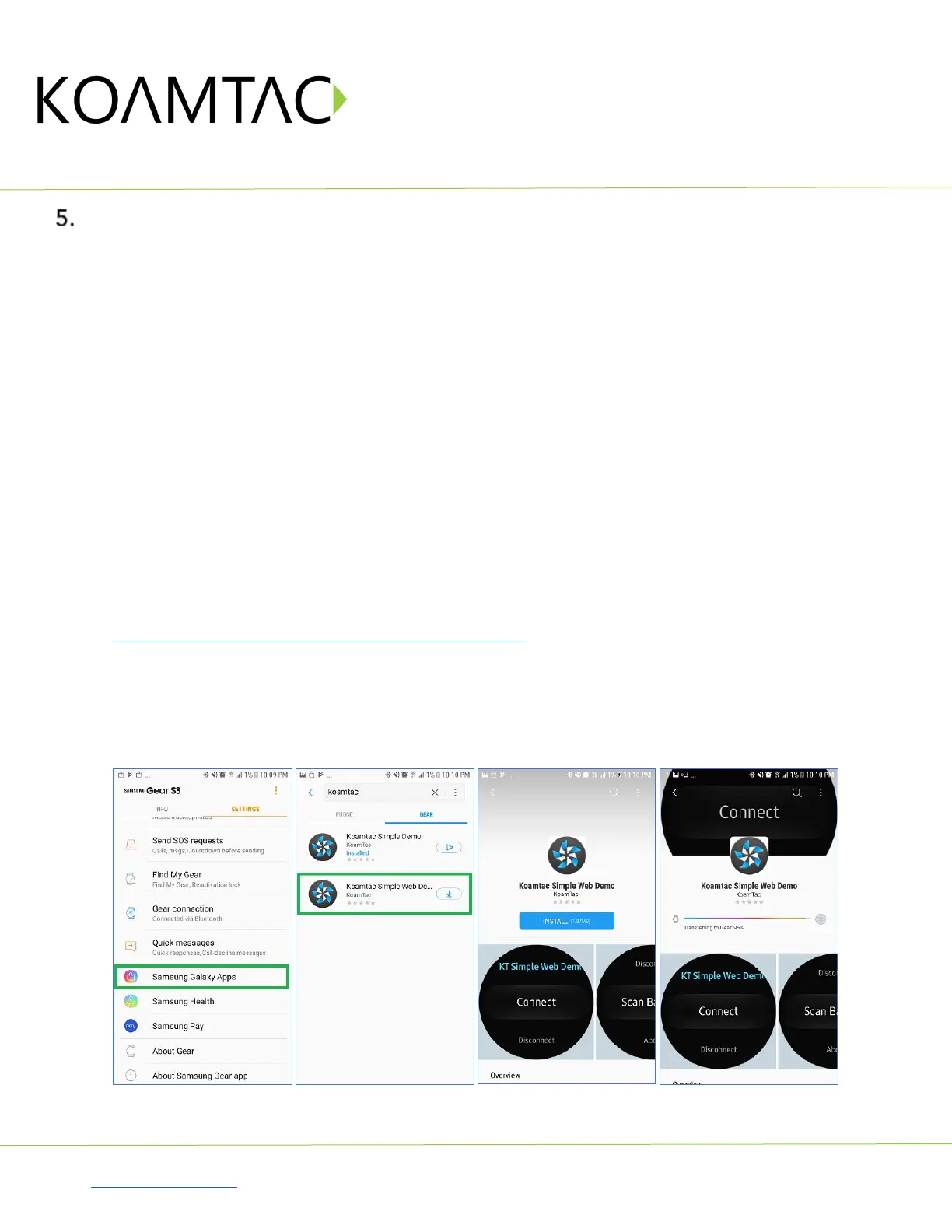
From Galaxy Store, search Koamtac apps, which is “Koamtac Simple Web Demo” App and install it on
Gear S3.



 To Next Page