Need help?
Do you have a question about the KoamTac KDC280 and is the answer not in the manual?
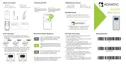
Illustrates the physical components and ports of the KDC280 scanner.
Explains the procedure for powering the KDC280 scanner on and off using buttons.
Describes the different Bluetooth profiles (HID, SPP, HID Windows) and their communication capabilities.
Details how to pair the KDC280 with a smart device using specific pairing barcodes.
Explains the NFC pairing process for Android devices, including KDC menu and barcode methods.
Describes how to use the KDC280 as a keyboard input device via HID profile.
Guides users on installing and connecting the KTSync application for Android and iOS devices.
Explains how to configure the KDC280 as a keyboard input on Android devices using KTSync.
Details the process of setting up the KDC280 as a keyboard on iOS devices via KTSync.
Guides users on requesting and utilizing the KOAMTAC SDK for custom application development.
Outlines configurable parameters for the social distancing feature, including distance, alerts, and security keys.
Provides step-by-step instructions to enable and configure the social distancing feature using the KDC device menu.
Explains how to enable the social distancing feature by scanning specific social distance barcodes.
Details how to configure the social distancing feature using the KTSync application on a smart device.
Illustrates various social distance alert scenarios and data displays within the KDC and KTSync.
The KOAMTAC KDC280NA QG is a Bluetooth barcode scanner designed for efficient data collection, supporting both 1D Laser/CCD and 2D Imager barcode types, with Bluetooth Low Energy (BLE) v5.0 connectivity. This quick guide provides essential information for setting up and using the device, including pairing, basic operation, and advanced features like social distancing.
The KDC280NA QG acts as a portable data collector that can connect to various smart devices (Android, iOS, Mac, Windows) via Bluetooth. Its primary function is to scan barcodes and transmit the data to a host device or application. The device supports different Bluetooth profiles, including Human Interface Device (HID) for one-way data transmission directly into applications, and Serial Port Profile (SPP) for two-way communication, often used with the KOAMTAC KTSync® application or custom SDK-integrated applications. For Windows PCs, a dedicated HID Windows Profile is available.
The scanner is equipped with a Scan Window, an OLED Display for visual feedback, a Green/Red/Orange LED for status indications, and physical buttons including SCAN, UP, and DOWN for navigation and operation. A Micro USB Port is provided for charging and data transfer. The device's main label on the back includes the model name and serial number, which are crucial for identification during pairing and troubleshooting.
Turning On and Off: To power on the KDC280NA QG, users simultaneously press and hold the SCAN and DOWN buttons for 3 seconds. The device will emit a beep to confirm it's on. The same action is performed to turn the device off.
Bluetooth Pairing: The KDC280NA QG offers multiple methods for Bluetooth pairing.
Social Distancing Feature: This advanced feature helps maintain social distance among users, particularly relevant in environments requiring such measures.
The KDC280NA QG is designed for ease of use and durability. While the quick guide doesn't detail specific maintenance steps, the general design suggests a focus on user-friendliness. The presence of a Micro USB Port indicates standard charging capabilities, likely compatible with common USB power sources. The device's robust build, as implied by its function as a portable data collector, suggests it's built to withstand daily use in various environments. For more detailed maintenance information, users are directed to the full Reference Manual and the KOAMTAC website, where additional products and accessories can also be purchased. This implies that KOAMTAC offers support and resources for keeping the device in optimal condition.
 General
| IP Rating | IP54 |
|---|---|
| Scanning Range | Up to 24 inches (61 cm) |
| Storage Temperature | -4°F to 140°F (-20°C to 60°C) |
| Connectivity | USB, Bluetooth |
| Bluetooth | Bluetooth 5.0 |
| Battery | Rechargeable Lithium-ion |
| Scanning Technology | Laser |
| Operating System Compatibility | Windows, Android, iOS |
| Barcode Symbologies Supported | Code 39, Code 128, Code 93, Interleaved 2 of 5, Codabar, MSI |
| Operating Temperature | -4°F to 122°F (-20°C to 50°C) |
| Drop Specification | 6 feet (1.8 m) |


 To Next Page