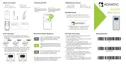
KDC280NA QG
Quick Guide
See Reference Manual for more detailed information
Visit store.koamtac.com to purchase additional products and accessories.
QG_KDC280_20220614 p3
Pairing (Bluetooth or NFC)
Connecting your KDC using Bluetooth is made easy with the below pairing barcodes.
If using an Android device, pairing via NFC is even easier: just approaching the KDC to the back of the host
device’s NFC area is enough for pairing. For more details, see section 2.3
2.1 Bluetooth Profiles Explained
a. HID Profile: Allows one-way Bluetooth communication with an Android or iOS host
device. The KDC only transmits data to the host device.
b. SPP Profile: Allows two-way Bluetooth communication. The KDC transmits data to the
host device and the host device can transmit data back to the KDC.
c. HID Windows Profile: Allows one-way Bluetooth communication with a Windows PC. The
KDC only transmits data to the Windows PC.
Note: HID inputs data directly into an application. SPP requires the KOAMTAC KTSync
®
app or integration of KOAMTAC SDK to input data into an application. To gain access to
the SDK, please complete the form here: https://www.koamtac.com/sdk/



 To Next Page