KDC280NA QG
Quick Guide
See Reference Manual for more detailed information
Visit store.koamtac.com to purchase additional products and accessories.
QG_KDC280_20220614 p5
e. In SPP Profile for iOS, the KDC is NOT listed on your host device, so you should launch
KTSync or your application and select the KDC280 listed by serial number in brackets that
matches the serial number found on the back side of the KDC280. KDC280 will beep upon
connection and display “BLE SPP Connected” on its screen. Now it is ready to use.
2.3 Bluetooth Pairing a KDC280 to your smart device with NFC (Android Only)
This feature applies only to Android. KDC may be paired in either HID or SPP only.
a. Navigate to the NFC setting on the host device and ensure that NFC is enabled.
b. On the KDC, make sure NFC pairing is enabled by navigating to KDC MENU → BLE
Config → NFC Pairing → Enabled → Save & Exit.
c. On the KDC, select the pairing profile by navigating to KDC MENU → BT Config →
Connect Device → Select HID or SPP → Save & Exit.
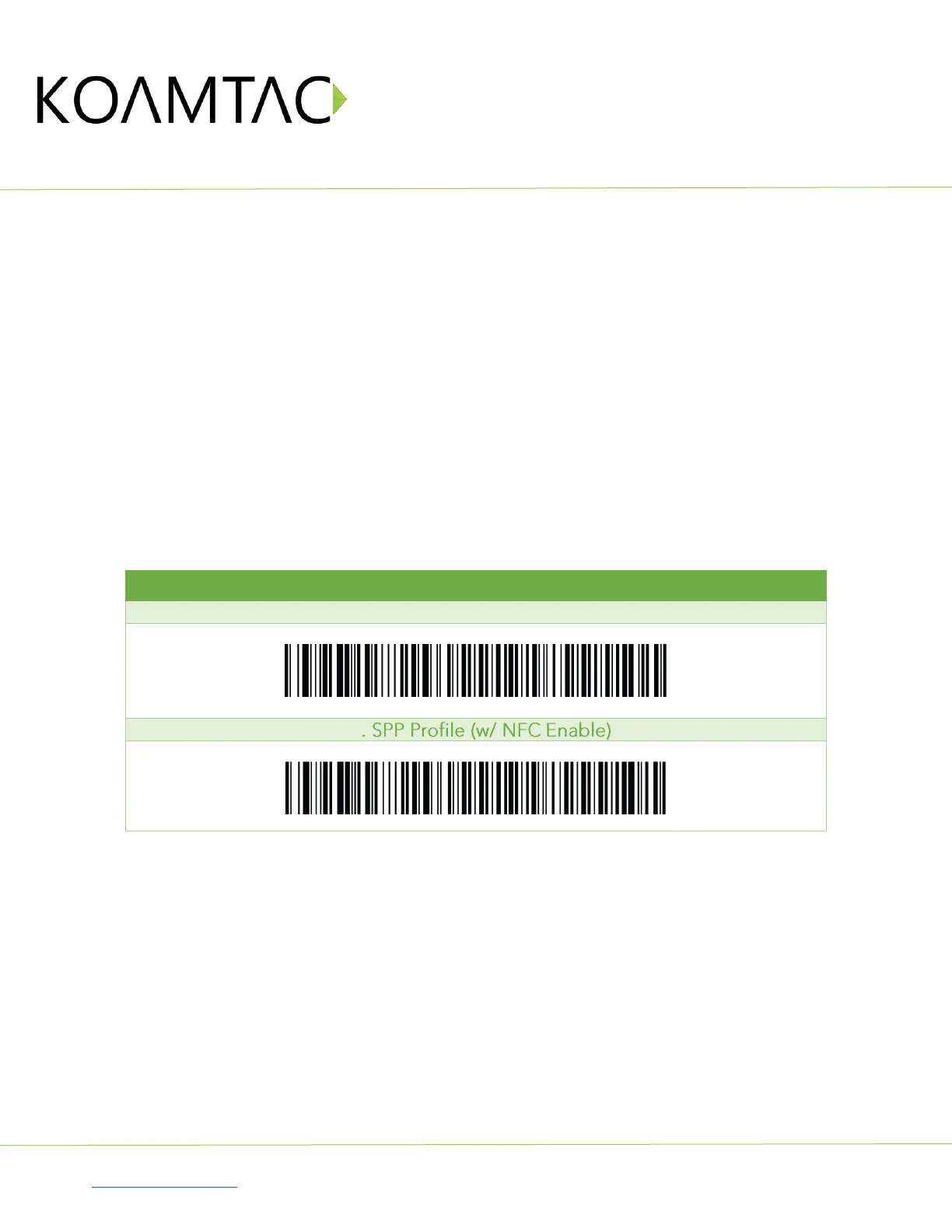
Or, select the profile using the special barcodes below:
a. Approach the NFC area on the back of the host device with the KDC to complete pairing.
#1. HID Profile (w/ NFC Enable)



 To Next Page