EasyManua.ls Logo

Kodak EASYSHARE P850 - User Manual

Kodak EASYSHARE P850
106 pages
Print Icon
To Next Page IconTo Next Page
Loading...
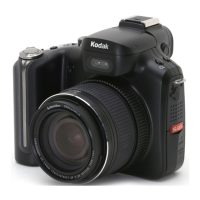
Kodak EasyShare P850
zoom digital camera
User’s guide
www.kodak.com
For interactive tutorials, www.kodak.com/go/howto
For help with your camera, www.kodak.com/go/p850support

Table of Contents

Other manuals for Kodak EASYSHARE P850

Questions and Answers

  • M
    markgutierrezAug 21, 2025
    What to do if my Kodak EASYSHARE P850 Digital Camera is not communicating with computer?
    • D
      dsnyderAug 21, 2025
      If your Kodak Digital Camera is not communicating with the computer: * Insert a charged battery. * Turn on the camera. * Make sure the USB cable is securely connected to both the camera and the computer port. * Ensure that the EasyShare software is installed.
  • W
    waterssarahSep 4, 2025
    Why does Kodak EASYSHARE P850 flash not fire?
    • K
      Kevin HuntSep 4, 2025
      If the flash on your Kodak Digital Camera does not fire: * Check if external flash is designated in Setup. * Check the flash setting and change as needed.
  • G
    Garrett PopeSep 2, 2025
    What to do if Kodak EASYSHARE P850 error message appears?
    • J
      Jennifer JacksonSep 3, 2025
      If an error message appears on the EVF/LCD screen of your Kodak Digital Camera: * Follow the action recommended on the screen. * Note the error number, if given, and then turn the camera off and back on. * Remove the battery and wipe the contacts with a clean, dry cloth, then reinstall it. * Remove the memory card from the camera. * Wait for any blinking lights to stop, then turn the camera off and back on.
  • G
    gail12Sep 1, 2025
    How to fix Kodak EASYSHARE P850 Digital Camera memory card not recognized?
    • G
      Gregory WoodsSep 1, 2025
      If your Kodak Digital Camera does not recognize the memory card or freezes with the card, it may be corrupted. Format the card in the camera. Note that data will be erased if formatted. Alternatively, use another memory card.
  • K
    Kevin MilesAug 30, 2025
    What to do if my Kodak EASYSHARE P850 does not take a picture?
    • G
      gordonchristineAug 30, 2025
      If your Kodak Digital Camera will not take a picture: * Turn the camera off, then on again. * Depress the shutter button all the way. * Insert a charged battery. If the memory is full: * Transfer pictures to the computer, delete pictures from the camera or card, change image storage location, or insert a new card.
  • J
    john86Aug 29, 2025
    What to do if my Kodak EASYSHARE P850 picture is too light?
    • J
      Jessica ObrienAug 29, 2025
      If your Kodak Digital Camera pictures are too light or overexposed, try the following: * Reposition the camera to reduce the amount of available light. * Turn the flash off. * Move so that the distance between you and the subject is within the effective flash range. * To automatically set exposure and focus, press the Shutter button halfway and hold. When the AF/AE indicator turns green, press the Shutter button completely down to take the picture. * Use P mode to adjust the Exposure and Flash Compensations.
  • D
    Douglas RiveraAug 27, 2025
    What to do if Kodak Digital Camera storage is full?
    • G
      Gregory WagnerAug 27, 2025
      If the storage on your Kodak Digital Camera is almost or entirely full, you can: * Transfer pictures to your computer. * Delete pictures from the card or insert a new memory card. * Change the image storage location to the internal memory.
  • D
    dickersonpamelaAug 27, 2025
    What to do if my Kodak Digital Camera picture is too dark?
    • B
      Brian HarrisAug 27, 2025
      If your Kodak Digital Camera pictures are too dark or underexposed, try these solutions: * Reposition the camera for more available light. * Use Fill flash or change your position so light is not behind the subject. * Move so that the distance between you and the subject is within the effective flash range. * To automatically set exposure and focus, press the Shutter button halfway and hold. When the AF/AE indicator turns green, press the Shutter button completely down to take the picture. * Use P mode to adjust the Exposure and Flash Compensations. * Use P mode and Selectable Zone.
  • L
    Leslie VillegasAug 25, 2025
    Why is my Kodak Digital Camera picture not clear?
    • K
      Kimberly EnglishAug 25, 2025
      If your Kodak Digital Camera is producing unclear pictures, try the following: * Press the Shutter button halfway and hold until the AF/AE indicator turns green, then press completely to take the picture. * Clean the lens. * Ensure the camera isn't in Close-up mode if you're outside the close-up focus specification, or in Telephoto mode if you're closer than the telephoto focus specification. * Use a flat, steady surface or a tripod, especially in high-zoom or low-light conditions.
  • B
    Bobby SchneiderAug 23, 2025
    What to do if Kodak EASYSHARE P850 doesn't recognize memory card?
    • J
      Joseph TaylorAug 23, 2025
      If your Kodak Digital Camera doesn't recognize the memory card or freezes, it might be due to a corrupted card. Try formatting the card in the camera. Note that formatting will erase all data. If that doesn't work, try using another memory card.

Summary

Product Features

Front View

Overview of the camera's front panel controls and features.

Back View

Overview of the camera's rear panel controls and features.

Setting Up Your Camera

Attaching Lens Cap and Strap

Instructions for attaching the camera strap and lens cap for safe handling.

Battery Management

Guidance on charging and loading the camera's rechargeable battery.

Initial Camera Configuration

Steps for turning on the camera and setting language and date/time.

Storing Pictures on Memory Card

Instructions for using SD or MMC cards for picture and video storage.

Taking Pictures and Videos

Basic Capture Operations

How to take still pictures and record videos using the shutter button.

Reviewing Recent Captures

Viewing recent captures and checking camera status and picture information.

Focus and Framing

Using auto-focus framing marks for accurate subject focus.

Capture Modes and Indicators

Understanding live view display elements and indicators when the shutter is half-pressed.

Using Optical and Digital Zoom

Using optical and digital zoom capabilities of the camera.

Using Flash Features

Guidance on using the flip-up flash and external flash units.

Reviewing Captured Media

How to review captured pictures and videos after taking them.

Media Selection and Management

Selecting multiple pictures for review or performing actions like deleting.

Protecting and Deleting Media

Steps to protect pictures from accidental deletion and how to delete them.

Transferring and Printing Pictures

Installing Software

Instructions for installing the Kodak EasyShare software on a computer.

Transferring Pictures

Methods for transferring pictures via USB cable or EasyShare dock.

Printing Options

Various ways to print pictures, including from docks, cards, and online.

Connecting Camera to Printer

How to connect the camera to a printer and initiate printing.

Dock Compatibility

Information on which Kodak EasyShare docks are compatible with the camera.

Doing More With Your Camera

Picture-Taking Modes Overview

Overview of different shooting modes like AUTO, Program, Aperture, Shutter, Manual, Scene, and Video.

Focus and Exposure Controls

Using focus modes, AE/AF buttons, and exposure compensation for better shots.

Drive Modes and Burst Capacity

Using self-timer, burst, and bracketing modes, and understanding burst capacity.

Customizing Capture Settings

Adjusting picture resolution, file type, color mode, and other capture settings.

Slide Shows and Tagging Pictures

Creating slide shows, tagging pictures for albums, printing, email, and favorites.

Getting Help and Support

Helpful Links and Resources

Directory of useful Kodak websites for support and product information.

Telephone Customer Support

Information needed for contacting Kodak customer support via phone.

Troubleshooting

Camera Operational Problems

Solutions for issues like camera not turning on or controls not functioning.

Connectivity and Transfer Issues

Troubleshooting problems related to computer communication and picture transfer.

Picture Quality Problems

Addressing issues like underexposed or overexposed pictures.

Appendix

Camera Specifications

Technical details including CCD, output resolution, lens, and flash specifications.

Storage and Video Capacity

Information on how many pictures and videos can be stored based on card size and quality.

Accessories and Safety

List of available accessories and important safety instructions for product usage.

Warranty and Compliance

Details on the product warranty, limitations, and regulatory compliance information.

Kodak EASYSHARE P850 Specifications

General IconGeneral
Aspect ratio4:3
LED backlightYes
Display diagonal8 \
Display brightness250 cd/m²
Display resolution800 x 600 pixels
Dimensions (WxDxH)228 x 25.4 x 170.2 mm
Power requirements100 - 240 V
Display viewable area (HxV)162.56 x 121.92 mm
Image formats supportedJPG
Product colorBlack
InterfaceUSB 2.0
USB 2.0 ports quantity1
Compatible memory cardsMMC, MS Duo, MS PRO, SD, SDHC
Power consumption (standby)0.7 W
Power consumption (typical)5.5 W
Weight and Dimensions IconWeight and Dimensions
Weight560 g

Related product manuals