Getting started
www.kodak.com/go/digitalframesupport 5
Setting your language
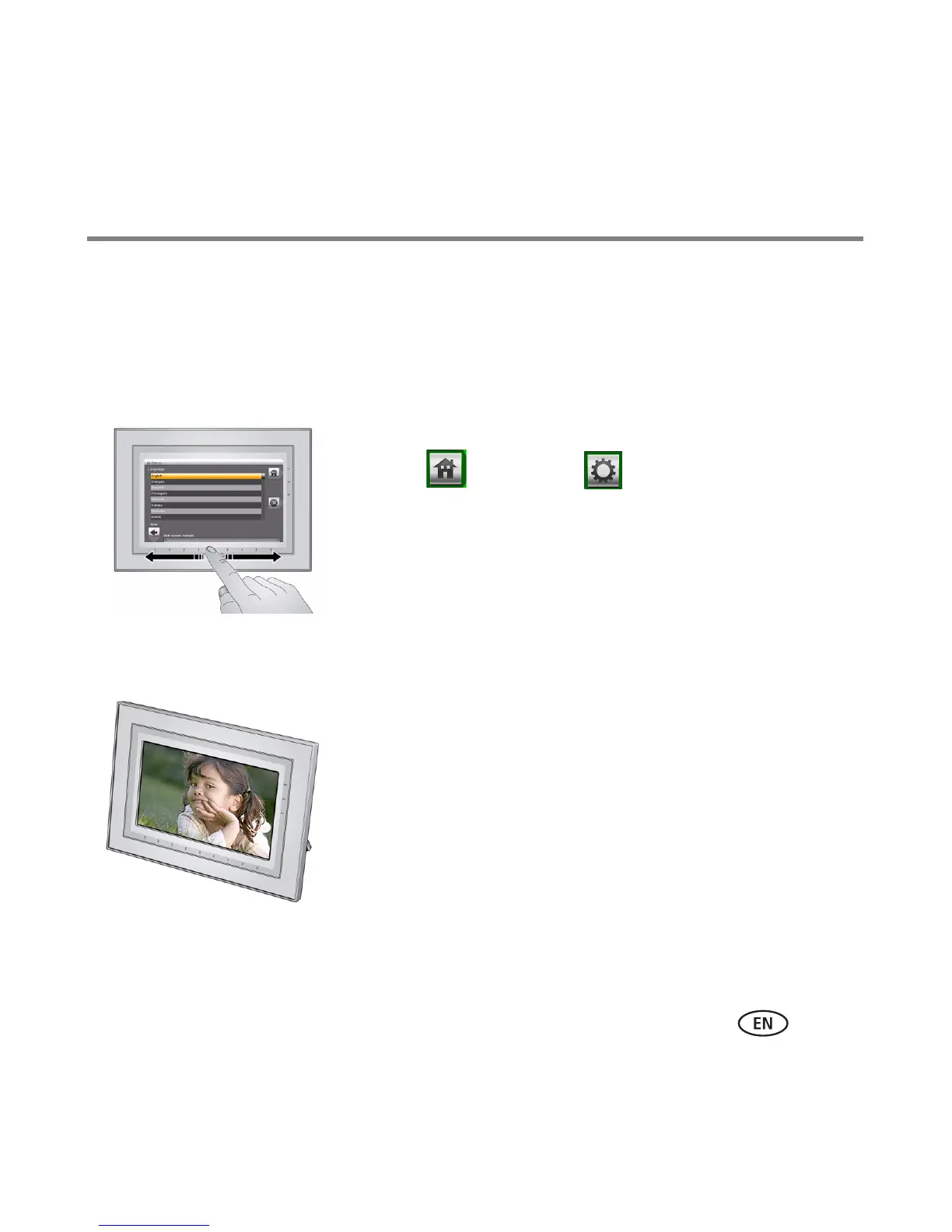
The language screen appears the first time you turn on your frame.
Using the touch border (see page 7):
■ Slide to find your language, then tap OK.
To change the language at a later time:
■ Tap (Home) → (Settings) → Language.
The language screen appears.
Slide to find your language, then tap OK.
Enjoying your pictures immediately!
■ To view your pictures or play a slide show,
insert a memory card, or connect a camera or other
USB device (see page 6).
If your frame has preloaded sample pictures, a slide
show starts automatically.
If you are at the Home screen, see page 10 to start
your slide show.
To change the slide show order, see page 12.











 To Next Page