Getting started
8 www.kodak.com/go/easysharecenter
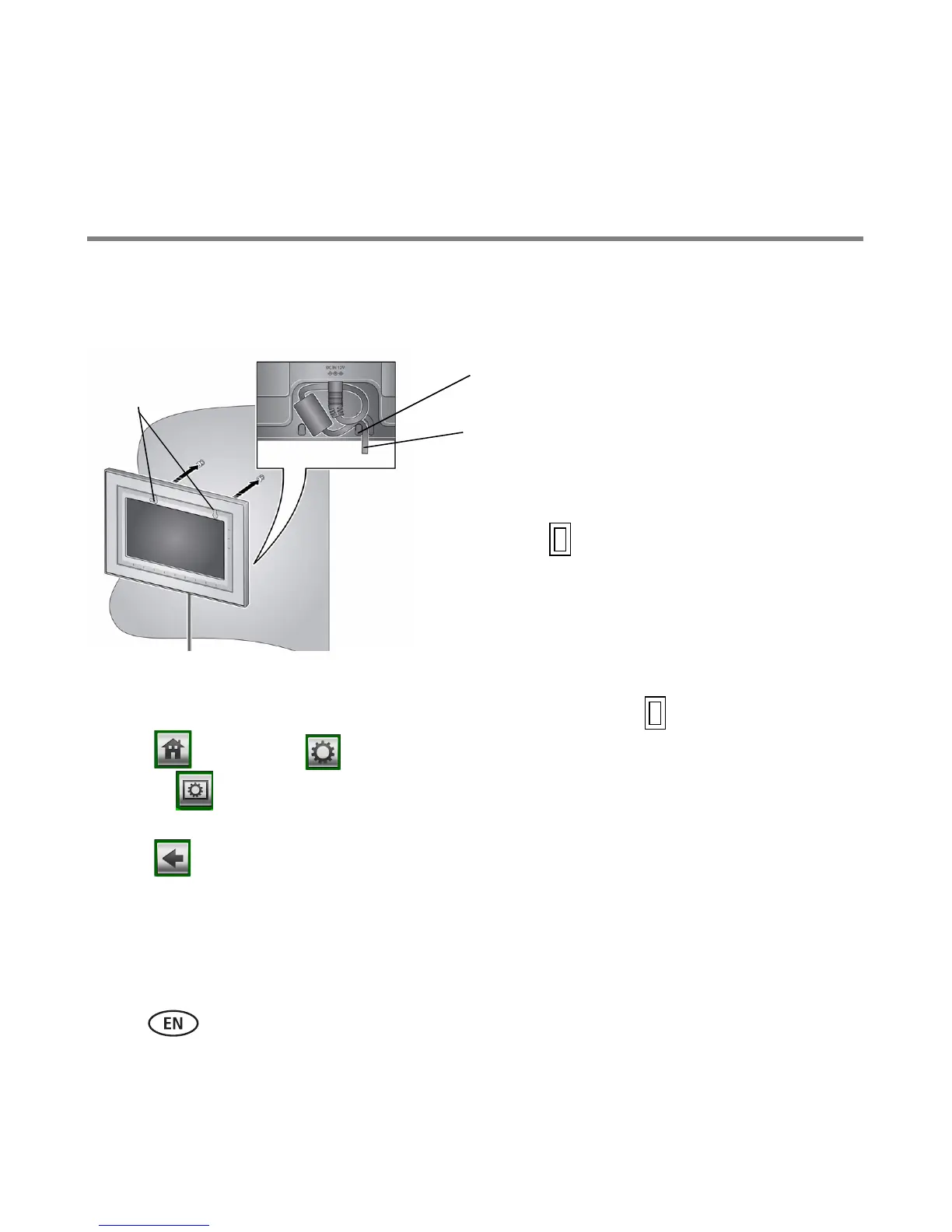
Mounting your frame on the wall
Use wall-anchoring hardware (not included) to anchor your frame securely to your wall.
Changing the frame orientation setting
Change the frame orientation setting if you change to portrait orientation.
1 Tap (Home)
→ (Settings).
2 Select (Viewing options), then tap OK. Select Frame orientation, then tap OK.
Select Portrait, then tap OK.
3 Tap to exit.
Clip (use to reroute, secure, and center
the power cable)
Power cable
Wall mounting
holes
To change to portrait , turn your frame 90° and use
the wall mounting holes at the top.









 To Next Page