Getting started
6 www.kodak.com/go/easysharecenter
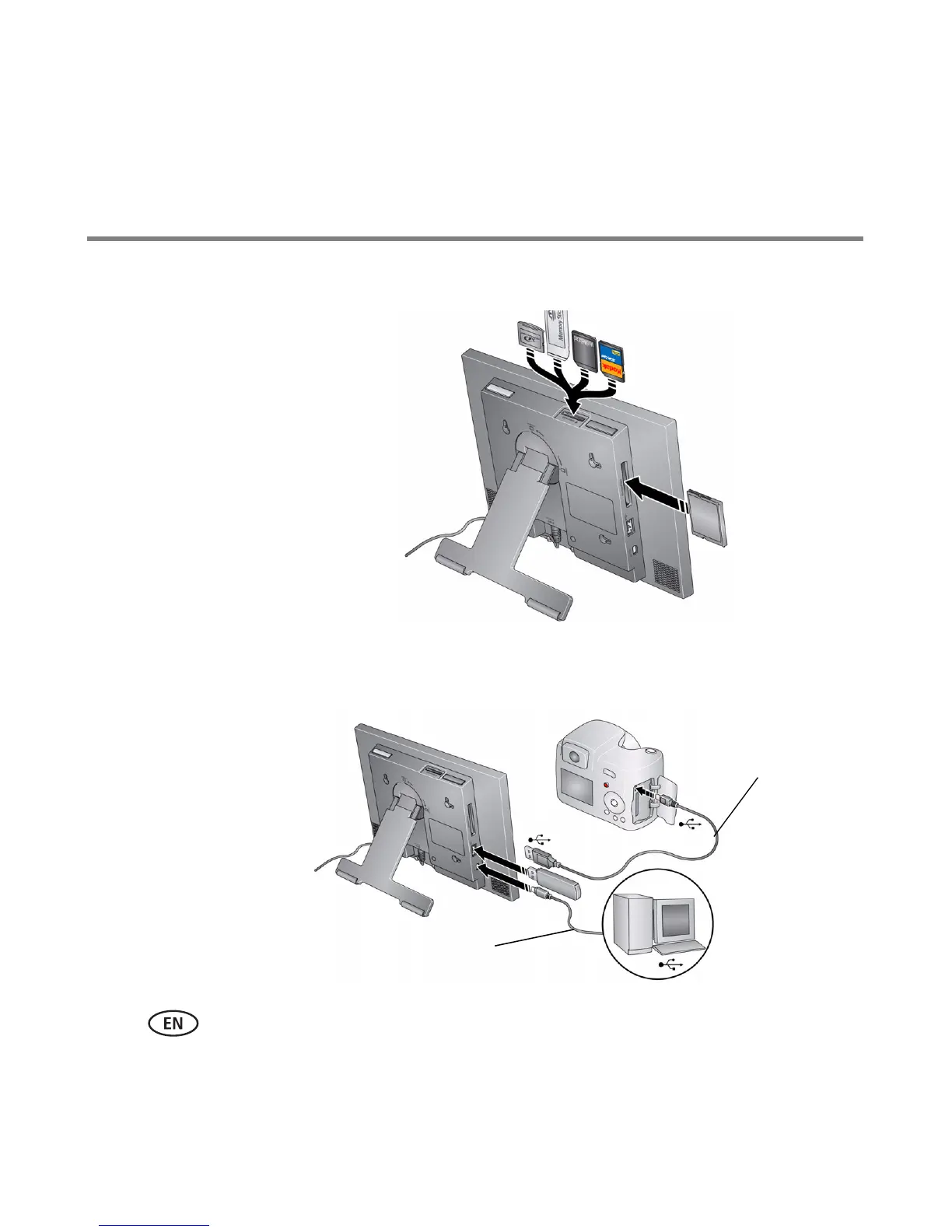
Inserting a memory card
Connecting a digital camera or other USB device
Secure Digital
MultiMedia Card
Memory Stick
xD
To insert a card, push the card firmly into
the slot until it stops.
top card slot - push in the card to release it
side card slot - pull out the card
To remove a card from:
CompactFlash
MicroDrive
CAUTION: Do not insert a micro or
mini memory card without an adapter.
USB cable included
with your USB device
USB devices: camera, flash
drive, card reader, computer,
etc. (sold separately)
USB cable to computer
sold separately








 To Next Page