49
(c) Measuring
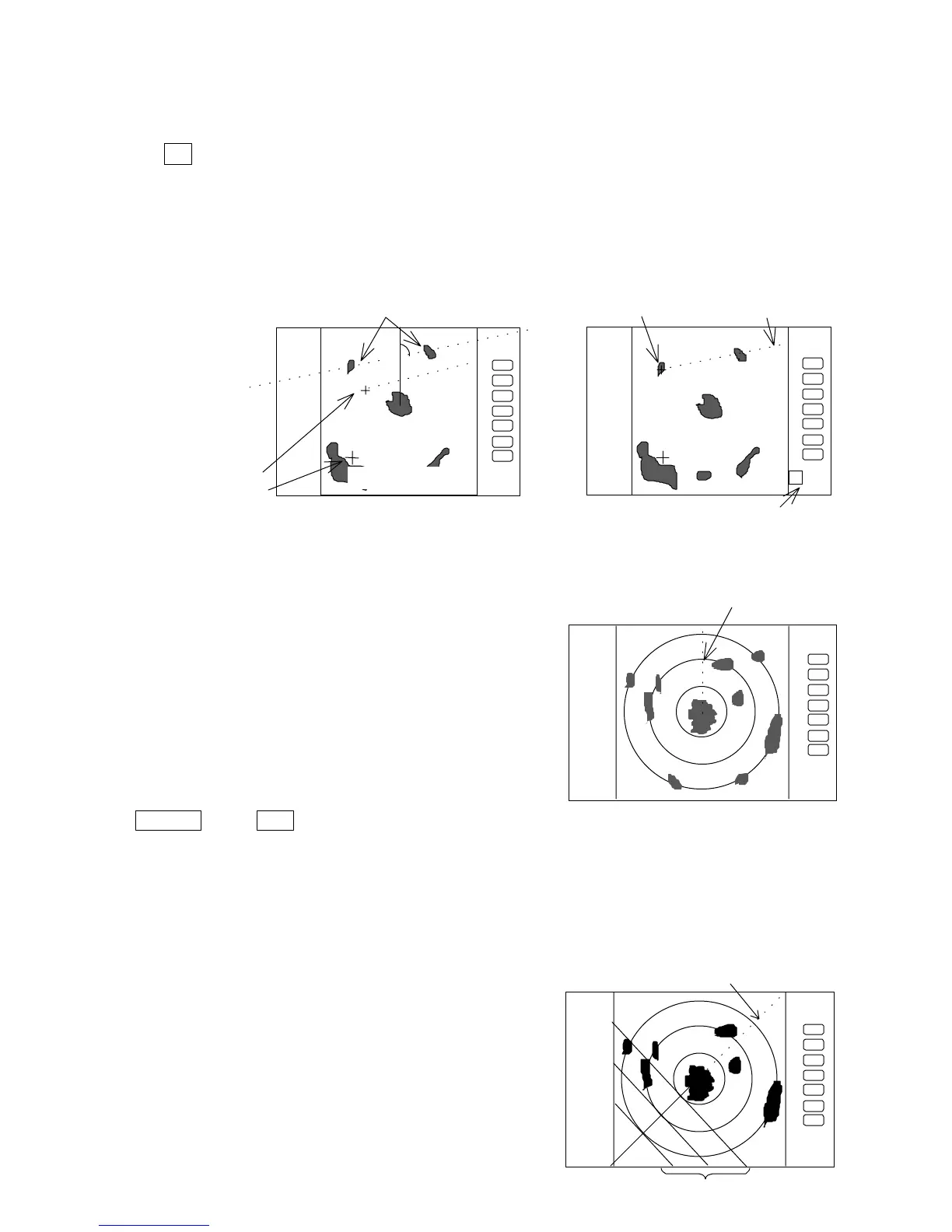
Perform the operations in the above mentioned "Common operation for the MARK menu"
and "measuring the distance(EBL2)", and place the EBL2 on another echo.
EBL2 is displayed on the screen based on the placed fixed cross cursor.
" 2 xx. xx
φ
" which is displayed at the lower right will be the angle between the two
points.
Note: The displayed EBL angle is relative to heading or true to north, depends on the setting
of "EBL BRG" in the "SETUP" menu.
5.5.1.7 Erasing heading marker temporarily (HDG OFF)
(1) Use the up-down cursor key to select HDG OFF
from among the pulled down and displayed items.
(2) Press the “ENT” key. The heading marker is not
displayed as long as you hold it down.
Up/Down
→
ENT
------------ The heading marker is not displayed as long as you hold “ENT” key down.
(Select HDG OFF)
5.5.1.8 Using parallel cursors (///CSR)
Normally EBL is used to measure the exact bearing from the position of your ship to a
target. However, you can also use parallel cursors.
(1) Use the up-down cursor key to select ///CSR from
among the pull-down and display items, and press the
“ENT” key.(ON/OFF display beside the ///CSR item)
(2) Use the up-down cursor key to select ON .
(3) Press the “ENT” key. Parallel cursors will appear on
the screen. As you move EBL, the parallel cursors also
move.
To cancel the ///CSR function, either select OFF in (2).
.75
.25
HU
.75
.25
HU
Not displayed while ENT
key
2•20.•°
FL EBL2
SET START POINT
.75
.25
HU
Origin of
measure the angle between
two points
indication
of EBL2
small cross mark
cross mark
.75
.25
HU
EBL1
Parallel•c









 To Next Page