50
Up/Down
→
ENT
→
Up/Down
(Select ON)
→
ENT -----------------------Parallel cursor appears
(Select ///CSR)
µ
>
Up/Down (Select OFF)
→
ENT -----------------Parallel cursor non-appears
Note: Interval of ///CSR same as fixed range marker.
///CSR moves with EBL1.
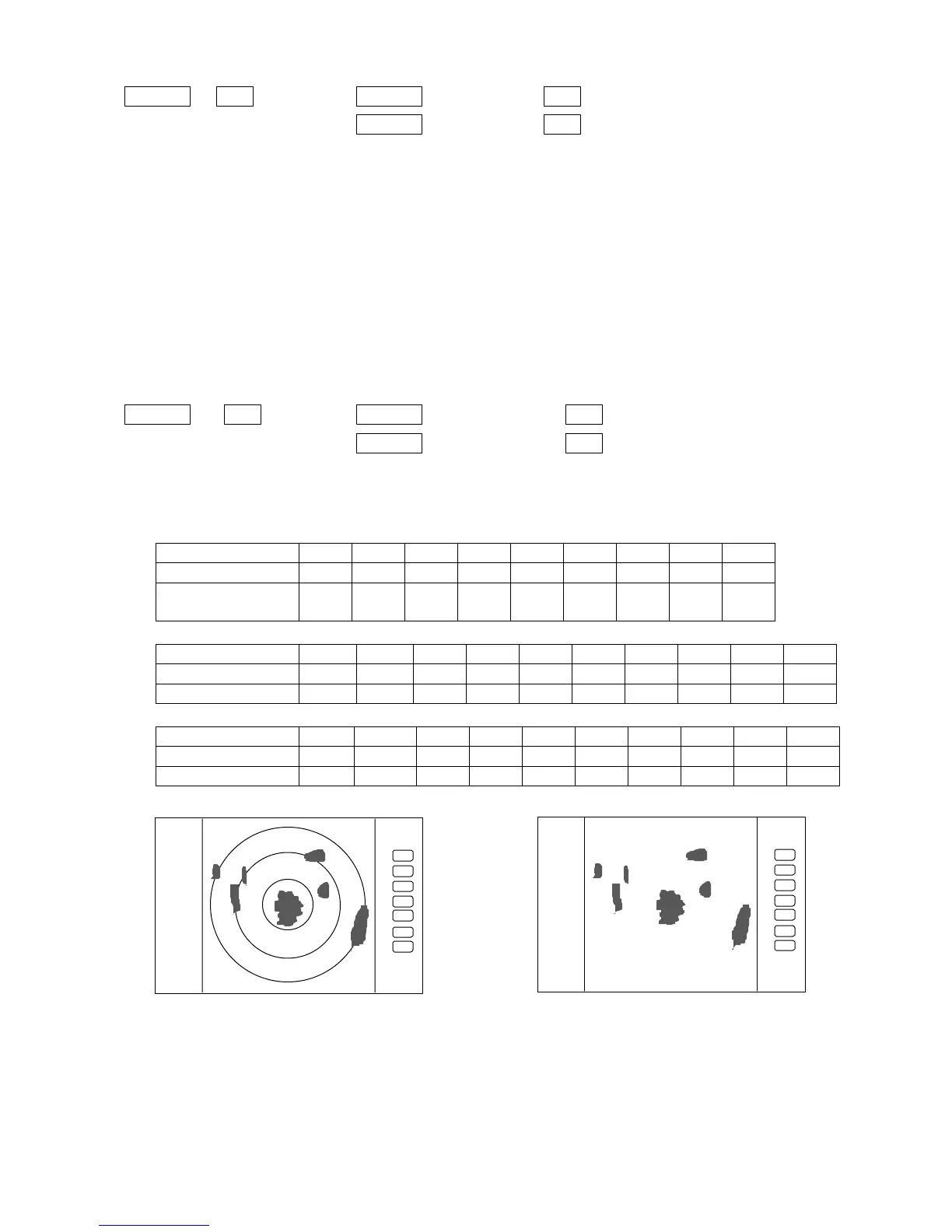
5.5.1.9 Establishment of the indication of the RANGE RINGS (RINGS)
(1) Use the up-down cursor key to select RINGS from among the pull-down and display items, and
press the “ENT” key.(ON/OFF displayed beside the RINGS item)
(2) Use the up-down key to select ON or OFF and press the “ENT” key
Select ON Range Rings ON
Select OFF Range rings OFF
Up/Down
→
ENT --
→
Up/Down (Select ON)
→
ENT -----------------Range rings appears
(Select RINGS)
µ
>
Up/Down
(Select OFF)
→
ENT -----------Range rings non-appears
•
Number of range rings and range interval
•
Radome antenna (RA40C)
Range 0.125 •0.25 0.5 0.75 1.5 3 6 12 24
Number of Rings222366666
Interval 0.062
5
0.125 0.25 0.25 0.25 0.5 1 2 4
Radome antenna (RA41C)
Range 0.125 0.25 0.5 0.75 1.5 3 6 12 24 36
Number of Rings 2 2 23666668
Interval 0.0625 0.125 0.25 0.25 0.25 0.5 1244
Open antenna (RA42C)
Range 0.125 0.25 0.5 0.75 1.5 3 6 12 24 48
Number of Rings 2 2 23666668
Interval 0.0625 0.125 0.25 0.25 0.25 0.5 1246
5.5.1.10 Variable range function ( VAR RNG )
Usually the range changes in steps as 0.5--0.75--1.5--3.0--....., but using this function will
enable a consecutive change such as 0.5--0.6--0.7--0.8--..... .
(1) Use the up-down cursor keys to select VAR RNG from among the pulled down and displayed
.75
.25
HU
.75
.25
HU
Range rings Range rings OFF









 To Next Page