Atollspeed Touch Screen Series – Original Instructions
This document is property of Kolb Huizhou Ltd. 28
7.5 How to save/edit a baking program
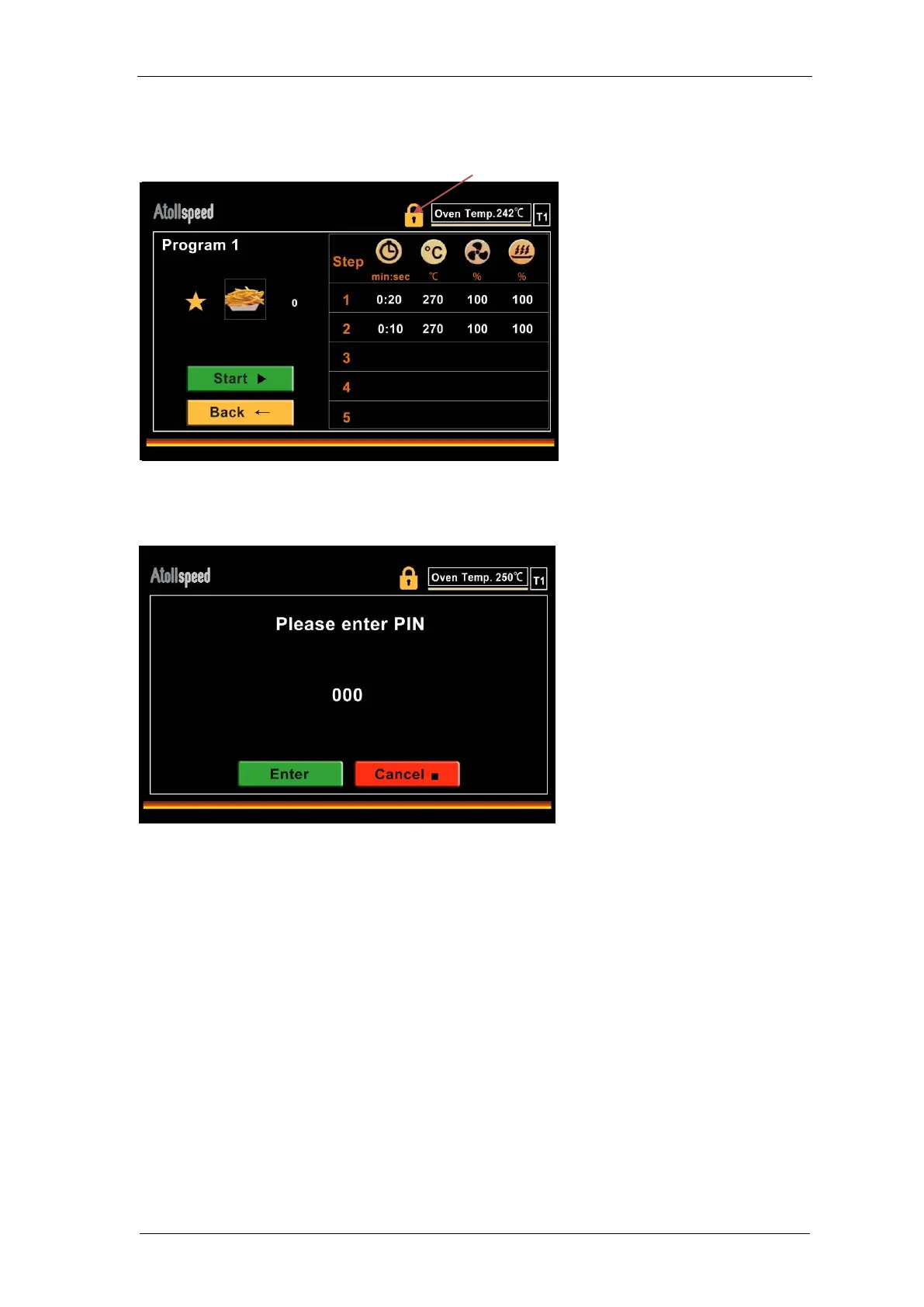
To create a new baking program or edit an existing baking program you have to unlock the menu.
To unlock, select the “Lock” symbol on the top of the screen.
Then you are asked to enter the User PIN (default is 000). Enter the PIN with the NUM pad, and
then press Enter. If the pin was correct, the “Lock” Symbol is open any you can edit values,
names and pictures.


 To Next Page