Atollspeed Touch Screen Series – Original Instructions
This document is property of Kolb Huizhou Ltd. 40
7.12 Warning screens
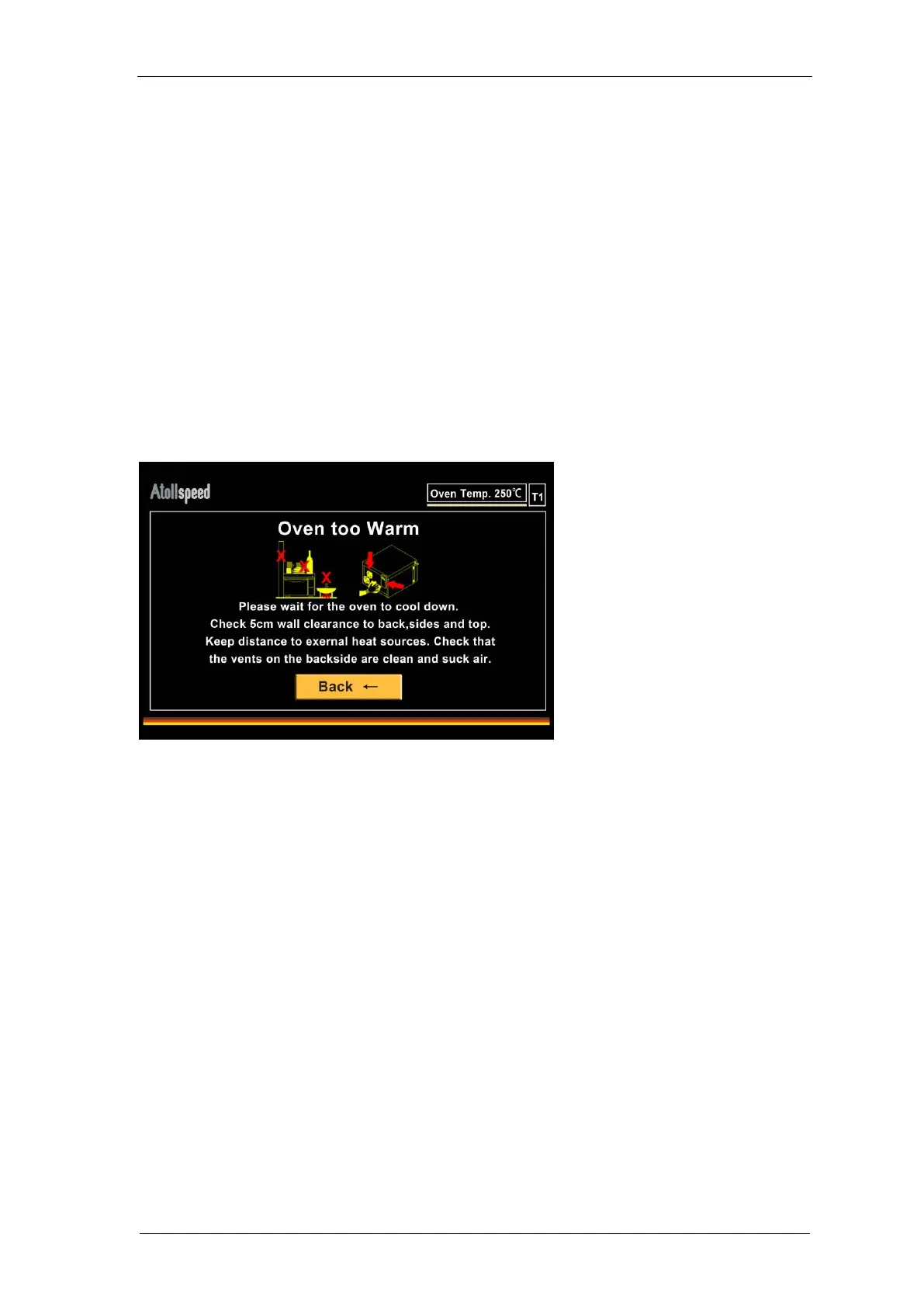
Oven too warm
The oven has internal temperature sensors monitoring component temperatures.
If the internal temperature is too high a warning screen will appear. In this case wait for the oven
to cool down and take measures to ensure proper ventilation.
Check that all cooling vents are free and clean. Check that there is enough clearance to
the backside, the sides and the top to allow proper ventilation.
Do not stack utensils or other appliances on top of the oven.
Do not operate other heating appliances close to the oven.
Check that the cooling fans on the backside are working and suck air when the oven is
on. If not, contact your service partner.
If the temperature increases further the oven will stop operation (Oven too Hot - Screen) until it
has cooled down.


 To Next Page