Atollspeed Touch Screen Series – Original Instructions
This document is property of Kolb Huizhou Ltd. 38
7.11 USB program transfer
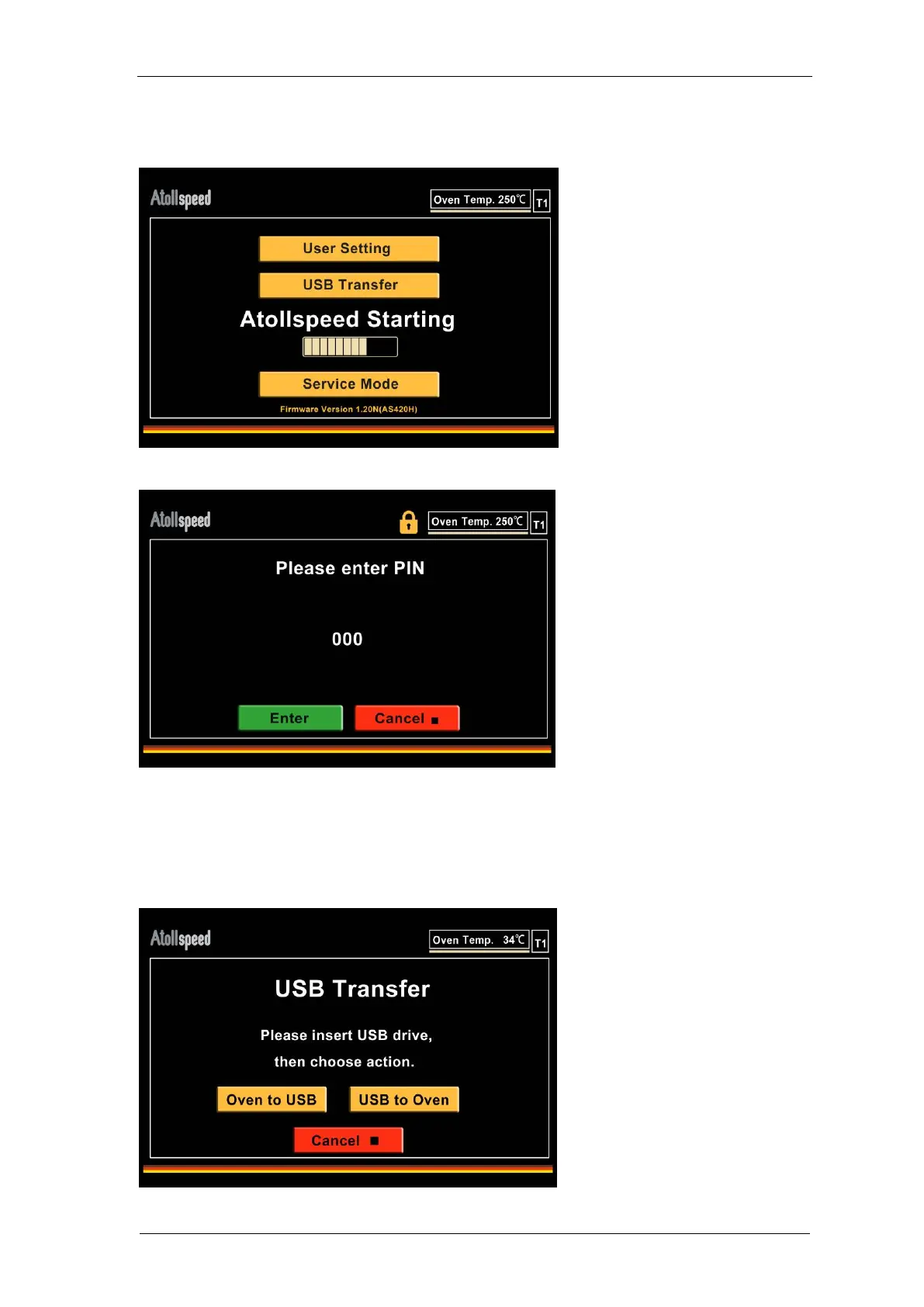
To copy programs from/to an external USB drive power off the oven, then power on.
On start screen you see the USB option, select it, then enter the user PIN.
Insert the USB drive with the program file on it. Then choose which way to copy. If you cannot
continue the USB drive is not recognized by the oven, you may plug again or try a different one.
When copying from oven to USB, the file on the USB will be replaced with the programs from the
oven. When copying from USB to oven all programs in the oven memory will be deleted and
replaced with the new programs from the USB drive.


 To Next Page