Atollspeed Touch Screen Series – Original Instructions
This document is property of Kolb Huizhou Ltd. 35
7.10 User settings
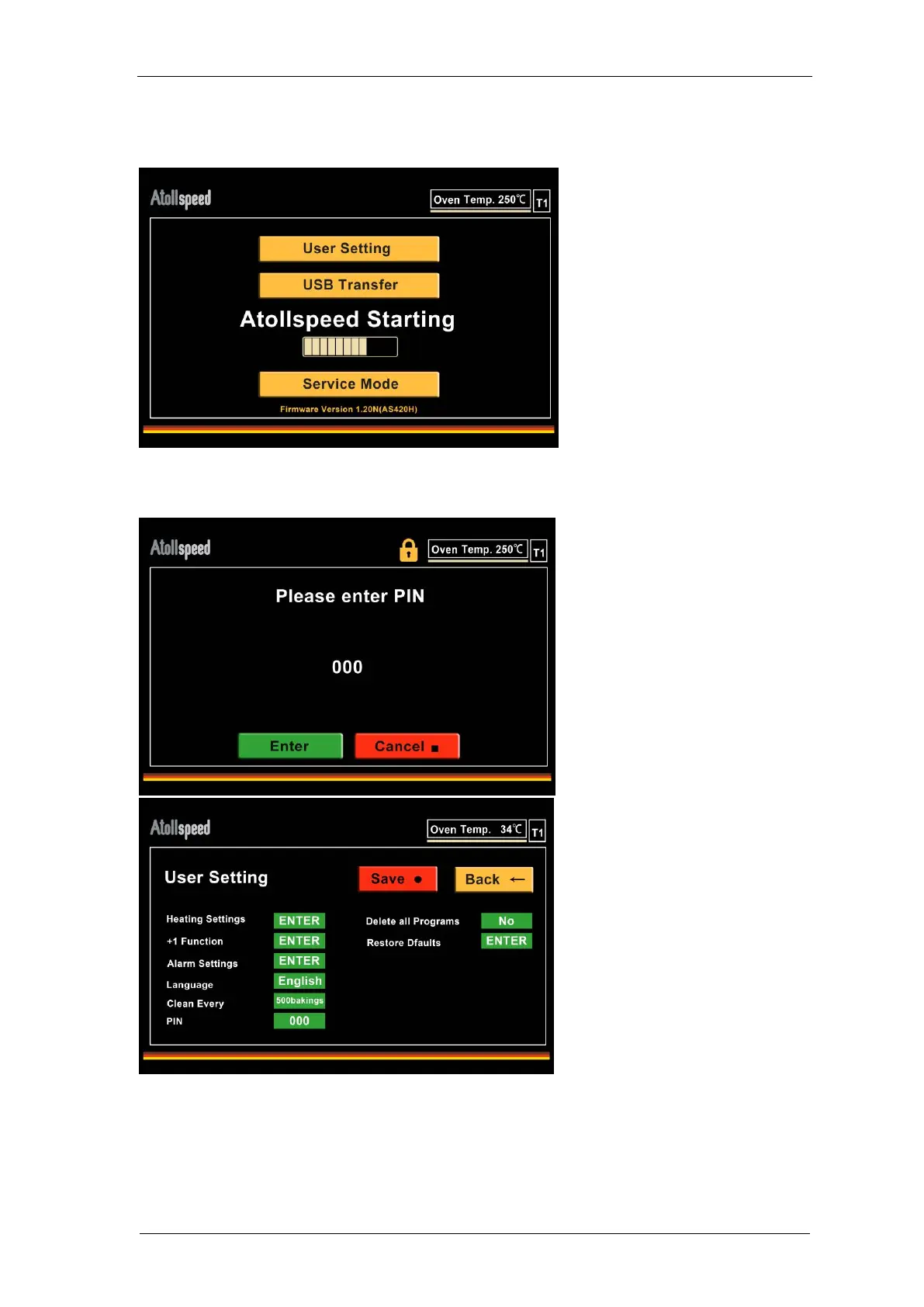
To enter User Settings, turn off the oven, then turn it on.
On Start screen press the button “User Settings”. Enter User PIN (default PIN is 000), then press
Enter.
“Heating Settings” contains all settings regarding the temperature (see following page).
“+1 Step” contains the menu for the +1 function (see 7.9).
“Alarm Sound” lets you choose from different sound files.


 To Next Page