Atollspeed Touch Screen Series – Original Instructions
This document is property of Kolb Huizhou Ltd. 34
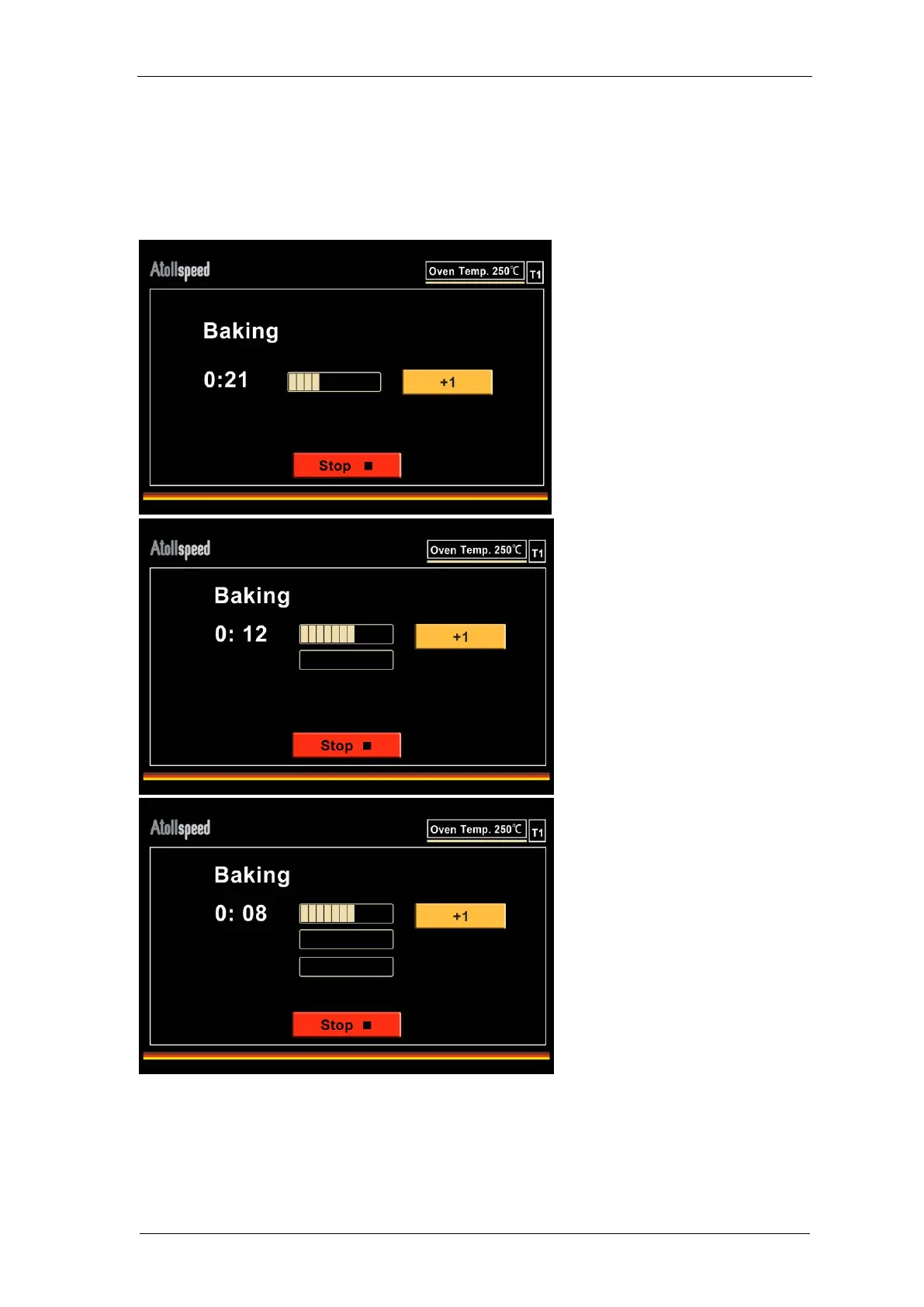
When running a program the oven behaves as normal, but you will now see the “+1” button on
the baking screen.
If you do not do anything the program will run as normally programmed, for example for one
sandwich.
Pressing the “+1” –button again
will add a third timer. Pressing it
again will delete the additional
timers (–> 1Timer –> 2T –> 0T
–> 1T –> 2T –> 0T …).
The second timer indicates the
additional 20% of time and will
start after the regular program
time is completed.
If you inserted two
sandwiches you press the
“+1” button at any point of
the program. Then a
second timer will appear.


 To Next Page