Atollspeed Touch Screen Series – Original Instructions
This document is property of Kolb Huizhou Ltd. 30
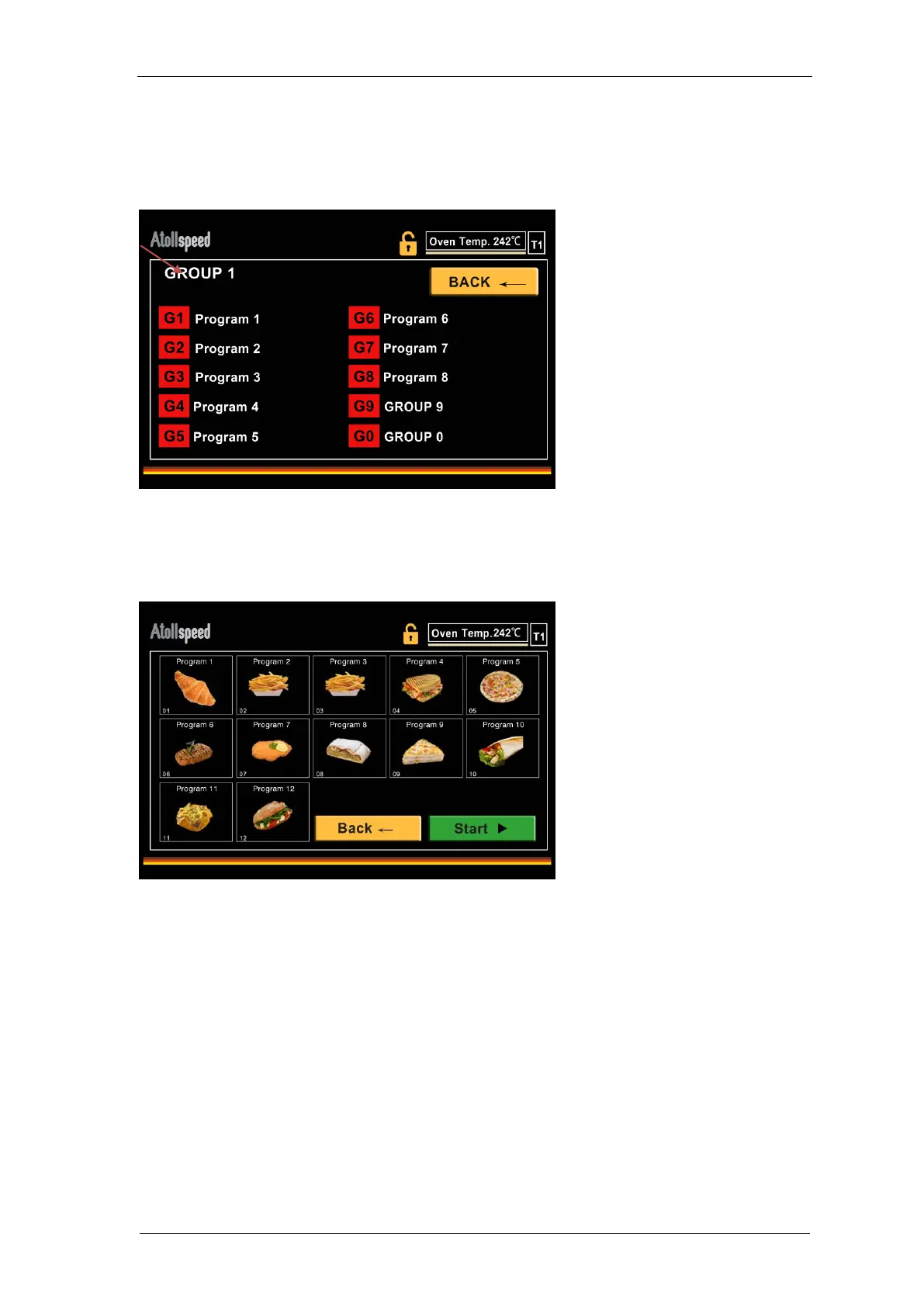
7.6 Editing a group name
When the program List is unlocked you can also edit the Group name. Tab on the name, and
then enter the letters with NUM pad. Wait three seconds, then the new name is saved.
Editing will lock itself automatically as soon as you leave the Group or start a program.
7.7 Favorite programs
Programs that are marked with the favourites star can be accessed by entering the favourites
screen by pressing the “Favourites” button on Home screen.
To bake, select a program by touching the tile. It will be framed red, then press “Start” to start the
selected Program.
NEVER start baking if the baking chamber is empty, it can damage the machine.
If a baking program has no picture assigned, an orange number will be displayed on Favorites
screen as a clear, universal reference. The 12 slots of the favorites screen are numbered from 1
in the top left corner to 12 in the lower right corner.
If you have more than 12 Favorites, an arrow appears on the top tight of the screen, which allows
you to access the favorites 13 to 24 conveniently.
Programs on the favorites screen are arranged in the sequence they are added as a favorite. If
you want to change the sequence or arrangement you can unmark the programs and mark them
again in the right sequence.


 To Next Page