b) Make a hole of 5 1/8” diameter in your wall.
c) Position the portable air conditioner near the hole.
d) Feed as much exhaust hose as is needed through the hole.
Notes:
Be sure to cover the hole when it is not being used by the portable air conditioner.
Be sure to have a qualified person make the hole to avoid the possibility of injury or of
unintended damage to your room.
Operation
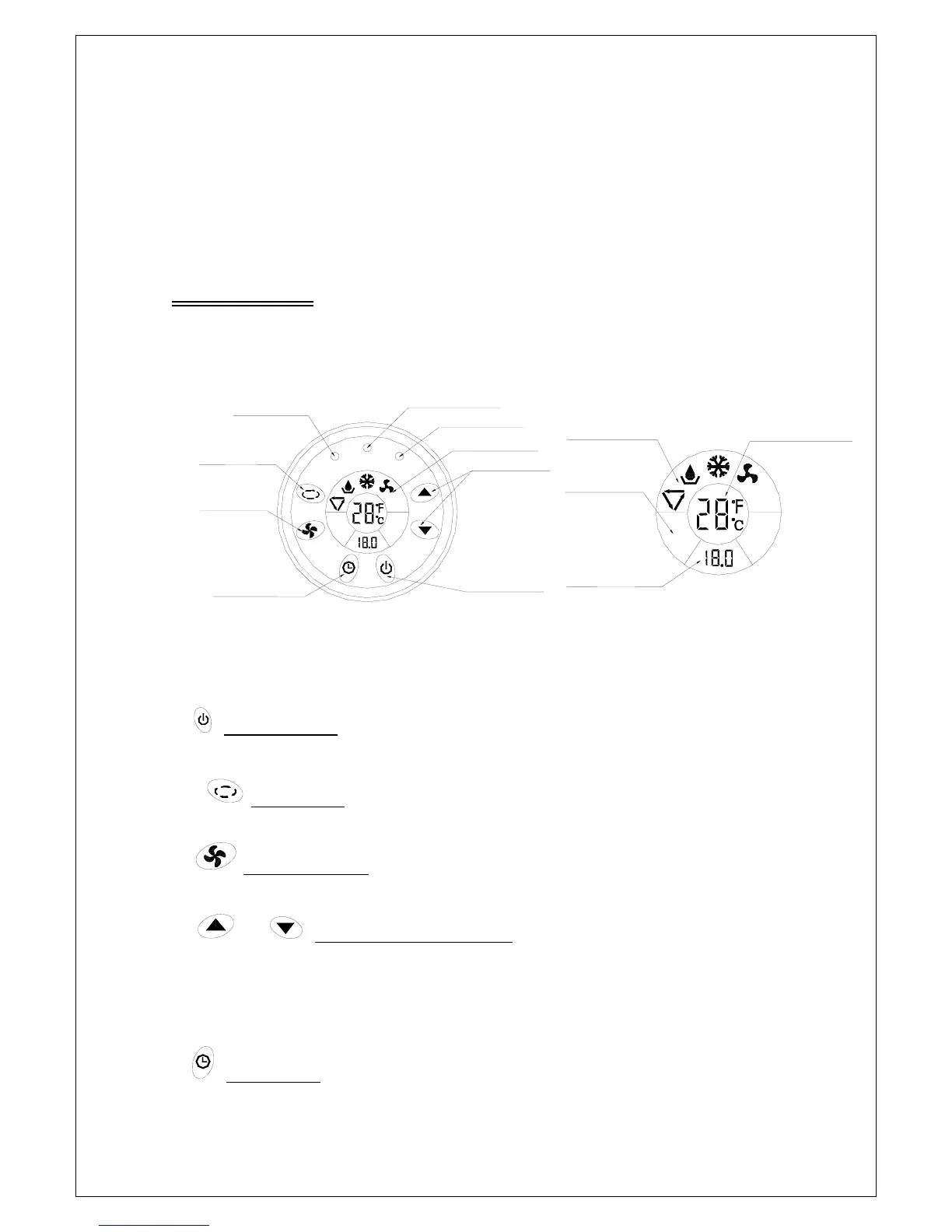
1) Control Panel
Ti mer Set Button
Ti mer I ndi cat or
Mode Set But t on
Fan Speed
Set Button
POWER
LCD Di spl ay
Hr
Hi g h
WATER LEVEL
Low
TIMER
ON/ OFF But t on
Temperature Button
Power I ndi cat or
Wat er Ful l I ndi cat or
Temperature Di splay
Hi g h
Low
Ti mer Set
Di s p l a y Wi ndow
Fan Speed Di spl ay
Wi ndow i n LCD
Hr
Oper at i on Mode Di spl ay
Wi ndow i n LCD
Control Panel LCD Display
1) :On/Off Button
Turns the unit on or off.
2)
:Mode Button
Selects the mode: Auto, Dehumidifying, Cooling, or Fan-only.
3) :Fan Speed Button
Switches between low and high fan speeds.
4)
or :Temperature / Time Buttons
These buttons are used to adjust the thermostat setting up or down, or to adjust the time
setting when using the timer.
NOTE: The temperature can be displayed in Celsius or Fahrenheit. To change from
one scale to another, press and hold the On/Off button for 20 seconds.
5) :Timer Button
10
Used to set or cancel the timer. The timer has two functions. When the unit is off, the




 To Next Page