EasyManua.ls Logo

Koldfront PACI12020CSV - User Manual

Koldfront PACI12020CSV
28 pages
Print Icon
To Next Page IconTo Next Page
Loading...
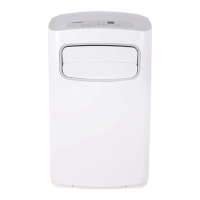
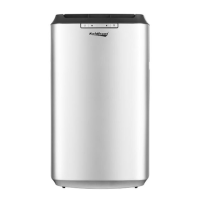
Portable Air Conditioner
PACI12020CSV
Owner’s Manual
For more information on other great Koldfront or EdgeStar products on the web, go to http://www.edgestar.com
To use the self-diagnostic tool, go to https://support.edgestar.com
V2.1 - 05062019

Questions and Answers

  • W
    Wendy WrightAug 2, 2025
    Why is my Koldfront PACI12020CSV not cooling?
    • J
      Jasmine Hill MDAug 2, 2025
      If your Koldfront air conditioner isn't cooling, consider these possibilities: * Ensure the unit is set to cooling mode and the set temperature is lower than the current room temperature. * The compressor can take up to 3 minutes to turn on, or longer if it is too warm. * The ambient temperature may be too high; try to lower the room temperature to below 90° F. * A dusty or blocked filter can restrict airflow. Clean the filter. * Make sure nothing is blocking the exhaust port.
  • E
    Evelyn HenryAug 7, 2025
    How to troubleshoot a Koldfront PACI12020CSV that won't turn on?
    • J
      Jeffrey HardyAug 7, 2025
      If your Koldfront Air Conditioner isn't turning on, here are a few things to check: * Ensure the unit is properly plugged into a working outlet. * If the LCDI power cord is tripped, press the Reset button. * Try a different outlet to rule out power issues and check your circuit breaker. Refer to the rating label on the back of the unit to determine the amperage draw. * If the water reservoir is full, drain the unit and restart it. * If no indicator lights turn on, it could be a disconnected control panel.
  • B
    Barry GarciaAug 11, 2025
    What to do if Koldfront PACI12020CSV blows cold air but room stays hot?
    • S
      samantha26Aug 11, 2025
      If your Koldfront air conditioner blows cold air but doesn't lower the room temperature, consider these factors: * Ensure the unit is vented. * The room may be too large for the unit's capacity. Minimize the area to be cooled, or use a larger unit. * Close any open doors and windows. * Reduce heat sources in the room. * Ensure the room is adequately insulated. * The unit may not work if the room temperature is above 90° F. * Minimize direct sunlight by closing curtains or blinds. * Clean the filter. * Carefully vacuum the condenser coils clean. * Remove anything blocking the air intake or exhaust ports.
  • C
    christopher72Aug 15, 2025
    Why is my Koldfront PACI12020CSV making so much noise?
    • H
      Hunter RichardsonAug 15, 2025
      If your Koldfront air conditioner is making a loud noise, here are some things to check: * Ensure the unit is placed on a level surface. * Check the fan for any foreign objects and remove them. * If the floor below the unit is uneven, move it to a level surface.
  • D
    Derek WilliamsonAug 19, 2025
    How do I fix a Koldfront Air Conditioner remote that isn't working?
    • L
      Lisa HansonAug 20, 2025
      If your Koldfront Air Conditioner remote isn't working, try these steps: * Install new batteries. * Replace the batteries if they are weak. * Make sure the batteries are installed correctly.
  • R
    Ryan MccoyAug 25, 2025
    What to do if Koldfront PACI12020CSV Air Conditioner trips the power cord?
    • W
      Wanda WeissAug 25, 2025
      If your Koldfront air conditioner runs briefly and then trips the power cord or circuit breaker, the unit may be plugged into an outlet that cannot supply enough current. If the unit works in a different room or circuit, contact an electrician.
  • A
    Alexander RogersAug 28, 2025
    Why are the lights blinking red on my Koldfront PACI12020CSV?
    • M
      Miranda ShepherdAug 28, 2025
      If the front control panel lights are blinking red on your Koldfront air conditioner, it means the water reservoir is full. You need to drain the unit.

Summary

Important Safety Information

Electrical Safety Guidelines

Safety guidelines related to electrical hazards and proper unit usage.

General Safety Precautions

General safety precautions for operating the air conditioner to prevent injury or damage.

Operation of Safety Plug

Safety Plug Testing and Operation

Instructions on how to test and operate the Leakage-Current Detection and Interruption (LCDI) safety plug.

First Time Operating Instructions

Initial Setup and Preparation

Guidance on preparing the unit for first-time use, including unpacking and settling.

Introduction

For Your Records

Section for recording important product details like model and serial number for warranty service.

Parts Identification

Front View Components

Diagram and labels identifying components visible from the front of the unit.

Back View Components

Diagram and labels identifying components visible from the back of the unit.

Window Kit Installation Instructions

Preparations for Window Kit Installation

Steps and parts list required before installing the window exhaust kit.

Window Kit Parts List

Inventory of components included in the window kit for installation.

Parts for Drainage Options

Components required for continuous and misting drainage options.

Installation Location and Adapter

Installing the Grated Adapter

Instructions for attaching the grated adapter to the window kit plate.

Window Plate Installation

Installing the Window Plates

Steps for fitting and securing the window kit plates to the window.

Exhaust Hose Connections

Attaching Duct Connectors to Hose

Guide on how to properly attach duct connectors to the exhaust hose.

Connecting Duct Connector to Unit

Instructions for attaching the exhaust hose connector to the unit.

Grated Adapter Connection and Hose Notes

Connecting Duct Connector to Grated Adapter

Steps to connect the exhaust hose assembly to the window adapter.

Exhaust Hose Usage Guidelines

Important information and warnings regarding proper use and limitations of the exhaust hose.

Draining the Unit

Direct Drainage Method

How to drain the unit directly using a drain port and hose.

Drainage Options Overview

Explanation of different methods for managing condensate water from the unit.

Continuous Drain Setup

Instructions for setting up the continuous drain feature using the internal pump and water line.

Misting Drain Function

Setting Up Misting Drain

Guide to setting up the misting drain option for expelling excess moisture.

Remote Control Operation

Remote Control Overview

Explanation of remote control buttons, functions, and LCD display indicators.

Installing Remote Batteries

Steps for inserting batteries into the remote control.

LCD Indicator Guide

Explanation of symbols and indicators displayed on the remote control's LCD screen.

Operating Modes

Mode Descriptions

Details on Automatic, Cooling, Dehumidify, and Fan modes.

Advanced Operation Features

Dehumidifying Mode

How to operate the unit in dehumidify mode.

Fan Only Mode

Instructions for using the unit as a fan.

Automatic Mode

How the unit automatically selects operating modes.

Fan Speed Control

How to adjust fan speed in different operating modes.

Clock and Timer Settings

Setting the 24-Hour Clock

Guide to setting the unit's clock time.

Timer and Panel Controls

Timer Functionality

How to set the unit to turn on or off automatically.

Front Panel Lights & Controls

Explanation of front panel indicators and controls.

Cleaning and Maintenance

Cleaning the Unit

Procedures for cleaning the unit's exterior and coils.

Cleaning the Pre-Filter

Instructions for cleaning the air pre-filter.

Preparation for Storage

Steps for storing the unit when not in use.

Energy Saving Guide

Efficiency Tips

Recommendations for maximizing energy efficiency.

Troubleshooting Guide

Common Issues & Solutions

A comprehensive guide to diagnose and resolve common problems.

Product Specifications

Technical Data

Key technical specifications of the portable air conditioner.

Portable Air Conditioner BTUs Explained

Understanding SACC Ratings

Explanation of Seasonally Adjusted Cooling Capacity (SACC) ratings.

EdgeStar Limited Warranty

Warranty Coverage Details

Information on what the warranty covers, including parts and labor.

Obtaining Warranty Service

Steps and requirements for requesting warranty service.

Koldfront PACI12020CSV Specifications

General IconGeneral
BrandKoldfront
ModelPACI12020CSV
CategoryAir Conditioner
LanguageEnglish

Related product manuals