19
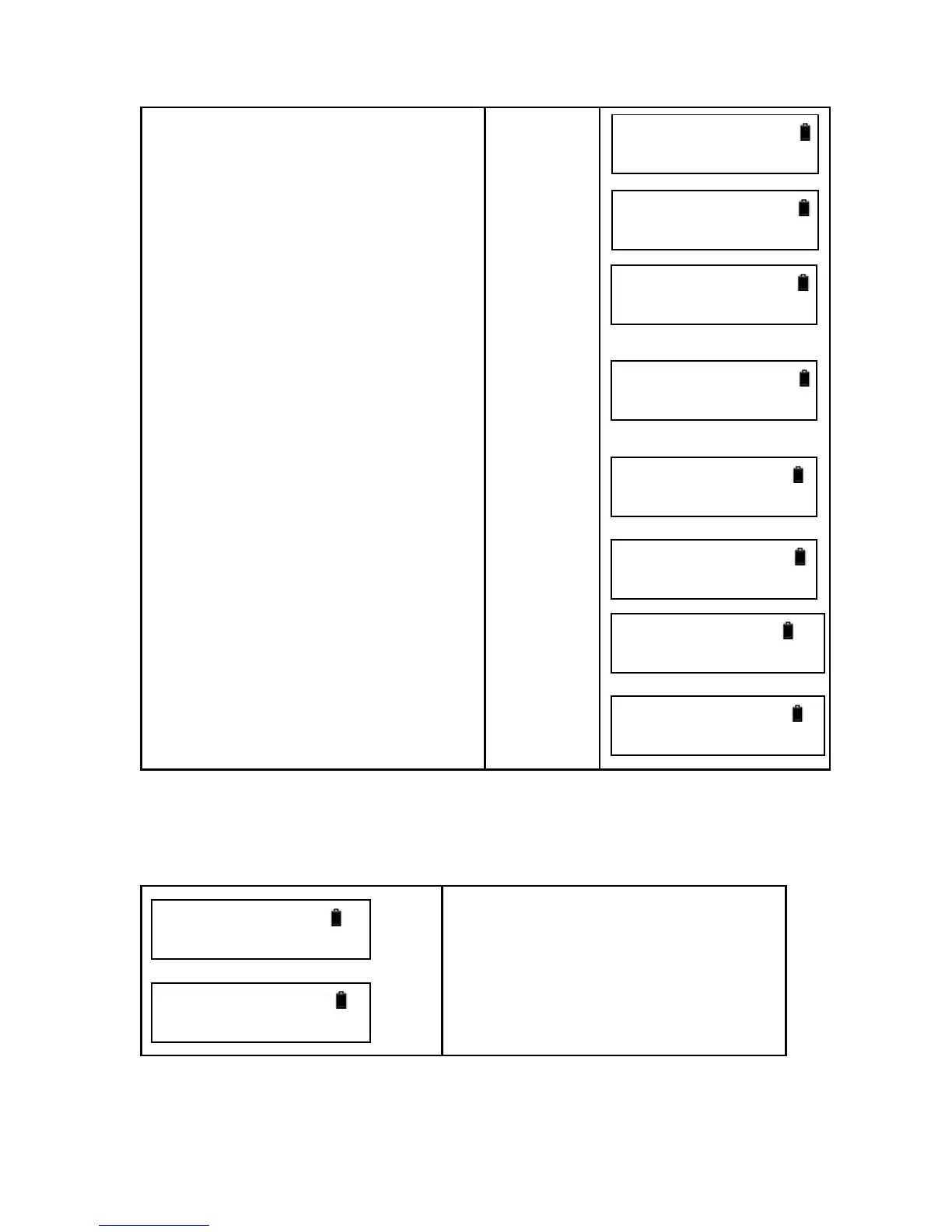
9.Input the point number of frontsight
point and press [ENT].
10. Collimate the staff until it is clear
and press [MEAS].
11 . Press [►] or [◄] to choose to
measure BS (backsight) point or Int
(Intermediate point). Now choose
intermediate point.
.
12.Input the point number of the IntPt
and press [ENT].
13. Collimate the staff until the staff is
clear and press [MEAS].
14. Press [ESC] and [ENT] to quit.
number
[ENT]
[MEAS]
[►] or [◄]
[ENT]
Input point
number
[ENT]
[MEAS]
[ESC]
[ENT]
After measurement, below data will be displayed.
After measuring the backsight point, press [▲] or [▼] to show the following screen.
Measurement value of backsight point
Ground height of backsight point
Point number of backsight point
When the current measurement finishes, press [▲] or [▼] to display the following
screen.
FS PN
=>P2_
Meas the FS Pt
PN: P2
SelectPtType
BS ►Int
Int Pn
=>I2
Meas the Int Pt
PN: I1
FRod: 0.9550m
FDist: 8.486m
IRod: 0.7395m
IDist: 8.501m
ENT: Continue
ESC: New Meas
BRod:1.022m
BDist:15.07m
G H: 21.555m
PN: P01



 To Next Page