K1Pro
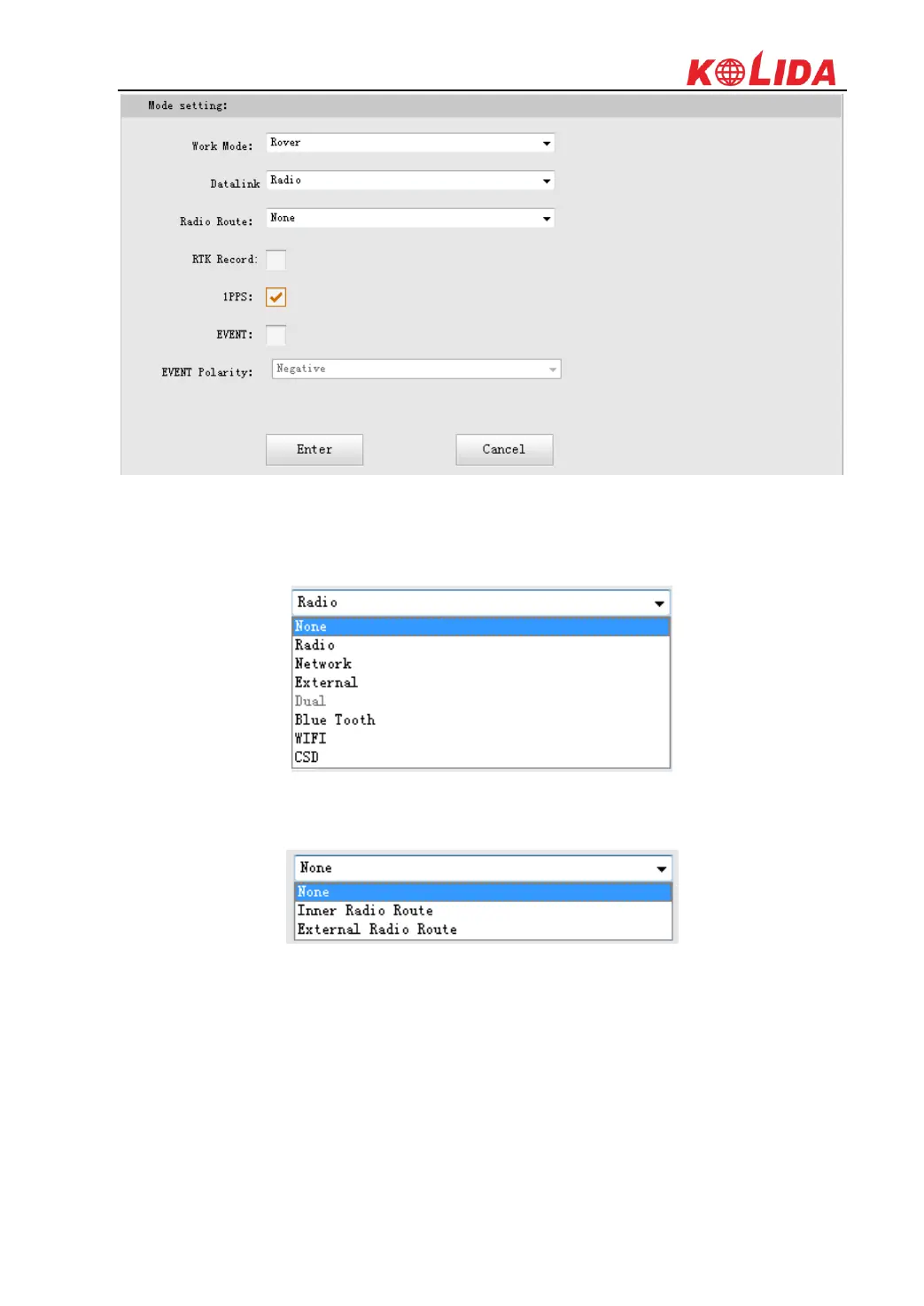
Work Mode: There are Rover, Base and Static contained in this dropdown list
Datalink: In the list, we have multible datalink options such as Radio, Network, External,
Bluetooth and WIFI.
Radio Route: This function enables K1Pro to connect to reference station by network and
transfer reference station's differential corrections to other receivers by radio.
RTK Record: This is used to enable raw data recording in base mode or rover mode for
post-processing
1 PPS: This option is for the 1 pulse per second output
EVENT: This option is for the EVENT marker input
EVENT Polarity: EVENT input method.
Base Setup
When K1Pro works as a base, the basic configuration for base can be setup in this page. Users
can input the correct coordinates or capture a current position for the base. Also users can define



 To Next Page