K1Pro
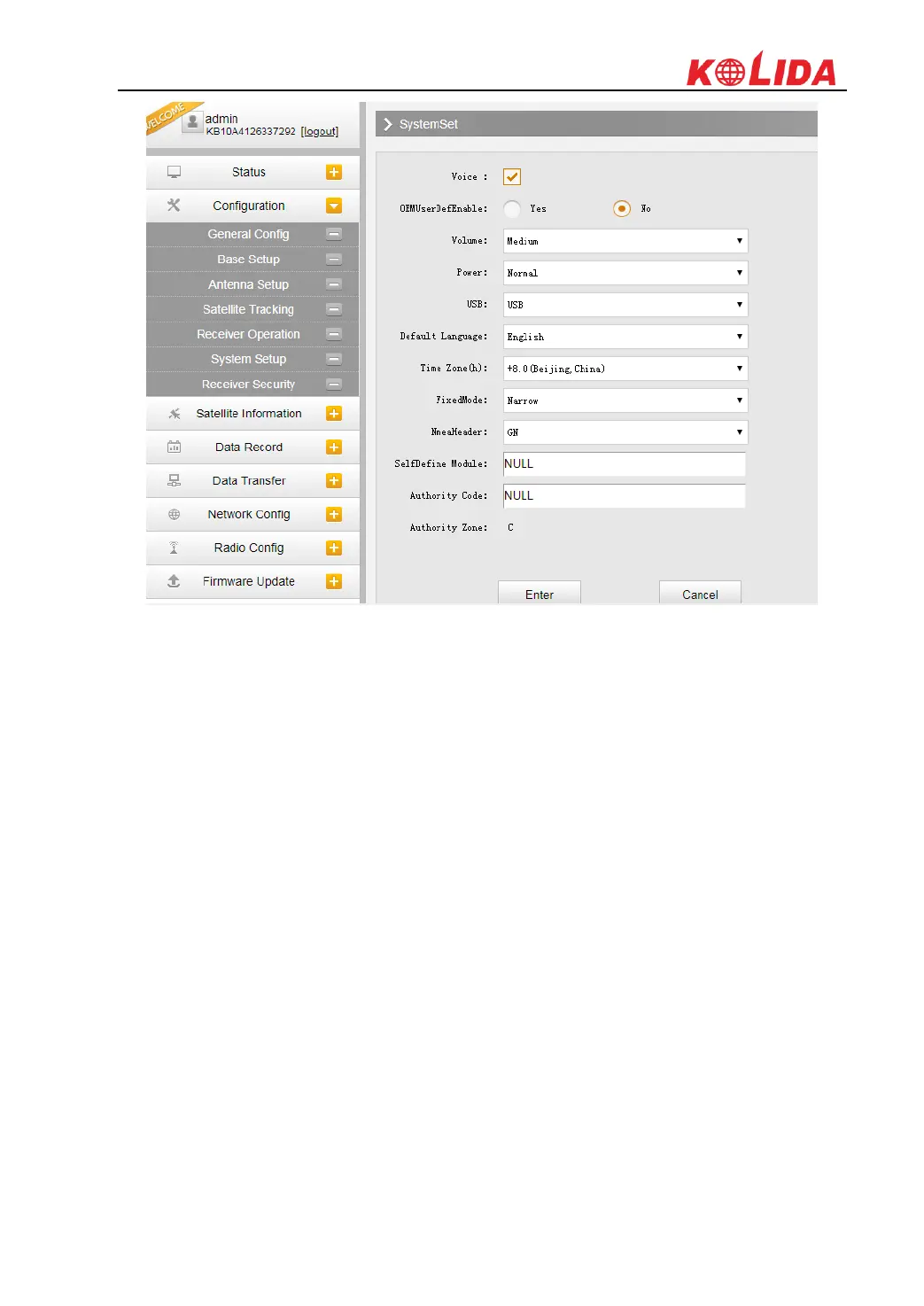
Voice Prompt: Check on this box to turn on the voice guide for K1Pro, cancel it to turn off the
voice guide.
Voice Volume: Define the voice volume for K1Pro‟s speaker.
Power: Configure the receiver to use the power saving mode or not.
USB: This is used to configure K1Pro what kind of mode output from 7-pin port when connect
the receiver with computer via USB cable. USB and network port for optional.
Default Language: Configure the default language for KOLIDA K1Pro.
Authority Zone: C means this receiver works in China only/ W means it works worldwide
§3.2.3 Satellite Information
The “Satellite Information” provides all kinds of tables, graph and the skyplot to view the
information of tracking satellites. And it is allowed to configure to use which satellite in
constellation on/off page by checking on the corresponding box.
Tracking Table
Here is the table to list all current used satellites and the other information for these satellites.



 To Next Page