K1Pro
§3.2.4 Data Record
The “Data Record” is mainly used to configure all the parameters for receiver in static mode.
Much more operations can be done on KOLIDA K1Pro such as storage path, interval, data
format and data files download.
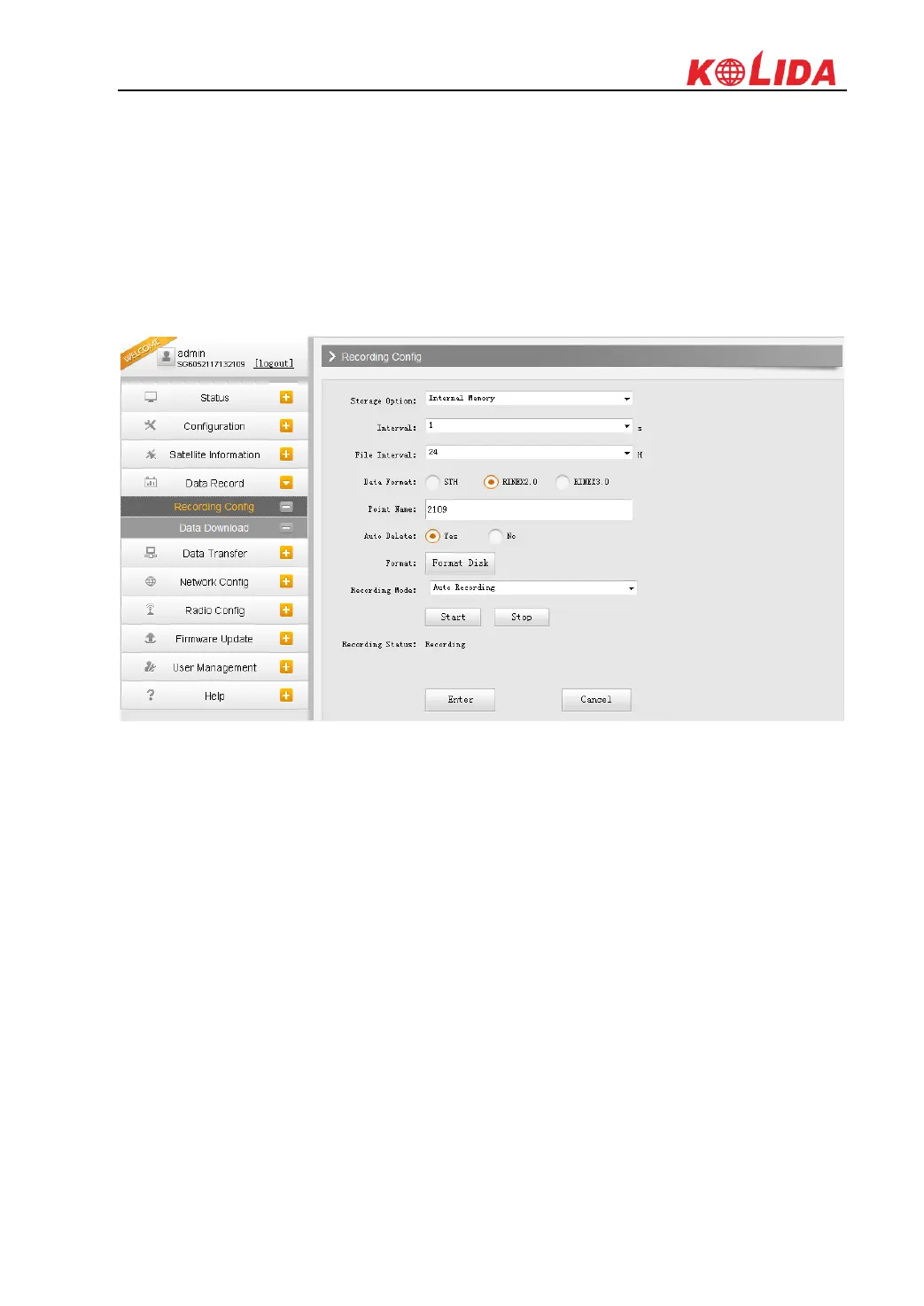
Recording Config
The page provides more practical operations for raw data storage.
Storage Option: Here are the options to be selected for where the raw data will be stored,
internal memory or external memory.
Interval: This is the sampling interval for data storage, 50Hz(0.02s) sampling interval now is
available for K1Pro.
File Interval: This is used to set the data storage time for the static file.
Data Format: K1Pro can store raw data format as STH, Rinex2.0 and Rinex3.0.
Point Name: A point name is required, the last 4 digits of SN is default setting for the point
name.
Auto Delete: When the memory is full, K1Pro will delete previous data files automatically to
release space for new collected data.
Format: Click this button to format the internal memory for K1Pro.
Recording Mode: Auto recording or manually start to record.
Start/Stop: Click these buttons to start recording or strop recording the raw data.
Recording Status: Here shows the status of static data storage.



 To Next Page