K1Pro
function).
2) Login the internal Web UI of K1Pro with the default username and password
(admin/admin).
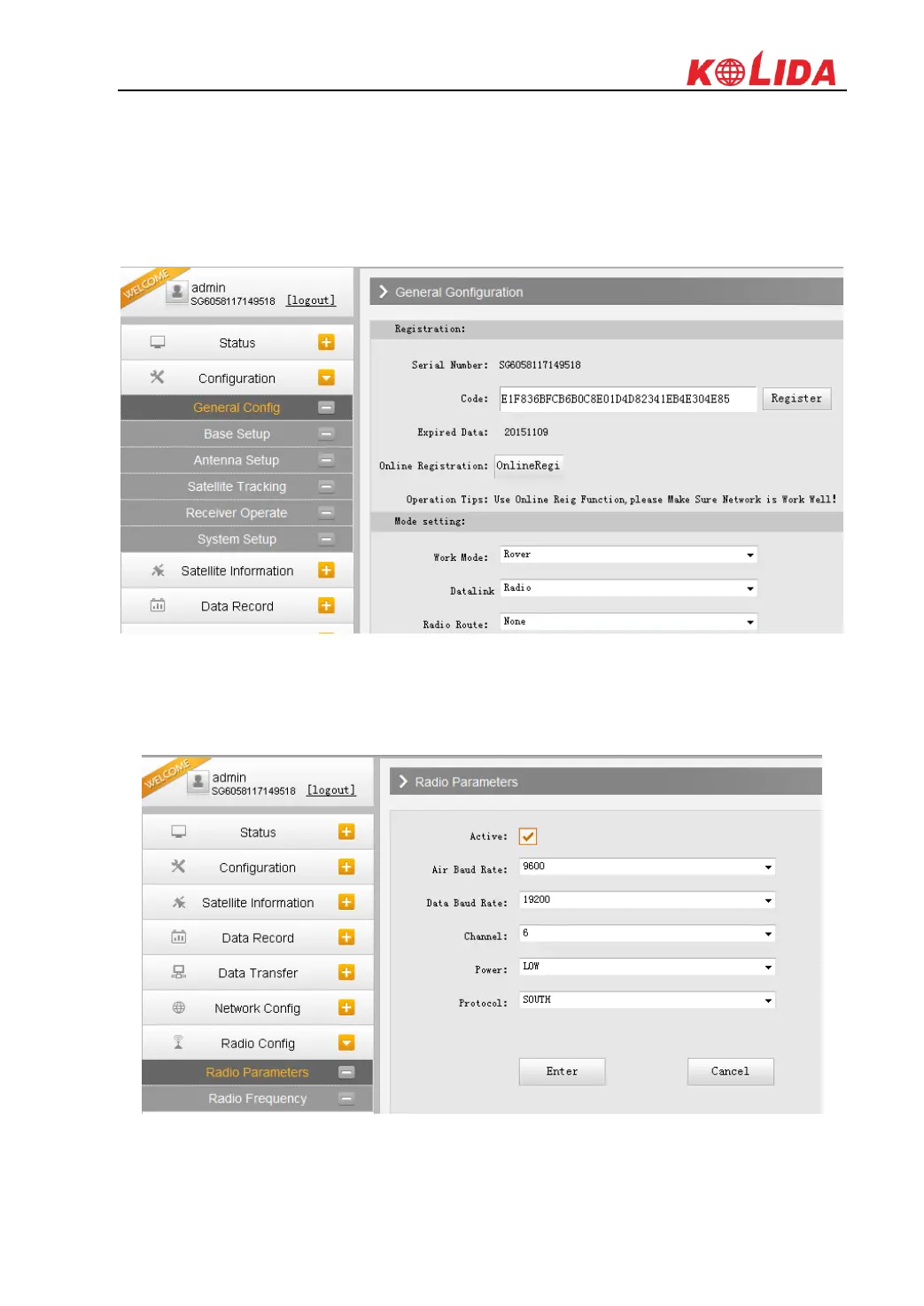
3) Get into “General Config” interface under “Configuration”;
4) Choose “Rover” in “Work Mode” and “Radio” for “Datalink”, then click “Enter” button to
save configurations;
5) Get into “Radio Parameters” interface under “Radio Config”, configure the same radio
parameters as set on base station for rover station such air baud rate, channel value, power
and protocol



 To Next Page