Vers. 111422 50
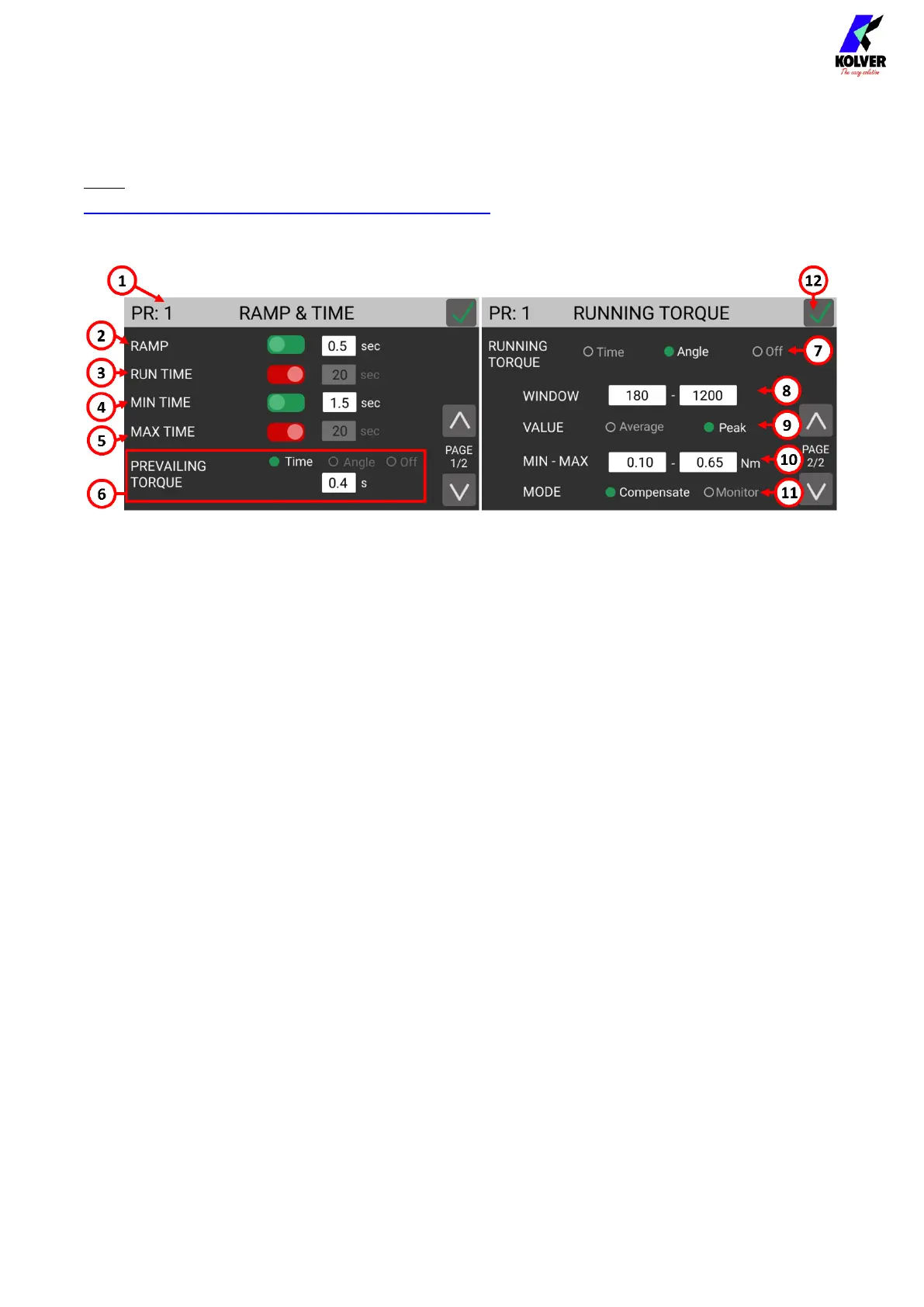
RAMP, TIME, & PV TORQUE menu
Note: for Prevailing Torque and Running Torque settings, please also review the
ADVANCED TORQUE CONTROL STRATEGIES section.
(1) Program number
Indicates the program that is currently being edited. You can select a different program
to edit from the previous screen.
(2) RAMP
The ramp function makes the screwdriver gradually accelerate to the target SPEED
Enter a time between 0.3 and 3 seconds to set the duration of the ramp phase.
OFF: the screwdriver starts immediately turning at the target SPEED when the lever is
pressed (or when the screwdriver starts through remote control).
ON: the screwdriver speed will ramp up to the target SPEED in the time set.
If you wish to display an error when the screwdriver reaches target torque or angle
during the ramp phase, use the (4) MIN TIME function with a timer value equal to the
RAMP timer.
(3) RUN TIME
The RUN TIME function makes the screwdriver stop after the set timer, irrespective of
the torque or angle reached.
ON: the screwdriver will stop after the set amount of time or when the torque or angle
targets are reached, whichever event happens first. If the run time is reached before the
target torque or angle, then the torque and angle reached at the time the screwdriver
stops will be displayed and will be used to determine whether the result was OK or
NOK depending on the min/max limits set on torque, angle, and/or time.
OFF: the screwdriver will turn indefinitely until the target or max limits set on torque,
angle, and/or time are reached.


 To Next Page