Connecting a barcode scanner
The K-DUCER is compatible with RS-232 capable barcode scanners such as Kolver P/N
020050 (1D barcode scanner) and 020051 (2D barcode scanner).
Any barcode type supported by the scanner will work with the K-DUCER, but the total
length of each barcode must be 16 characters or less for PROGRAM and SEQUENCE
barcodes, or 63 characters or less for SERIAL NUMBER barcodes.
Connect the barcode scanner to the CN2 9-pin male serial connector. If using a 2D barcode
scanner such as Kolver P/N 020051, you must also connect the external power supply
included with the scanner.
The barcode scanner should be configured with the following serial connection parameters:
RS232 – 9600 baud – 8 data bits – 1 stop bit – no parity
For Kolver P/N 020051, this is done by scanning the included configuration barcode.
For other scanners, refer to their user manual.
Once connected, select one of the five barcode modes to work with: see BARCODE MODE.
Connecting a bit-tray or switchbox (CBS880, SWBX88)
To utilize the accessories SWBX88 (switchbox) and CBS880 (socket tray) you’ll need the M-F
serial cable (code 881007) and the KIT KDU ADAPTER WITH SW AND CBS (code 010410).
Connect and secure the adapter to the accessory, then the M-F 9-pin cable from the adapter
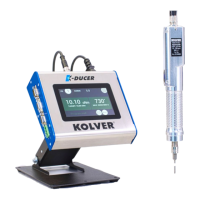
to the CN4 connector on the K-DUCER:


 To Next Page