Vers. 111422 33
Retrieving and storing the screwdriving results
There are several ways to store and retrieve the results of each tightening:
Via MODBUS TCP (CN1)
Refer to the MODBUS TCP section. Kolver also provides ready-to-use Python, C#, and
PowerShell scripts to retrieve and save the screwdriving results that can be run on a PC
computer or server, included in the MODBUS TCP code examples and literature packet.
Via K-Expand software (mini-USB or CN1)
Refer to the K-EXPAND software section.
On USB flash drive (USB-A)
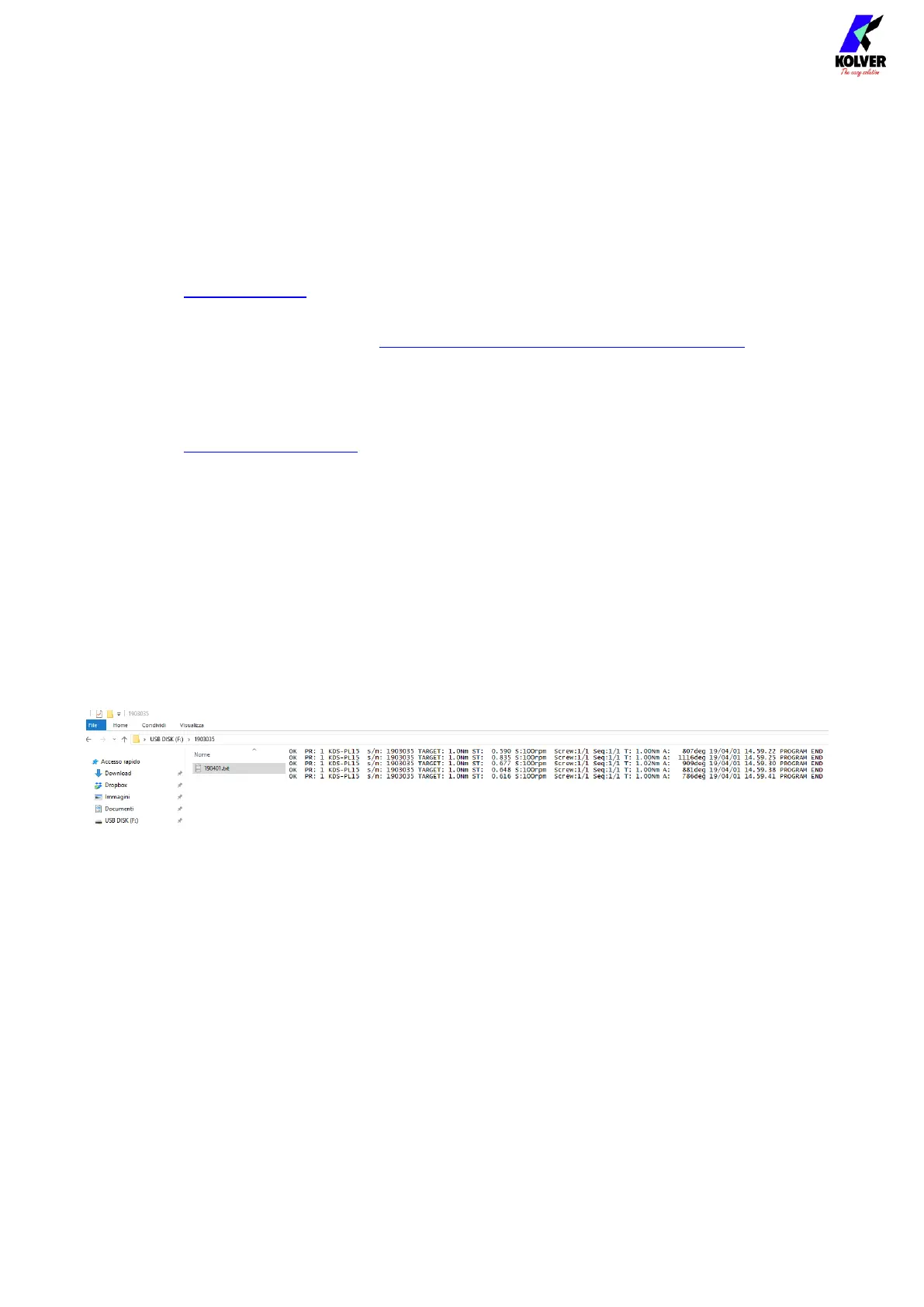
Simply connect a FAT32-formatted USB drive on the USB-A connector.
The K-DUCER will create a folder named as the serial number of the connected
screwdriver.
Inside this folder, the K-DUCER will save the results of each tightening inside a TXT file.
The name of the file will be the date (YYMMDD) of the first tightening contained, and a
new file will be created for each day date.
Via serial printer or serial terminal (CN2 or CN4)
You can connect to CN2/CN4 with a serial printer (for example Kolver model PRNTR1) or
with any serial terminals, for example Hyper Terminal, Realterm, or K-Expand for PC, to
print the results of each tightening.
The print string is automatically transmitted at the end of each tightening.
The serial connection parameters must be:
RS232 – 9600 baud – 8 data bits – 1 stop bit – no parity
The print string contains the following data:


 To Next Page