Vers. 111422 52
Note that the running torque can be combined with the PREVAILING TORQUE
function, for those situations where the running torque value is expected to be higher
than the TARGET Torque value (Running Torque greater than Clamping Torque).
(8) WINDOW
Enter the time or angle window during which the running torque will be measured.
(9) VALUE
Average: the running torque value will be the average of the torque values measured
during the running torque window.
Peak: the running torque value will be the maximum torque value measured during the
running torque window.
(10) BOUNDS (MIN – MAX)
If the running torque falls outside the min/max bounds, the tightening will stop with a
corresponding error.
If using Average VALUE mode, the tightening will continue until the running torque
window completes, and the average value will be checked against the min/max bounds.
If using Peak VALUE mode, the tightening will end immediately if the measured torque
exceeds the max BOUND at any time within the running torque window.
(11) MODE
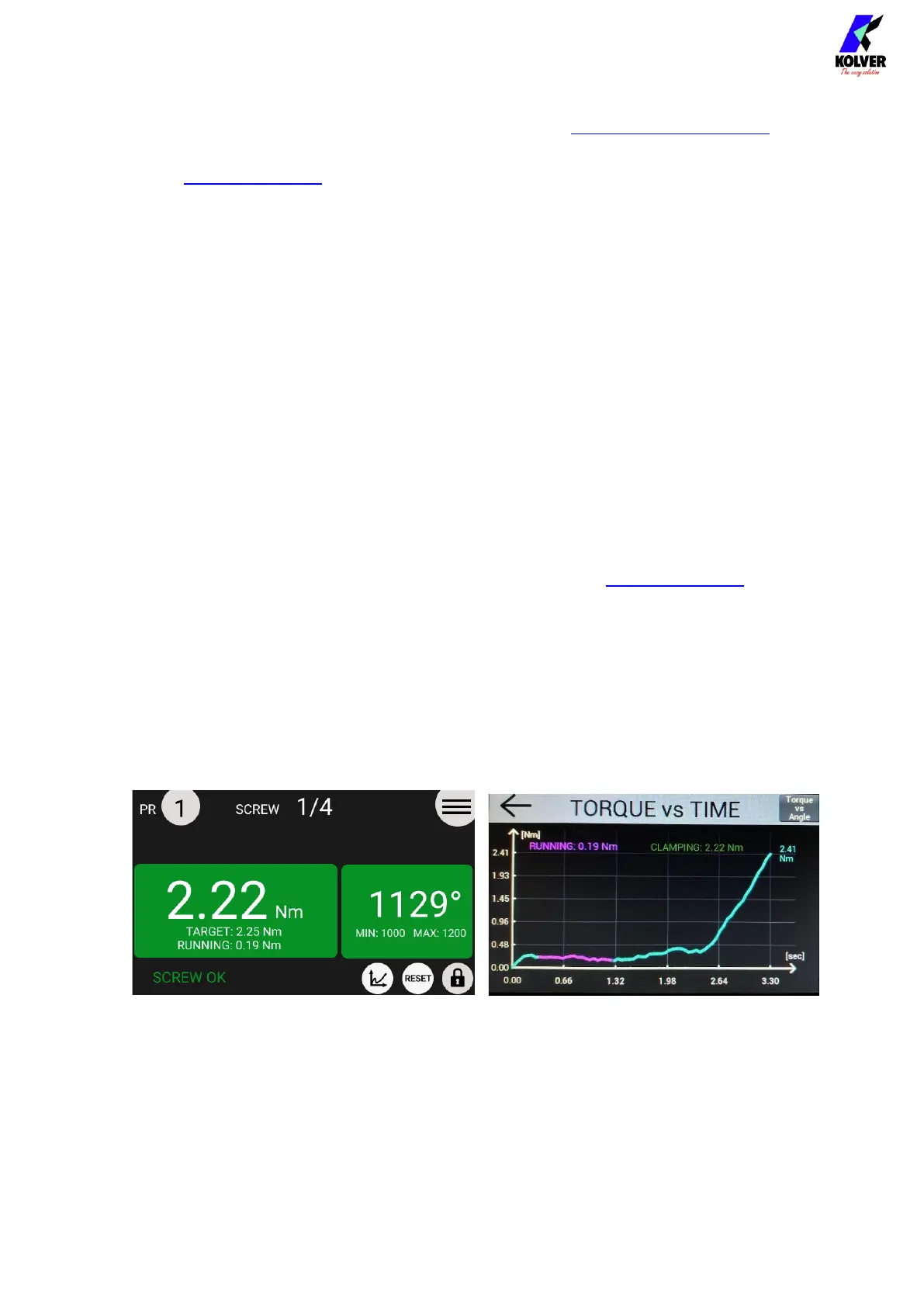
Compensate: the running torque value will be added to the TARGET Torque in real
time, to achieve a fixed amount of clamping torque. The torque result reported on the
main screen will correspond to the clamping torque applied, and the running torque
value will be reported below.
Monitor: N/A in the KDS-NT system. Running Torque will always run in
“Compensate” mode.
Example of a tightening result using the RUNNING TORQUE Compensate function:
2.22 Nm clamping torque 0.19 Nm running torque 2.41 Nm total torque
(12) Exit/Save Key
Tap to return to the previous menu and save or discard any changes made.


 To Next Page