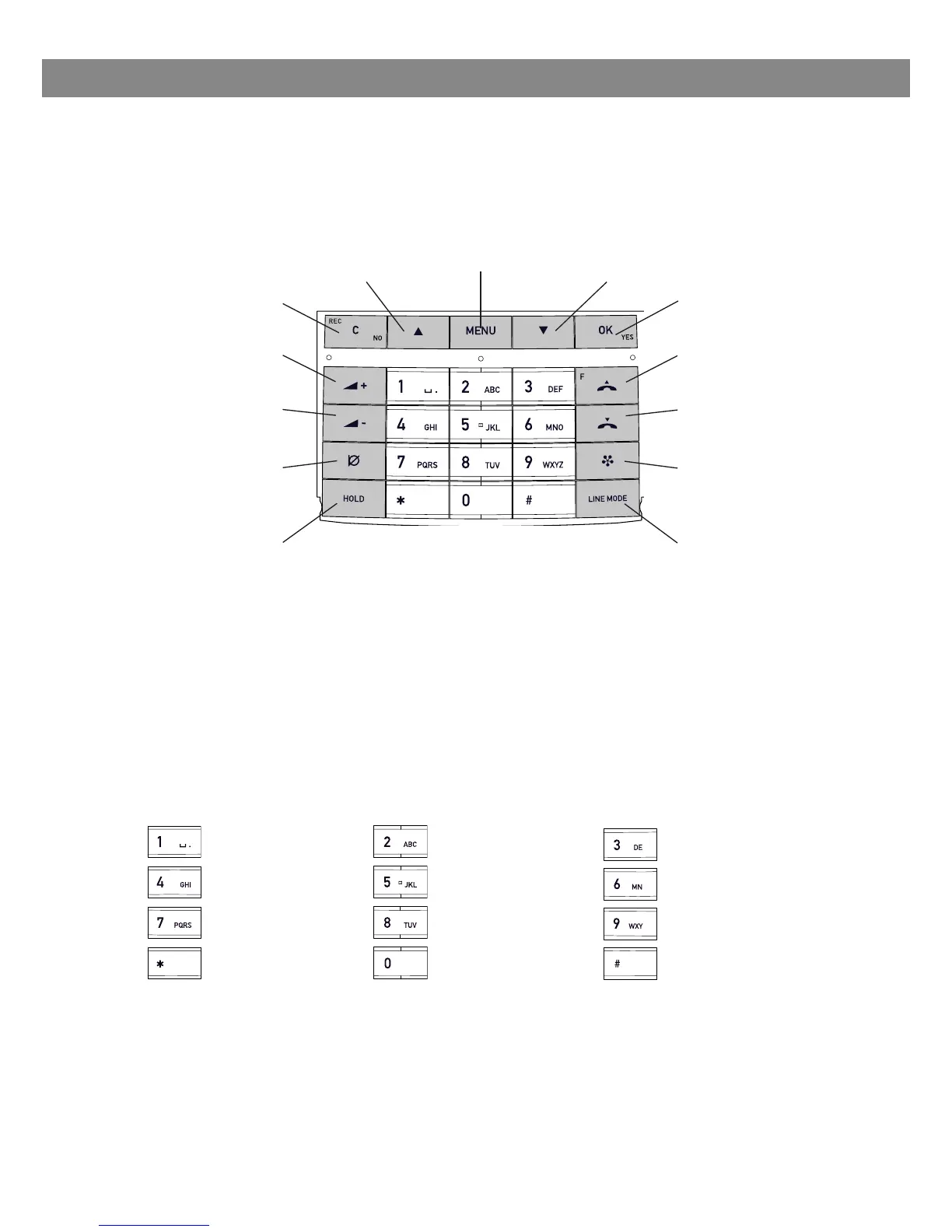
KEYPAD
DESCRIPTION
Writing text
Each button contains letters and characters – more than those shown on the button
(see illustration below). Press the same button repeatedly to change to another charac-
ter. If there are two letters under the same button that you want to enter one after the
other, you need to pause slightly before entering the second letter.
Press the C button to delete the last character you entered.
MENU,
settings menu
UP ARROW
navigation in menus,
display of call list
C,
no/end/back
recording
Increase volume
Decrease volume
MUTE
the caller cannot
hear you
HOLD
puts a call on hold
Alphanumerical buttons, phonebook
OK,
yes/conrm choice
Answer/connect
calls and Flash
Hang up/end call
CONFERENCE
automatic dialling
of conference
groups
LINE MODE,
connectivity
options
DOWN ARROW
navigation in menus,
display of call list





 To Next Page