Page 33
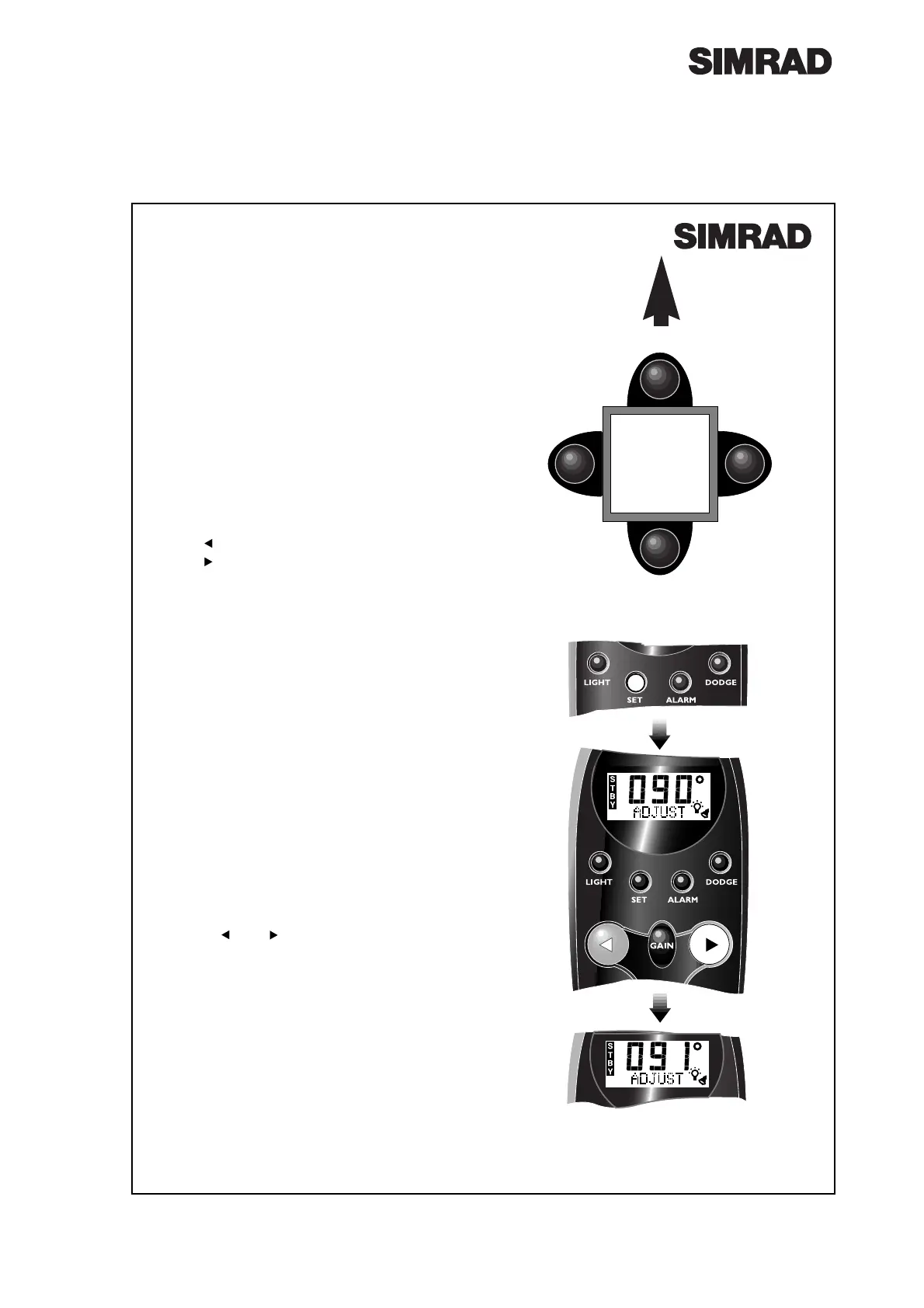
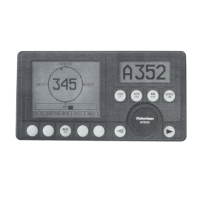
Fig 6.2 - Adjusting compass bearing
6.2 Compass Orientation
The SHS12 compass can be mounted pointing
four different ways - 0¼, 90¼, 180¼ or 270¼ to the
bow (Fig 6.1).
¥ The factory preset is 0¼ (pointing forward). If
the compass is mounted pointing any other
way, this must be programmed in before using
the pilot.
Press and hold Set until the controller beeps
twice.
Press Set again - the display will show the cur-
rent offset.
Press to adjust the offset in 90¼ steps to port.
Press to adjust the offset in 90¼ steps to star-
board - 90¼, 180¼, 270¼.
¥ If no key is pressed within 5 seconds, the con-
troller will return to the main display and the
orientation currently entered will be set.
6.3 Compass Adjustment
The bearing shown on the AP14 display can be
adjusted by ±15¼ so that it matches the boatÕs
magnetic compass, or a known heading.
¥ This procedure should be performed after the
compass has been orientated (see section 6.2
above).
Press and hold the Set key. The controller will
beep twice and the display will show ADJUST
along with the current bearing detected by the
SHS12 fluxgate compass.
Use the and keys to adjust the displayed
bearing until it matches the boatÕs magnetic
compass, or known heading (Fig 6.2).
¥ If no key is pressed within 5 seconds, the con-
troller will return to the main display and the
bearing entered will be set.
¥ Note that the bearing can be adjusted by a
maximum of ±15¼ from the original. If the error
is greater than 15¼, check that the SHS12 com-
pass is not receiving interference from nearby
metallic, magnetic or electrical objects.
Fig 6.1 - Compass orientation
0º (No flashes)
180º (2 flashes)
90º (3 flashes)
270º (1 flash)
BOW
BULKHEAD
Pressed & held



 To Next Page