44
442728/B
hObservetheIPaddressfortheEthernetadapter.
iWritedowntheinformation.
jCloseallthedialogboxes.
ObtaintheMACaddress.
aInthebottomleftcornerofyourdesktop,selectthelookingglasstostartasearch.
bType"Command",dothesearch,andopentheCommandPromptwindow.
cTypeipcong/allandpresstheEnterkey.
dObservethe"PhysicalAddress"(MACaddress)fortherelevantEthernetadapter.
eWritedowntheinformation.
fClosetheCommandPromptwindow.
SelecttheadapterthattheOperatingPanelisconnectedto.OntheST90system,the
EthernetadapterisnamedSimradConnect.
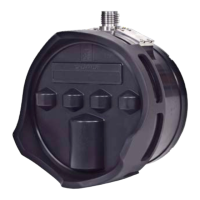
PreparetheOperatingPanelforuse.
2Makethefollowingpreparations.
aConnectthepowercablefromtheOperatingPaneltothepoweroutletonthe
uninterruptiblepowersupply(UPS).
bConnecttheEthernetcablefromtheProcessorUnittotheOperatingPanel.
MakesurethatyouusethecorrectEthernetsocketontherearsideoftheProcessor
Unit:ETH1
cConnectthekeyboardandthemousetoUSBsocketsontheProcessorUnit.
dOntheProcessorUnit,closeanyprogramsthatarerunning,andreturntothe
desktop.
eOntheOperatingPanel,pressPower,andkeepitdepressedforafewseconds.
TheblueindicatorlightinthebuttonasheswhiletheOperatingPanelestablishes
contactwiththeProcessorUnit.Whenyoustartthepanelforthersttimethe
interfacemustbeconguredtoestablishthisconnection.Whentheconnection
hasbeenmade,theblueindicatorlightislitpermanently.
fOntheProcessorUnitdesktop,openfolderSIMRAD-Shortcut.
gDouble-clickleIPandMACaddress.txttoopenitinatexteditor.
hDouble-clicktheURLshortcuttoopentheOperatingPanelcongurationpagein
thedefaultwebbrowser.
iObservethattheOperatingPanelcongurationpageopenson
page157.237.60.20:5000.
3Denethecongurationparameters.
SimradST90FactoryAcceptanceTest



 To Next Page