Machine Configuration (continued)
2-8
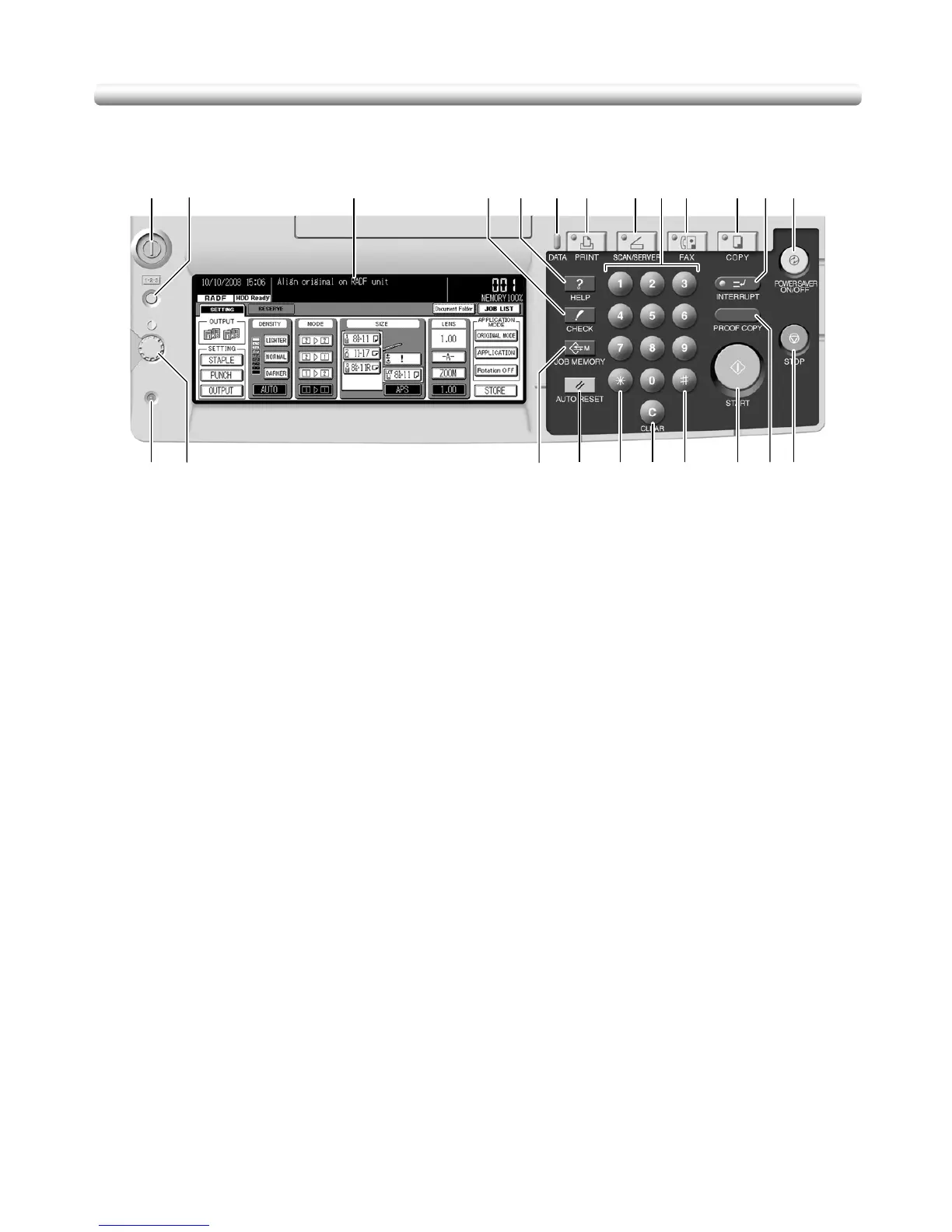
Control Panel Layout
1 POWER SWITCH turns copier power On/Off when pressed.
2 COUNTER displays the Counter List Screen when pressed.
3 LCD TOUCH SCREEN displays machine and copying status, help information,
interactive screens, and touch keys for selecting all functions.
4 CHECK displays a screen showing all settings that are selected for the current job.
5HELP displays a screen with help for the currently selected function, and access to the
Key Operator Mode Screen.
6DATA blinks while receiving print data in printer mode, then lights after completing it.
7 PRINT switches the machine operation mode to print.
8 SCAN/SERVER switches the machine operation mode to scan/server.
9KEYPAD enters numeric values.
10 FAX switches the machine operation mode to facsimile.
11 COPY switches the machine operation mode to copy.
12 INTERRUPT stops copying/facsimile/printing/scanning in progress to allow copying
from the platen glass.
13 POWER SAVER ON/OFF activates power-saving mode for times when the copier is
inactive.
14 STOP stops the copying sequence; deletes the stored memory.
15 PROOF COPY outputs a single set of copies to confirm whether the current settings
are selected properly.
16 START activates copying or scanning.
17 [#] accesses programming modes for setting facsimile and special functions.
18 [C] (CLEAR) allows resetting of print quantity.
19 [
] accesses facsimile functions.
20 AUTO RESET restores copier to default settings or to Key Operator settings.
12 3 4567 8910 11 1312
14151617181920212223










 To Next Page