117
6.1 Maintenance and inspection items
Chapter 6
DR Detector
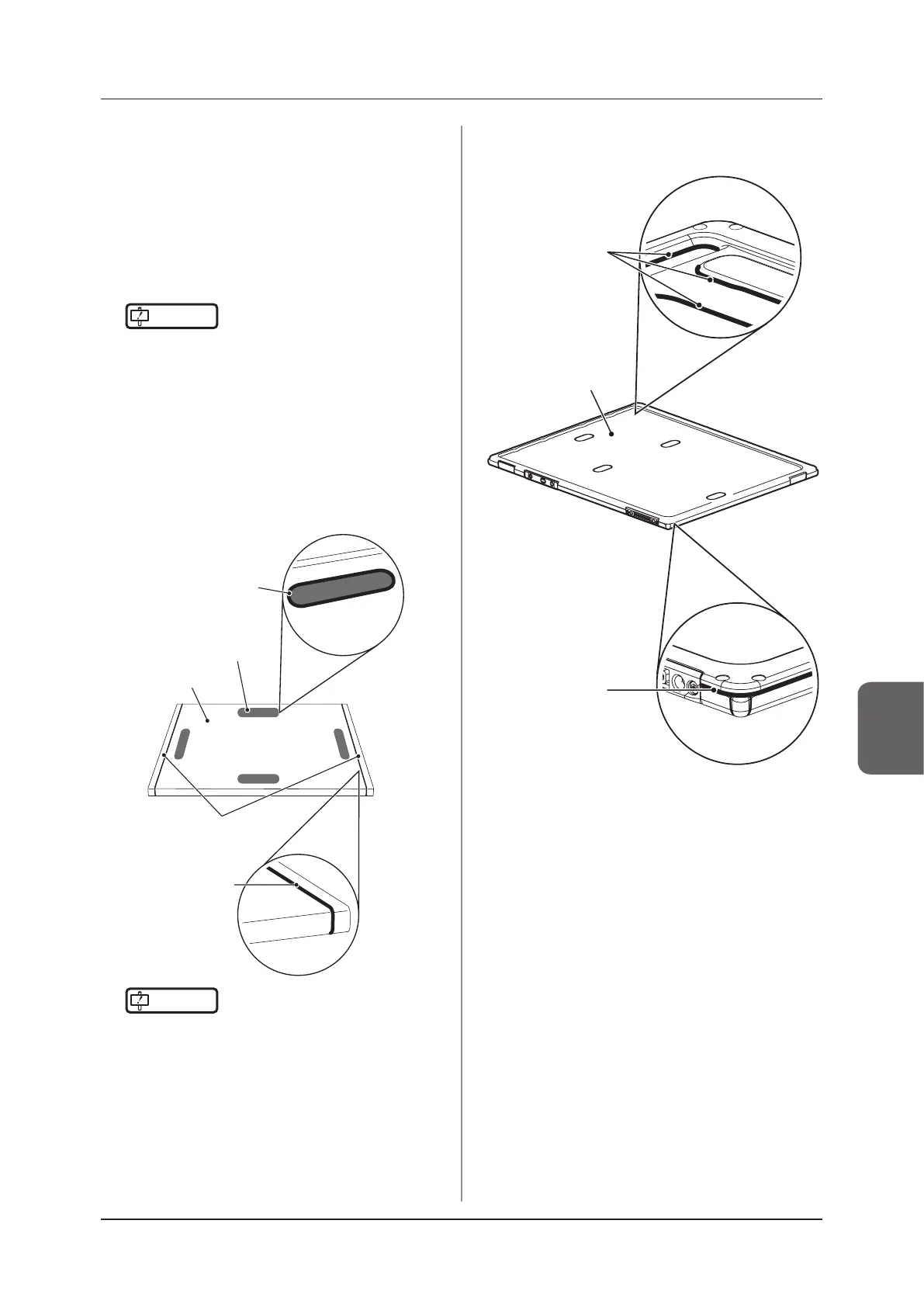
• Clean the exterior and AeroDR Grip sheet with a
soft lint-free cloth dampened with a small amount of
anhydrous ethanol and wrung well.
• To clean the gaps between the exterior of the DR
Detector and the protective cover, and the gaps
between the exterior of the DR Detector and the
AeroDR Grip sheet, remove dirt using a commercial
plastic brush.
IMPORTANT
•••••••••••••••••••••••••••••••••••••
• If you directly apply or spray anhydrous ethanol on
the DR Detector, the liquid will enter the DR Detec-
tor through exterior gaps, causing a failure.
•••••••••••••••••••••••••••••••••••••••••••••••••••••
AeroDR 1417HQ, AeroDR 1417S, AeroDR
1717HQ, AeroDR 1012HQ, AeroDR 2 1417HQ
and AeroDR 2 1417S
AeroDR Grip sheet
Gap between
the exterior and
AeroDR Grip sheet
Gap between
the exterior and
protective cover
Protective cover
Exterior
IMPORTANT
•••••••••••••••••••••••••••••••••••••
• The AeroDR 1012HQ do not use the AeroDR Grip
sheet.
•••••••••••••••••••••••••••••••••••••••••••••••••••••
AeroDR 3 1417HD, AeroDR 3 1717HD and
AeroDR 3 1012HQ
Gaps of the
DR Detector
Exterior
Gap between
the exterior and
the body



 To Next Page
 Loading...




