120
6.1 Maintenance and inspection items
3
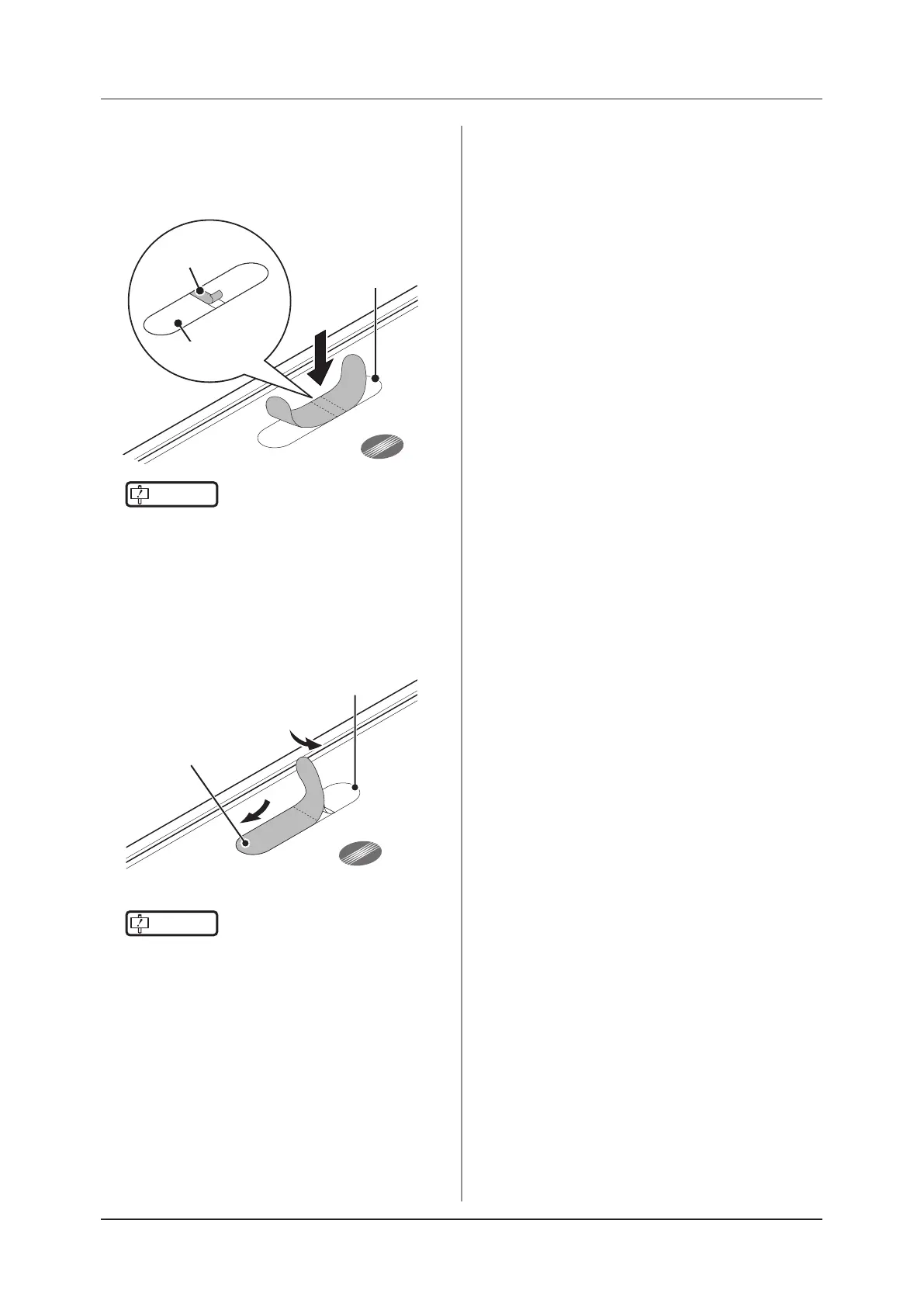
Peel off the center piece of the release
paper from the AeroDR Grip sheet, and
temporarily ax the sheet to the required
position on the DR Detector.
AeroDR Grip sheet
axing position
Release paper
AeroDR Grip sheet
IMPORTANT
•••••••••••••••••••••••••••••••••••••
• Place the AeroDR Grip sheet in the correct position
so that it does not overlap the DR Detector label.
•••••••••••••••••••••••••••••••••••••••••••••••••••••
4
Peel off the left and right pieces of the
release paper from the AeroDR Grip sheet
and ax the sheet to the required position
on the DR Detector.
AeroDR Grip sheet
AeroDR Grip sheet
axing position
IMPORTANT
•••••••••••••••••••••••••••••••••••••
• Affix the sheet slowly from the center to the right
and left sides to attach it tightly to the DR Detector.
• Conrm that the AeroDR Grip sheet has been se-
curely placed.
•••••••••••••••••••••••••••••••••••••••••••••••••••••
5
Repeat the same steps to affix the other
three sheets.



 To Next Page
 Loading...




