E-2
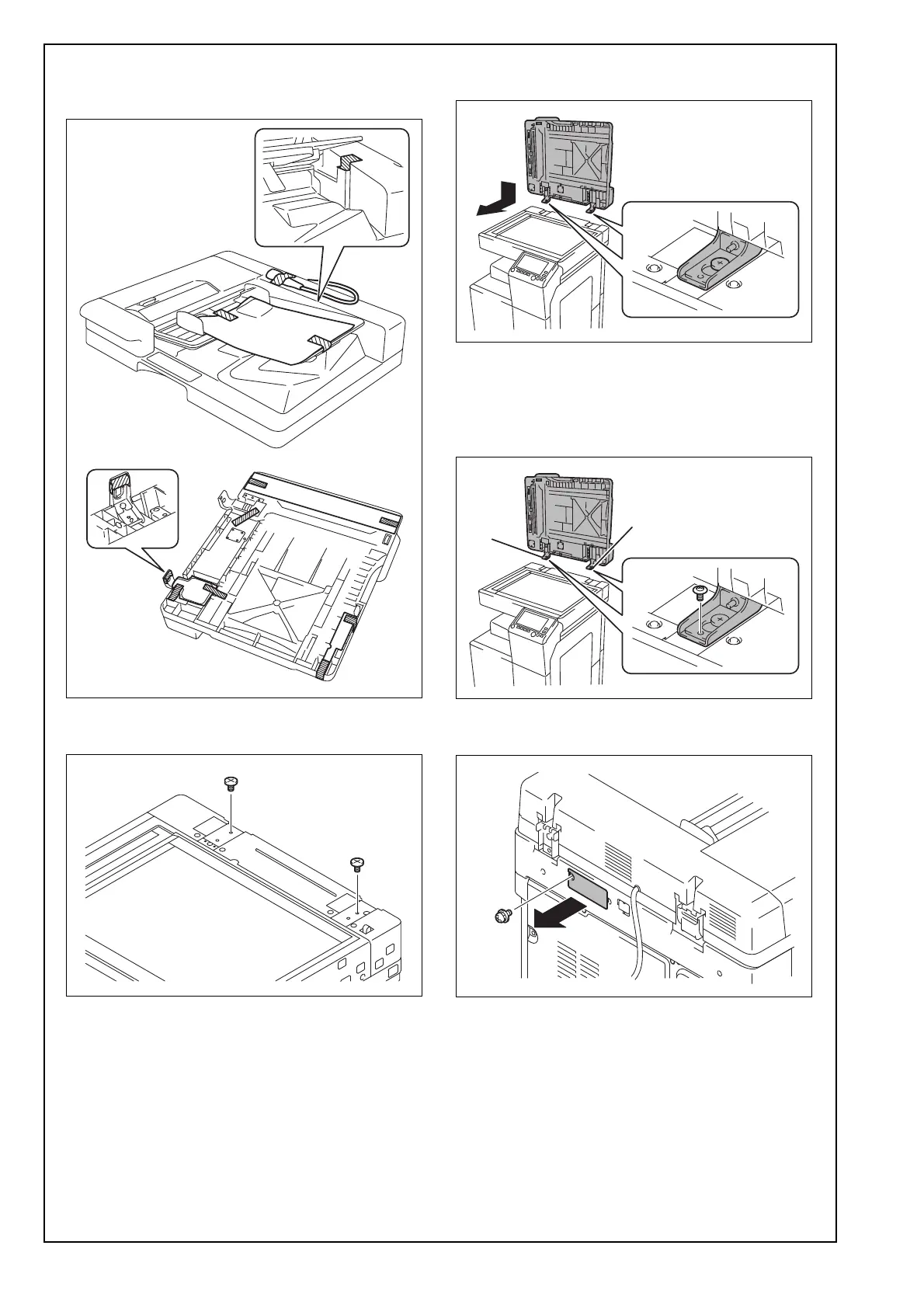
(3) Remove the protective tape and protective mate-
rials and remove the protective plastic bag of the
relay harness.
(4) Screw two supplied shoulder screws into the
holes in the rear.
(5) Place the Reverse Automatic Document Feeder
in position.
(6) Using two supplied mounting screws, tighten the
hinges to secure the Reverse Automatic Docu-
ment Feeder in position.
Note:
Tighten the mounting screws in order of [1], [2].
(7) Remove the cover shown in the illustration from
the back of the main unit. (One screw)













 To Next Page